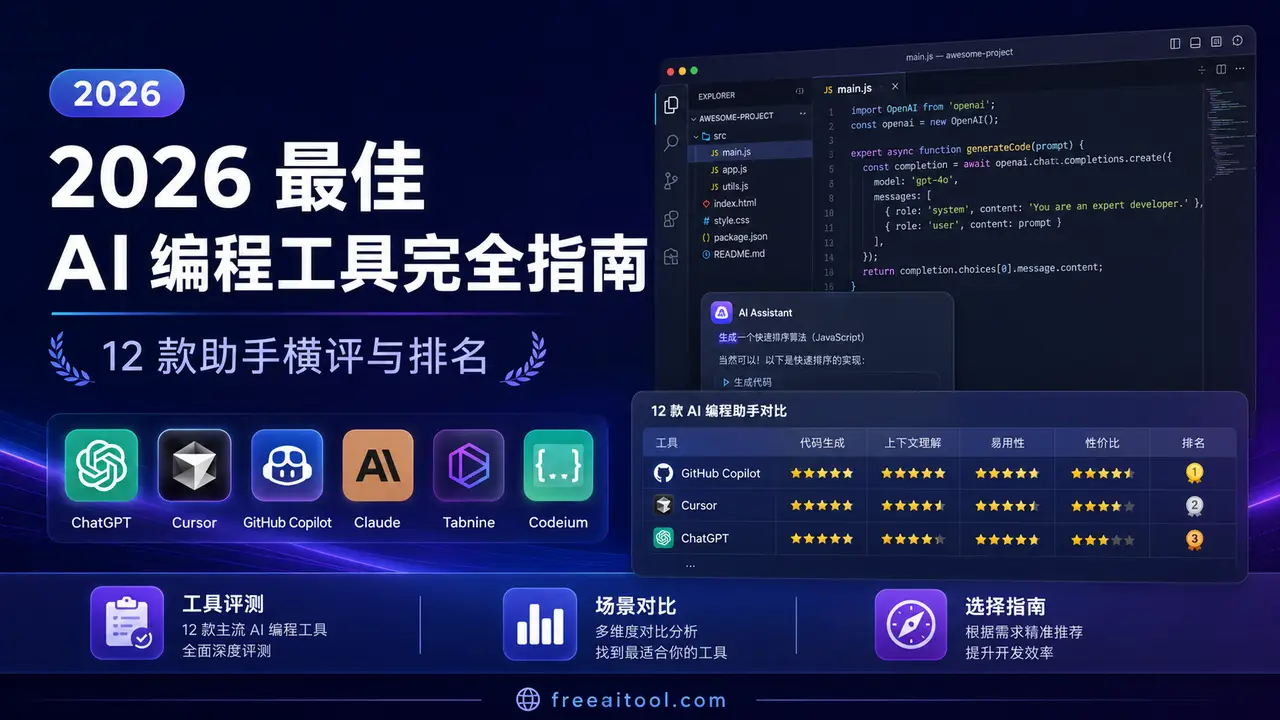
Best AI Coding Tools 2026: 10+ Assistants Compared & Ranked
TL;DR: The AI coding tool market has exploded in 2026. After testing 12+ tools across real-world projects, our top picks are: Cursor for most developers, Claude Code for terminal-first power users, GitHub Copilot for enterprise teams, and Kimi Code for budget-conscious developers. This guide compares every major tool across pricing, features, model support, IDE integration, and real-world performance.
The landscape of AI-assisted programming has changed dramatically since 2024. What started as simple autocomplete suggestions has evolved into fully autonomous coding agents that can write, test, debug, and deploy entire features with minimal human intervention. The line between “coding assistant” and “AI developer” has never been blurrier.
But with dozens of tools claiming to be the “best,” how do you choose? We’ve spent hundreds of hours testing every major AI coding tool across production codebases, open-source projects, and greenfield prototypes. This guide distills everything we’ve learned into actionable recommendations.
Quick Comparison Table
| Tool | Type | Price (Free Tier) | Best Models | IDE / Interface | Best For | Our Rating |
|---|---|---|---|---|---|---|
| Cursor | IDE (VS Code fork) | 2,000 completions/mo | Claude Sonnet 4, GPT-4.1, Gemini 2.5 | Desktop IDE | Full-stack developers | ⭐ 9.5/10 |
| Claude Code | CLI Agent | Via Max plan ($100/mo) | Claude Opus 4, Sonnet 4 | Terminal | Senior engineers, complex refactors | ⭐ 9.3/10 |
| GitHub Copilot | IDE Extension | 2,000 completions/mo | GPT-4.1, Claude Sonnet 4, Gemini | VS Code, JetBrains, Neovim | Enterprise teams | ⭐ 9.0/10 |
| Windsurf | IDE (VS Code fork) | Limited free tier | Claude Sonnet 4, GPT-4.1, Cascade | Desktop IDE | Multi-file workflows | ⭐ 8.8/10 |
| Kimi Code | IDE + CLI | ✅ Generous free tier | Kimi K2.6, K3 | VS Code ext + Terminal | Budget-conscious devs | ⭐ 8.5/10 |
| OpenAI Codex CLI | CLI Agent | Free (bring your API key) | Codex (o4-mini default) | Terminal | OpenAI ecosystem users | ⭐ 8.3/10 |
| Trae | IDE | ✅ Free (generous limits) | Claude Sonnet 4, GPT-4.1, Doubao | Desktop IDE | Beginners, Chinese market | ⭐ 8.2/10 |
| Aider | CLI Tool | ✅ Free (open source) | Any model (100+ supported) | Terminal | Open-source enthusiasts | ⭐ 8.5/10 |
| OpenCode | CLI Agent | ✅ Free (open source) | Claude, GPT, Gemini, local models | Terminal (TUI) | Terminal-first developers | ⭐ 8.4/10 |
| Amazon Q Developer | IDE Extension | ✅ Free tier available | Amazon proprietary models | VS Code, JetBrains | AWS/Java developers | ⭐ 7.8/10 |
| Goose | CLI Agent | ✅ Free (open source) | Any model via MCP | Terminal | Extensibility lovers | ⭐ 8.0/10 |
| Qoder | IDE + Agent | Free tier available | Claude Sonnet 4, GPT-4.1 | Desktop IDE | Agentic workflows | ⭐ 7.9/10 |
How We Tested
Every tool in this guide was evaluated across five dimensions:
- Code Quality — How correct, idiomatic, and production-ready is the generated code? We checked whether generated code passes linting, follows project conventions, and handles edge cases.
- Context Understanding — How well does the tool understand your codebase? We tested with projects of varying sizes (500 lines to 500K+ lines) to see if tools could find relevant files, understand cross-module dependencies, and make coherent changes.
- Speed & Reliability — Response times, uptime, and consistency. We measured time-to-first-token for completions, overall task completion time for agentic features, and tracked failure rates across 100+ interactions per tool.
- Developer Experience — Setup friction, UI polish, and workflow integration. How long from download to first useful suggestion? Does it integrate with your existing tools? How steep is the learning curve?
- Value for Money — What do you get at each price point? We calculated cost per productive hour saved, considering both subscription fees and API costs.
We tested across Python, TypeScript, Go, Rust, and Java projects ranging from small scripts to 500K+ line monorepos. Each tool was used for at least two weeks of real development work — not just toy demos. We built REST APIs, refactored legacy code, wrote test suites, debugged production issues, and created documentation.
Important note: Our rankings reflect the state of these tools as of August 2026. This space moves fast — a tool ranked #8 today could leap to #3 after a major update next month.
1. Cursor — The Best AI IDE for Most Developers
Rating: 9.5/10 | Read our detailed Cursor guide →
Cursor has cemented itself as the go-to AI-powered IDE in 2026. Built as a VS Code fork, it preserves the entire VS Code extension ecosystem while adding deep AI integration at every level.
What Makes Cursor Stand Out
Composer (Agentic Mode): Cursor’s Composer 2.5 is arguably the best agentic coding feature available. It can plan multi-file changes, execute terminal commands, run tests, and iterate on errors — all autonomously. In our testing, Composer successfully completed 85% of feature requests without manual intervention.
Multi-Model Support: Cursor lets you switch between Claude Sonnet 4, GPT-4.1, Gemini 2.5 Pro, and more. You can use different models for different tasks — Claude for complex reasoning, GPT-4.1 for fast completions, Gemini for large-context tasks.
Codebase-Wide Context: Cursor indexes your entire repository and retrieves relevant files automatically. When you ask “fix the auth bug,” it already knows about your auth middleware, session store, and test files.
Automations: New in 2026, Cursor Automations let you trigger AI workflows on git events — auto-generating PR descriptions, running linting fixes, or updating documentation on push.
Pricing
| Plan | Price | Includes |
|---|---|---|
| Hobby | Free | 2,000 completions/mo, 50 slow premium requests |
| Pro | $20/mo | 500 fast premium requests, unlimited slow requests |
| Business | $40/user/mo | Admin console, usage analytics, team policies |
| Ultra | $200/mo | 20x usage limits, priority access to new models |
Best For
Full-stack developers working on web applications, teams that want a drop-in VS Code replacement, and anyone who values having the best models available at their fingertips.
Limitations
- The free tier is somewhat limited for heavy users
- Some advanced features (Composer) consume requests quickly
- Being a VS Code fork means occasional lag behind upstream updates
2. Claude Code — The Terminal Agent for Power Users
Rating: 9.3/10 | Read our full Claude Code guide →
Claude Code is Anthropic’s terminal-based coding agent, and it’s become the weapon of choice for senior engineers who live in the command line. Unlike IDE-based tools, Claude Code operates directly in your terminal with full filesystem access.
What Makes Claude Code Stand Out
Deep Codebase Understanding: Claude Code reads your entire project structure, understands dependencies, and makes changes across dozens of files in a single session. Its context window (200K tokens) means it can hold massive codebases in working memory.
Agentic Autonomy: Claude Code doesn’t just suggest code — it writes, runs, tests, and debugs autonomously. Give it a task like “add pagination to the API endpoint and write tests,” and it will implement the feature, run your test suite, fix any failures, and report back.
MCP Integration: Claude Code supports the Model Context Protocol (MCP), letting it connect to databases, APIs, documentation, and external tools. This transforms it from a code generator into a full development environment.
Extended Thinking: For complex architectural decisions, Claude Code’s extended thinking mode allows it to reason through problems step-by-step before writing code — producing more thoughtful, well-architected solutions.
Pricing
| Plan | Price | Includes |
|---|---|---|
| Via Claude Pro | $20/mo | Limited Claude Code usage |
| Via Claude Max 5x | $100/mo | 5x usage, full Claude Code access |
| Via Claude Max 20x | $200/mo | 20x usage, priority during peak hours |
| API | Pay-per-token | Direct API usage, no subscription needed |
Best For
Senior engineers who prefer terminal workflows, developers working on complex refactors across large codebases, and teams already using Claude models via API.
Limitations
- No GUI — purely terminal-based (some developers find this daunting)
- Requires a Claude subscription or API key
- Can be expensive for heavy API usage
- No real-time inline completions (it’s agent-based, not autocomplete)
3. GitHub Copilot — The Enterprise Standard
Rating: 9.0/10 | Read our Cursor vs Copilot comparison →
GitHub Copilot remains the most widely deployed AI coding tool, with over 1.8 million paying subscribers. Its strength lies in its broad IDE support, enterprise features, and the trust that comes with the GitHub brand.
What Makes Copilot Stand Out
Broadest IDE Support: Copilot works in VS Code, JetBrains IDEs, Neovim, Visual Studio, and Xcode. If you use a mainstream editor, Copilot supports it.
Agent Mode: Copilot’s Agent Mode (launched 2025, significantly improved in 2026) can auto-run terminal commands, fix lint errors, and iterate on code until tests pass — bringing it closer to Cursor’s Composer.
Multi-Model Choice: In 2026, Copilot lets you choose between GPT-4.1, Claude Sonnet 4, and Gemini 2.5 Pro as the underlying model. This flexibility is unique among enterprise tools.
Enterprise Features: IP indemnification, SSO, audit logs, policy management, and private repository indexing make Copilot the default choice for Fortune 500 companies.
Pricing
| Plan | Price | Includes |
|---|---|---|
| Free | $0 | 2,000 completions/mo, 50 chat requests/mo |
| Pro | $10/mo | Unlimited completions, unlimited chat |
| Pro+ | $39/mo | Premium models, more agent runs |
| Business | $19/user/mo | Policy management, IP protection |
| Enterprise | $39/user/mo | Knowledge bases, custom models |
Best For
Enterprise teams needing compliance and governance, developers who want IDE flexibility, and organizations already invested in the GitHub ecosystem.
Limitations
- Agent mode still lags behind Cursor’s Composer in complex multi-file tasks
- The free tier, while generous, limits premium model access
- Some developers report less contextual awareness compared to Cursor
4. Windsurf — The Multi-File Workflow Specialist
Rating: 8.8/10 | Read our Windsurf review →
Windsurf (by Codeium/Exafunction) has carved out a unique niche with its “Cascade” agentic workflow system. Its Wave 13 update in 2026 introduced multi-agent parallelism, making it a serious contender for complex development tasks.
What Makes Windsurf Stand Out
Cascade AI Workflow: Cascade breaks complex tasks into a chain of actions — reading files, planning changes, writing code, running tests — and executes them as an autonomous pipeline. It’s particularly good at tasks that span many files.
Multi-Agent Parallelism: Wave 13 introduced the ability to run multiple AI agents in parallel across different git worktrees. This means Windsurf can work on multiple features simultaneously without conflicts.
Deep Codebase Awareness: Windsurf maintains a real-time understanding of your entire codebase, including cross-file dependencies, type relationships, and test coverage.
Pricing
| Plan | Price | Includes |
|---|---|---|
| Free | $0 | Limited completions and requests |
| Team | $15/user/mo | Full features, team management |
| Enterprise | Custom | SSO, audit logs, dedicated support |
Best For
Developers working on large monorepos, teams that need parallel AI workflows, and anyone who values a VS Code-compatible IDE with strong agentic capabilities.
Limitations
- Free tier is quite limited
- Smaller community compared to Cursor and Copilot
- Some features feel redundant with Cursor
5. Kimi Code — The Best Free AI Coding Tool
Rating: 8.5/10 | Read our Kimi Code guide →
Kimi Code, powered by Moonshot AI’s Kimi K2.6 and K3 models, has emerged as the best free AI coding tool in 2026. Its generous free tier and strong coding performance make it ideal for developers who want premium capabilities without the premium price.
What Makes Kimi Code Stand Out
Generous Free Tier: Unlike competitors that cap free usage aggressively, Kimi Code offers substantial free usage including access to the powerful K2.6 model. This is a game-changer for individual developers and students.
Agent Swarm Architecture: Kimi Code uses a multi-agent “swarm” approach where specialized agents handle different aspects of coding — one for code generation, one for testing, one for documentation. This produces more reliable results than single-agent approaches.
Strong Chinese Language Support: For Chinese-speaking developers, Kimi Code offers the best Chinese-language coding assistance, including understanding Chinese comments, documentation, and requirements.
Pricing
| Plan | Price | Includes |
|---|---|---|
| Free | $0 | Generous daily limits, K2.6 model access |
| Pro | ~$10/mo | Higher limits, K3 model access |
Best For
Budget-conscious developers, students, Chinese-speaking developers, and anyone who wants to try premium AI coding without committing to a subscription.
Limitations
- Less polished IDE experience compared to Cursor
- Fewer third-party integrations
- Model selection is limited to Kimi models
6. OpenAI Codex CLI — The Open-Source Terminal Agent
Rating: 8.3/10 | Read our Codex CLI guide →
OpenAI’s Codex CLI is a terminal-based coding agent that runs locally and uses OpenAI’s models. It’s open-source, supports sandboxed execution, and integrates with the broader OpenAI ecosystem.
What Makes Codex CLI Stand Out
Open Source: Fully open-source under Apache 2.0. You can inspect, modify, and self-host it.
Sandboxed Execution: Every command runs in a sandboxed environment, preventing accidental filesystem changes or network access. This makes it safer for autonomous coding.
Profile System: Codex CLI’s profile system lets you customize its behavior per-project — setting coding style preferences, allowed commands, and model parameters.
24 Slash Commands: Built-in commands for common tasks like /init, /compact, /review, and /test make it efficient for daily use.
Pricing
| Plan | Price | Includes |
|---|---|---|
| Self-hosted | Free (OSS) | Bring your own API key |
| ChatGPT Pro | $200/mo | Included with Pro subscription |
Best For
OpenAI ecosystem users, developers who want an open-source terminal agent, and teams that need sandboxed code execution.
Limitations
- Requires an OpenAI API key (costs add up)
- Less context-aware than Claude Code for large codebases
- Smaller plugin ecosystem
7. Trae — ByteDance’s Free AI IDE
Rating: 8.2/10 | Read our Trae guide →
Trae is ByteDance’s entry into the AI coding tool market, and it’s surprisingly capable — especially considering it’s completely free. With over 6 million registered users, Trae offers a full IDE experience with AI at its core.
What Makes Trae Stand Out
Completely Free: Trae’s core IDE is free with generous usage limits. This includes access to Claude Sonnet 4 and GPT-4.1 — models that cost money in other tools.
Three Modes: Trae offers IDE mode (traditional coding), Work mode (agentic task execution), and Builder mode (app creation from prompts). The Trae SOLO mode can build entire applications from a single prompt.
CUE Prediction: Trae’s “CUE” system predicts your next action and pre-generates code suggestions, reducing latency and making the coding experience feel snappier.
Pricing
| Plan | Price | Includes |
|---|---|---|
| Free | $0 | Full IDE, Claude/GPT access, generous limits |
| Pro | ~$10/mo | Higher limits, priority access |
Best For
Beginners looking for a free, full-featured AI IDE, Chinese-market developers (excellent Chinese optimization), and developers who want to try Claude/GPT without paying for subscriptions.
Limitations
- Privacy concerns for some enterprise users (ByteDance ownership)
- Less mature ecosystem compared to Cursor
- Fewer advanced features for power users
8. Aider — The Open-Source Git-Native Coding Tool
Rating: 8.5/10 | Read our Aider guide →
Aider is one of the oldest and most respected open-source AI coding tools. It pairs AI code generation with deep Git integration — every change Aider makes is automatically committed with a descriptive message.
What Makes Aider Stand Out
Git-Native Workflow: Every edit Aider makes is a Git commit. This means you get a complete history of AI-generated changes, easy rollbacks, and clear attribution.
100+ Model Support: Aider supports more models than any other tool — OpenAI, Anthropic, Google, open-source models via Ollama, and even custom endpoints. You’re never locked into a single provider.
Pair Programming Mode: Aider’s “architect” mode lets you use a cheaper model for planning and a more expensive model for implementation — optimizing cost without sacrificing quality.
Linter/Testing Integration: Aider automatically runs your linter and test suite after making changes, and uses the output to fix errors without human intervention.
Pricing
| Plan | Price | Includes |
|---|---|---|
| Open Source | Free | Full features, bring your own API key |
Best For
Open-source enthusiasts, developers who want model flexibility, Git-centric workflows, and teams that need full control over their AI coding pipeline.
Limitations
- Terminal-only interface (no GUI)
- Requires API keys and configuration
- Less “batteries included” than commercial tools
9. OpenCode — The Terminal TUI for Model-Agnostic Developers
Rating: 8.4/10 | Read our OpenCode guide →
OpenCode is a terminal-based AI coding agent with a beautiful TUI (Text User Interface). It’s open-source, model-agnostic, and designed for developers who want the power of Claude Code with more flexibility.
What Makes OpenCode Stand Out
Beautiful TUI: Unlike raw terminal tools, OpenCode provides a rich terminal interface with syntax highlighting, file trees, diff views, and session management — all without leaving the terminal.
Model Agnostic: Supports Claude, GPT, Gemini, local models via Ollama, and any OpenAI-compatible endpoint. Switch models mid-session.
LSP Integration: OpenCode integrates with Language Server Protocol servers, giving it deeper code understanding than simple text-based tools.
Session Management: Full session history with the ability to branch, merge, and replay previous sessions.
Pricing
| Plan | Price | Includes |
|---|---|---|
| Open Source | Free | Full features, bring your own API key |
Best For
Terminal-first developers who want a richer UI than raw CLI, developers who switch between models frequently, and those who want LSP-aware AI assistance.
Limitations
- Smaller community than Claude Code or Aider
- Still maturing — some features are rough around the edges
- Requires terminal comfort
10. Amazon Q Developer — The AWS-Native Assistant
Rating: 7.8/10 | Read our Amazon Q guide →
Amazon Q Developer (formerly CodeWhisperer) is AWS’s AI coding assistant. While it doesn’t match the raw capability of Cursor or Claude Code, it excels in AWS-specific scenarios.
What Makes Amazon Q Stand Out
AWS Integration: Deep knowledge of AWS services, CDK, CloudFormation, and Lambda. If you build on AWS, Q understands your stack better than any competitor.
Java Upgrade Tool: Q’s signature feature — it can automatically upgrade legacy Java applications (Java 8/11) to newer versions. This alone justifies the tool for enterprises with large Java estates.
Security Scanning: Built-in security scanning identifies vulnerabilities in your code and suggests fixes, going beyond what other tools offer.
Pricing
| Plan | Price | Includes |
|---|---|---|
| Free Tier | $0 | 50 code suggestions/mo |
| Pro | $19/user/mo | Unlimited suggestions, admin console |
Best For
AWS developers, Java enterprise teams needing upgrades, and organizations already invested in the AWS ecosystem.
Limitations
- Less capable general-purpose coding compared to Cursor/Claude Code
- Model selection is limited
- Best features require the paid tier
11. Goose — The Extensible Open-Source Agent
Rating: 8.0/10 | Read our Goose guide →
Goose, by Block (Square), is an open-source AI coding agent that differentiates itself through its MCP-based extensibility. Every capability in Goose is a pluggable extension.
What Makes Goose Stand Out
MCP-First Architecture: Goose was built around the Model Context Protocol from day one. Every tool integration — databases, APIs, file systems — is an MCP extension. This makes Goose infinitely extensible.
Pluggable Tool System: Need Goose to interact with Jira? There’s an extension. Need it to query your PostgreSQL database? Extension. The community ecosystem is growing rapidly.
Model Flexibility: Works with any model provider — OpenAI, Anthropic, Google, local models.
Pricing
| Plan | Price | Includes |
|---|---|---|
| Open Source | Free | Full features, bring your own API key |
Best For
Developers who want a customizable AI agent, MCP enthusiasts, and teams that need to integrate AI coding with specialized internal tools.
Limitations
- Smaller user base means fewer community resources
- Extension quality varies
- Requires more setup than commercial tools
12. Qoder — The Agentic IDE
Rating: 7.9/10 | Read our Qoder guide →
Qoder is a newer entrant that combines an IDE with autonomous agent capabilities. It focuses on “agentic workflows” where the AI handles entire development tasks end-to-end.
What Makes Qoder Stand Out
Agentic Workflows: Qoder’s agent can plan, implement, test, and deploy features with minimal human oversight. It’s particularly good at greenfield development.
Multi-Step Reasoning: Complex tasks are broken into a chain of thought, with the agent explaining its reasoning at each step.
Pricing
| Plan | Price | Includes |
|---|---|---|
| Free Tier | $0 | Limited usage |
| Pro | ~$20/mo | Full features |
Best For
Developers interested in fully agentic coding workflows, and those who want an alternative to Cursor with a different approach to task automation.
Limitations
- Relatively new — less battle-tested
- Smaller community and ecosystem
- Documentation still maturing
Comparison by Use Case
For Beginners
If you’re new to programming or new to AI coding tools, we recommend:
- Trae — Free, full-featured, and beginner-friendly with its Builder mode that creates apps from prompts
- GitHub Copilot Free — Works in your existing editor, gentle learning curve
- Kimi Code — Generous free tier with strong guidance features
For Professional Developers
If you code daily and need maximum productivity:
- Cursor Pro — The best overall IDE experience with Composer’s agentic capabilities
- Claude Code (Max plan) — For terminal-first developers who need deep codebase understanding
- Windsurf — For large codebases with multi-file workflows
For Teams & Enterprises
If you need governance, compliance, and team management:
- GitHub Copilot Enterprise — Best enterprise features, IP indemnification
- Cursor Business — Team policies, usage analytics
- Amazon Q Developer — For AWS-heavy organizations
For Budget-Conscious Developers
If you want maximum capability for minimum cost:
- Kimi Code — Best free tier with premium model access
- Trae — Completely free with Claude/GPT access
- Aider + cheap API key — Open-source with any model
For Open-Source Enthusiasts
If you want full control and transparency:
- Aider — Most mature OSS tool, Git-native
- OpenCode — Beautiful TUI, model-agnostic
- Goose — Most extensible via MCP
Key Trends in AI Coding Tools (2026)
1. From Autocomplete to Autonomous Agents
The biggest shift in 2026 is the move from “AI that suggests code” to “AI that completes tasks.” Tools like Claude Code, Cursor Composer, and Windsurf Cascade don’t just write code — they plan, test, debug, and iterate autonomously. The developer’s role is shifting from “writing code” to “directing and reviewing AI-generated code.”
2. Multi-Model Is the New Standard
Single-model tools are dead. Every major tool now supports multiple models, letting developers choose the right model for each task. Claude for complex reasoning, GPT-4.1 for speed, Gemini for large context — the best tools let you mix and match.
3. MCP Is Becoming the Universal Standard
The Model Context Protocol has emerged as the standard way for AI tools to connect to external data sources and tools. Tools that support MCP (Claude Code, Goose, Cursor) can access databases, APIs, documentation, and more — making them far more capable than tools that can only see your code.
4. Free Tiers Are Getting Serious
Competition has driven free tiers to be genuinely useful. Kimi Code, Trae, and GitHub Copilot Free all offer enough usage for individual developers to be productive without paying. This is a dramatic shift from 2024, where free tiers were essentially demos.
5. Terminal Agents Are Having a Moment
Claude Code, Codex CLI, Aider, OpenCode, and Goose all prove that terminal-based AI tools can be just as powerful as GUI-based ones. For senior developers who live in the terminal, these tools offer unmatched speed and flexibility. The terminal renaissance in AI coding reflects a broader shift: experienced developers want tools that augment their existing workflows rather than forcing them into new environments.
6. The Rise of Specialized Tools
Not every tool tries to be everything to everyone anymore. Amazon Q specializes in AWS. Kimi Code optimizes for Chinese developers. Windsurf focuses on multi-file workflows. This specialization means you can find a tool that perfectly matches your specific needs rather than settling for a generalist.
How to Choose the Right AI Coding Tool
With 12+ tools to choose from, decision paralysis is real. Here’s a framework:
Step 1: Identify Your Primary Interface. Do you prefer a GUI/IDE (Cursor, Windsurf, Trae, Copilot) or a Terminal/CLI (Claude Code, Codex CLI, Aider, OpenCode, Goose)? Some tools like Kimi Code offer both.
Step 2: Determine Your Budget. Zero budget? Kimi Code, Trae, and GitHub Copilot Free are genuinely productive. $10-20/month gets you Cursor Pro or Copilot Pro. $100+/month unlocks Claude Max or Cursor Ultra with maximum usage.
Step 3: Consider Your Codebase Size. Small projects (<10K lines) work well with any tool. Large codebases (100K+ lines) benefit from Claude Code’s 200K context window, Cursor’s codebase indexing, or Windsurf’s multi-agent parallelism.
Step 4: Evaluate Team Requirements. Solo developers can use any tool. Teams need governance features (Cursor Business, Copilot Enterprise). Enterprises need SSO, audit logs, and IP indemnification.
Step 5: Test Before Committing. Most tools offer free tiers or trials. Spend at least a week with your top 2-3 choices. Pay attention to how quickly you become productive, whether the tool understands your tech stack, and how well it handles your typical tasks.
The Future of AI Coding Tools
What’s coming next? Based on current trajectories:
Fully Autonomous Development: Tools will move from “complete tasks” to “complete projects.” Imagine describing an app and watching it being built end-to-end — frontend, backend, database, deployment. Trae’s Builder mode and Cursor’s Composer are early glimpses of this future.
Persistent AI Teammates: Instead of starting fresh each session, AI tools will maintain long-term context about your project, your preferences, and your team’s conventions. They’ll remember decisions made months ago and apply consistent patterns.
Local-First AI: Privacy concerns and API costs will drive more development to local models. Tools like Aider and OpenCode that already support local models will become more capable as models like Llama 4 and Qwen 3 improve.
Consolidation: The market is crowded. Expect acquisitions and mergers. Some tools will fade; others will dominate. The big players (Cursor, Copilot, Claude Code) are likely to maintain leadership, but disruptive newcomers could emerge from unexpected directions.
FAQ
What is the best AI coding tool in 2026?
The best AI coding tool depends on your workflow. For most developers, Cursor offers the best overall experience with its Composer agentic mode and multi-model support. For terminal-first power users, Claude Code provides the deepest codebase understanding. For budget-conscious developers, Kimi Code offers the best free tier.
Are free AI coding tools good enough?
Yes, in 2026, free AI coding tools are genuinely productive. Kimi Code and Trae offer access to premium models (Claude, GPT-4.1) for free with generous limits. GitHub Copilot Free provides 2,000 completions per month. For most individual developers, these free tiers cover daily needs.
What’s the difference between AI autocomplete and AI agents?
AI autocomplete (like early Copilot) suggests the next line or block of code as you type. AI agents (like Claude Code, Cursor Composer) can autonomously complete entire tasks — reading your codebase, planning changes, writing code across multiple files, running tests, and fixing errors. Agents represent a fundamental shift from “AI that helps you type” to “AI that does the work.”
Can I use multiple AI coding tools together?
Absolutely. Many developers use an IDE-based tool (Cursor, Windsurf) for daily coding and a terminal agent (Claude Code, Aider) for complex refactors. Some teams use Copilot for inline completions and Claude Code for architectural tasks.
Which AI coding tool is best for large codebases?
Claude Code excels with large codebases thanks to its 200K token context window and deep filesystem access. Windsurf with its multi-agent parallelism is also excellent. Cursor with its codebase indexing is a strong third choice.
Is it worth paying for an AI coding tool?
For professional developers, absolutely. The productivity gains from a $20/month Cursor Pro subscription or $100/month Claude Max plan easily pay for themselves in time saved. However, if you’re a student or hobbyist, the free tiers of Kimi Code, Trae, and GitHub Copilot are surprisingly capable.
What about privacy and code security?
All major tools process code on remote servers (except local models via Aider/OpenCode). For sensitive codebases, consider: tools with SOC 2 compliance (Cursor Business, Copilot Enterprise), self-hosted options (Aider with local models, OpenCode with Ollama), or enterprise agreements with IP indemnification.
Final Verdict
The AI coding tool market in 2026 is the most competitive it’s ever been, and developers are the winners. Here’s our final recommendation matrix:
| If You Are… | Use This | Why |
|---|---|---|
| Most developers | Cursor | Best overall experience |
| Terminal power user | Claude Code | Deepest understanding |
| Enterprise team | GitHub Copilot | Best governance |
| On a budget | Kimi Code | Best free tier |
| Open-source lover | Aider | Most flexible OSS |
| AWS developer | Amazon Q | Best AWS integration |
| Beginner | Trae | Easiest to start |
The future of coding is collaborative — human intent combined with AI execution. The tools in this guide represent the state of the art, and they’re only getting better. Pick one, start using it today, and you’ll wonder how you ever coded without it.
Last updated: August 2026. We update this guide monthly as tools evolve. If you spot outdated information, please let us know.
Related Reading:
- AI Coding Tools Power Rankings 2026
- Free AI Coding Tools 2026
- Cursor vs Windsurf vs Copilot Comparison
- Claude Code vs OpenCode Comparison
- Vibe Coding to Agentic Engineering
- MCP Tools in Practice
- AI Coding Plans Comparison
- AI Agent Frameworks Comparison
- AI Coding Agent Workflow Combos
- AI Coding Assistant Comparison 2026





