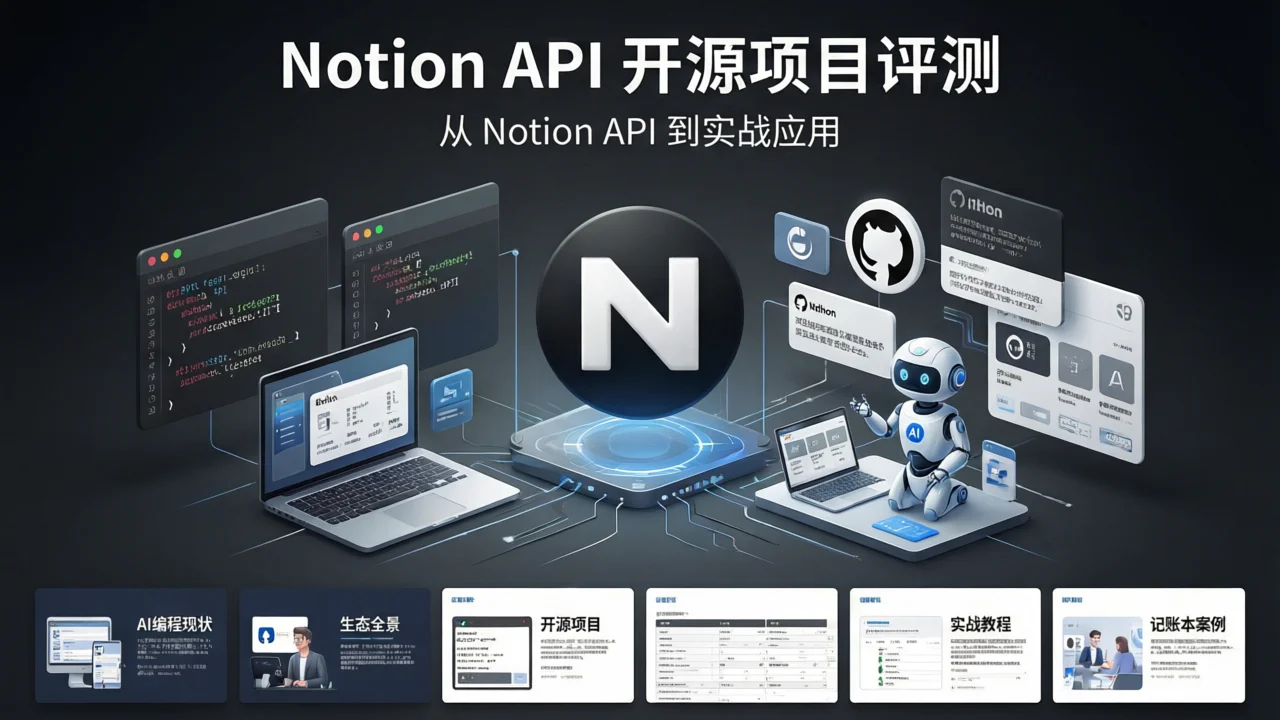
AI Programming Tools Deep Review: From Notion API Open Source Projects to Practical Applications
In today’s rapidly evolving AI programming tools landscape, the open-source community has built a massive ecosystem around the Notion API. From official SDK wrappers to blog systems, content renderers, and even personal accounting tools, these projects enable developers to build personal knowledge bases and content management systems with minimal effort.
This article provides an in-depth review of 7 must-know Notion API open source projects, with practical code examples in both Python and JavaScript to help you get started quickly.
I. The State of AI Programming Tools: Why Choose Notion API?
The 2026 AI programming tools market has formed three major camps:
- AI Code Assistants: GitHub Copilot, Cursor, Codeium, etc., focused on code completion and generation
- AI Project Management: Notion AI, Linear, Obsidian + AI plugins, integrating AI into knowledge management
- AI Development Frameworks: LangChain, LlamaIndex, Vercel AI SDK, providing underlying AI capability wrappers
The Notion API has become a popular choice for open-source projects for three core reasons:
- Structured Data Model: Notion’s database + page model is naturally suited for content management
- Open REST API: Official complete API documentation and SDKs allow third-party developers to integrate quickly
- Generous Free Tier: Free for individual users, with sufficient API call quotas even for team plans
💡 Key Insight: The Notion API is not an AI tool itself, but rather the best “data foundation” for AI programming tools—you can use Cursor to write code and Copilot to complete logic, but for final content storage and presentation, the Notion API provides the most elegant solution.
II. Notion API Ecosystem Overview
Before diving into specific projects, let’s map out the Notion API ecosystem’s layer structure:
┌─────────────────────────────────────────┐
│     Application Layer (Blogs/Accounting) │
│  NotionNext · notion2blog · notionpresso │
├─────────────────────────────────────────┤
│     Rendering Layer (Content Display)    │
│  react-notion-x · notion-renderer        │
├─────────────────────────────────────────┤
│     SDK Layer (API Wrappers)             │
│  notion-sdk-js · notion-sdk-py           │
├─────────────────────────────────────────┤
│     Foundation Layer (Notion REST API)   │
│  https://developers.notion.com           │
└─────────────────────────────────────────┘
Each layer has corresponding open-source projects, allowing developers to choose the right tool combinations for their needs.
III. 7 Open Source Projects Breakdown
1. notion-sdk-js — Official JavaScript SDK
| Attribute | Details |
|---|---|
| GitHub | makenotion/notion-sdk-js |
| Stars | 5,600+ |
| Language | TypeScript |
| Use Case | Node.js / Browser-side Notion API calls |
This is the officially maintained JavaScript/TypeScript client from Notion, serving as the foundation for all JS ecosystem Notion projects.
Core Features:
- Complete TypeScript type definitions
- Support for all Notion API endpoints
- Built-in request retry and rate limiting
- Pagination and incremental sync support
Quick Start:
npm install @notionhq/clientimport { Client } from "@notionhq/client";
const notion = new Client({ auth: process.env.NOTION_TOKEN });
// Query database
const response = await notion.databases.query({
database_id: "your-database-id",
filter: {
property: "Status",
select: { equals: "Published" }
}
});
console.log(response.results);2. notion-sdk-py — Community Python SDK
| Attribute | Details |
|---|---|
| GitHub | ramnes/notion-sdk-py |
| Stars | 2,100+ |
| Language | Python |
| Use Case | Python backends, data analysis, automation scripts |
Although Notion doesn’t provide an official Python SDK, the community version notion-sdk-py is mature enough, supporting both synchronous and asynchronous calling modes.
Core Features:
- Sync + async dual mode (asyncio support)
- Complete API coverage
- Type hints
- Active community maintenance
Quick Start:
pip install notion-clientimport os
from notion_client import Client
notion = Client(auth=os.environ.get("NOTION_TOKEN"))
# Query database
results = notion.databases.query(
database_id="your-database-id",
filter={
"property": "Tags",
"multi_select": {"contains": "AI"}
}
).get("results")
for page in results:
print(page["properties"]["Name"]["title"][0]["plain_text"])3. react-notion-x — High-Performance React Renderer
| Attribute | Details |
|---|---|
| GitHub | NotionX/react-notion-x |
| Stars | 5,400+ |
| Language | TypeScript |
| Use Case | Rendering Notion pages as React components |
This is currently the most mature Notion content rendering solution, capable of completely rendering Notion pages as React components, supporting code highlighting, image galleries, database views, and all Notion block types.
Core Features:
- Precise reproduction of Notion’s typography styles
- Dark mode support
- Lazy loading optimization for fast first paint
- Code block syntax highlighting (Shiki)
- Built-in image, video, PDF preview
Usage Example:
npm install react-notion-x notion-clientimport { NotionRenderer } from "react-notion-x";
import { NotionAPI } from "notion-client";
const api = new NotionAPI();
export default async function Page({ params }) {
const recordMap = await api.getPage(params.pageId);
return (
<NotionRenderer
recordMap={recordMap}
fullPage={true}
darkMode={true}
/>
);
}4. NotionNext — Zero-Code Blog System
| Attribute | Details |
|---|---|
| GitHub | notionnext-org/NotionNext |
| Stars | 11,700+ |
| Language | JavaScript |
| Use Case | Using Notion as CMS to build personal blogs |
This is the most popular “end application” in the Notion API ecosystem—you just write articles in Notion, and NotionNext automatically transforms them into a complete static blog website.
Core Features:
- Zero-code deployment: Fork repo → Configure Notion database ID → Deploy to Vercel
- Multiple theme options (Hexo style, WordPress style, minimalist)
- RSS, Sitemap, SEO optimization support
- Built-in comment systems (Gitalk, Utterances)
- Custom domain and Analytics support
Deployment Steps:
# 1. Fork repository
git clone https://github.com/notionnext-org/NotionNext.git

# 2. Configure environment variables
cp .env.example .env.local
# Edit .env.local, fill in NOTION_DATABASE_ID and NOTION_TOKEN

# 3. Local preview
npm install
npm run dev

# 4. Deploy to Vercel
npx vercel --prod
5. notion-renderer — Lightweight React Rendering Component
| Attribute | Details |
|---|---|
| GitHub | udus122/notion-renderer |
| Stars | 200+ |
| Language | TypeScript |
| Use Case | Notion content rendering with custom styles |
Compared to react-notion-x’s “full-featured” positioning, notion-renderer takes a lightweight approach—it only converts Notion API block data to HTML, with styles completely controlled by the developer.
Use Cases:
- Existing design system requiring completely custom rendering effects
- Only need to render certain block types (e.g., plain text + images)
- Projects with strict bundle size requirements
6. notion-mcp-server — AI Agent Integration with Notion
| Attribute | Details |
|---|---|
| GitHub | makenotion/notion-mcp-server |
| Stars | New project (released 2025) |
| Language | TypeScript |
| Use Case | Letting AI Agents (Claude, GPT) directly read/write Notion |
This is Notion’s official MCP (Model Context Protocol) server, allowing AI assistants to directly operate your Notion workspace.
Core Features:
- OAuth authentication, no manual API key management
- Direct integration with Claude Desktop, Cursor, and other AI tools
- Bidirectional read/write: AI can query pages, create content, update databases
Configuration Example (Claude Desktop):
{
  "mcpServers": {
    "notion": {
      "command": "npx",
      "args": ["-y", "@notionhq/notion-mcp-server"],
      "env": {
        "OPENAPI_MCP_HEADERS": "{\"Authorization\":\"Bearer ntn_xxx\",\"Notion-Version\":\"2022-06-28\"}"
      }
    }
  }
}
7. notion2blog / notionpresso — Static Site Generators
| Attribute | Details |
|---|---|
| Representative Projects | notionpresso, notion2blog |
| Language | TypeScript / Python |
| Use Case | Exporting Notion content as Markdown / static websites |
These tools are positioned as “content export”—converting Notion pages to Markdown files, then handing them off to Hugo, Astro, Next.js, and other static site generators.
Typical Workflow:
Notion Page → notionpresso export → Markdown files → Astro build → Static websitePython Export Example:
from notion_client import Client
import markdown

notion = Client(auth="your-token")
blocks = notion.blocks.children.list(block_id="page-id").get("results")

md_content = ""
for block in blocks:
    if block["type"] == "paragraph":
        text = block["paragraph"]["rich_text"][0]["plain_text"]
        md_content += f"{text}\n\n"
    elif block["type"] == "heading_1":
        text = block["heading_1"]["rich_text"][0]["plain_text"]
        md_content += f"# {text}\n\n"

with open("output.md", "w", encoding="utf-8") as f:
    f.write(md_content)
IV. Open Source Project Comparison Table
| Project | Stars | Language | Positioning | Difficulty | Recommended Scenario |
|---|---|---|---|---|---|
| notion-sdk-js | 5.6K | TypeScript | Official SDK | ⭐⭐ | Foundation for all JS projects |
| notion-sdk-py | 2.1K | Python | Community SDK | ⭐⭐ | Python automation scripts |
| react-notion-x | 5.4K | TypeScript | Complete renderer | ⭐⭐⭐ | Need precise Notion style reproduction |
| NotionNext | 11.7K | JavaScript | Blog system | ⭐ | Zero-code personal blog |
| notion-renderer | 200+ | TypeScript | Lightweight rendering | ⭐⭐ | Custom style rendering needs |
| notion-mcp-server | New | TypeScript | AI integration | ⭐⭐⭐ | AI Agent Notion operations |
| notionpresso | New | TypeScript | Content export | ⭐⭐ | Static site content source |
V. Practical Tutorial: Building a Personal Knowledge Base with Notion API
Below, we’ll implement a complete personal knowledge base system using both Python and JavaScript.
Architecture Design
Notion Database (store notes)
    ↓
API Layer (query + filter)
    ↓
Rendering Layer (generate HTML / Markdown)
    ↓
Static Site (deploy to Vercel / Netlify)
Step 1: Create Notion Database
Create a database in Notion with the following fields:
| Field | Type | Description |
|---|---|---|
| Title | Title | Note title |
| Tags | Multi-select | Tag categories |
| Status | Select | Draft / Published |
| Date | Date | Creation date |
| Content | Page content | Body content |
Step 2: Python Backend — Fetch and Process Notes
# knowledge_base.py
import os
from notion_client import Client
from datetime import datetime

notion = Client(auth=os.environ["NOTION_TOKEN"])
DATABASE_ID = os.environ["NOTION_DATABASE_ID"]

def fetch_published_notes():
    """Fetch all published notes"""
    results = notion.databases.query(
        database_id=DATABASE_ID,
        filter={"property": "Status", "select": {"equals": "Published"}},
        sorts=[{"timestamp": "created_time", "direction": "descending"}]
    ).get("results")

    notes = []
    for page in results:
        title = page["properties"]["Title"]["title"][0]["plain_text"]
        tags = [t["name"] for t in page["properties"]["Tags"]["multi_select"]]
        date = page["properties"]["Date"]["date"]["start"]

        notes.append({
            "id": page["id"],
            "title": title,
            "tags": tags,
            "date": date,
            "slug": title.lower().replace(" ", "-")
        })

    return notes

def fetch_page_content(page_id):
    """Fetch all block content from page"""
    blocks = notion.blocks.children.list(block_id=page_id).get("results")
    content = []

    for block in blocks:
        block_type = block["type"]
        if block_type in ["paragraph", "heading_1", "heading_2", "heading_3"]:
            text = block[block_type]["rich_text"][0]["plain_text"]
            content.append({"type": block_type, "text": text})
        elif block_type == "code":
            code = block["code"]["rich_text"][0]["plain_text"]
            language = block["code"]["language"]
            content.append({"type": "code", "text": code, "language": language})

    return content

if __name__ == "__main__":
    notes = fetch_published_notes()
    print(f"Found {len(notes)} published notes")
    for note in notes:
        print(f"  - {note['title']} ({', '.join(note['tags'])})")
Step 3: JavaScript Frontend — Generate Static Pages
// generate-site.js
import { Client } from "@notionhq/client";
import fs from "fs";
import path from "path";

const notion = new Client({ auth: process.env.NOTION_TOKEN });
const DATABASE_ID = process.env.NOTION_DATABASE_ID;

async function generateSite() {
  // 1. Fetch all published notes
  const { results } = await notion.databases.query({
    database_id: DATABASE_ID,
    filter: { property: "Status", select: { equals: "Published" } }
  });

  // 2. Generate Markdown file for each note
  for (const page of results) {
    const title = page.properties.Title.title[0].plain_text;
    const slug = title.toLowerCase().replace(/\s+/g, "-");
    const date = page.properties.Date.date.start;

    // Fetch page content
    const blocks = await notion.blocks.children.list({
      block_id: page.id
    });

    let markdown = `---\ntitle: "${title}"\ndate: ${date}\n---\n\n`;

    for (const block of blocks.results) {
      if (block.type === "paragraph") {
        const text = block.paragraph.rich_text[0]?.plain_text || "";
        markdown += `${text}\n\n`;
      } else if (block.type === "heading_1") {
        const text = block.heading_1.rich_text[0]?.plain_text || "";
        markdown += `# ${text}\n\n`;
      } else if (block.type === "code") {
        const code = block.code.rich_text[0]?.plain_text || "";
        const lang = block.code.language;
        markdown += `\`\`\`${lang}\n${code}\n\`\`\`\n\n`;
      }
    }

    // Write to file
    const outputPath = path.join("content", "posts", `${slug}.md`);
    fs.mkdirSync(path.dirname(outputPath), { recursive: true });
    fs.writeFileSync(outputPath, markdown, "utf-8");
    console.log(`✅ Generated: ${outputPath}`);
  }
}

generateSite().catch(console.error);
Step 4: Deploy to Vercel
# Install dependencies
npm init -y
npm install @notionhq/client

# Set environment variables
echo "NOTION_TOKEN=your-token" >> .env
echo "NOTION_DATABASE_ID=your-db-id" >> .env

# Generate content
node generate-site.js

# Deploy
npx vercel --prod
VI. Case Study: Accounting System Based on Notion API
The Notion API isn’t just for content management—it can also build practical accounting systems.
Database Design
| Field | Type | Description |
|---|---|---|
| Amount | Number | Expense amount |
| Category | Select | Food/Transport/Shopping/Entertainment |
| Date | Date | Expense date |
| Note | Rich text | Expense description |
| Payment Method | Select | WeChat/Alipay/Cash |
Python Accounting Script
# expense_tracker.py
from notion_client import Client
from datetime import datetime, timedelta

notion = Client(auth="your-token")
DATABASE_ID = "your-expense-db-id"

def add_expense(amount, category, note="", payment="WeChat"):
    """Record an expense"""
    notion.pages.create(
        parent={"database_id": DATABASE_ID},
        properties={
            "Amount": {"number": amount},
            "Category": {"select": {"name": category}},
            "Date": {"date": {"start": datetime.now().isoformat()}},
            "Note": {"rich_text": [{"text": {"content": note}}]},
            "Payment Method": {"select": {"name": payment}}
        }
    )
    print(f"✅ Recorded: {category} - ${amount}")

def monthly_summary(year, month):
    """Generate monthly expense summary"""
    start_date = f"{year}-{month:02d}-01"
    end_date = f"{year}-{month:02d}-28"  # Simplified handling

    results = notion.databases.query(
        database_id=DATABASE_ID,
        filter={
            "and": [
                {"timestamp": "created_time", "created_time": {"on_or_after": start_date}},
                {"timestamp": "created_time", "created_time": {"on_or_before": end_date}}
            ]
        }
    ).get("results")

    total = sum(r["properties"]["Amount"]["number"] for r in results)
    by_category = {}
    for r in results:
        cat = r["properties"]["Category"]["select"]["name"]
        amount = r["properties"]["Amount"]["number"]
        by_category[cat] = by_category.get(cat, 0) + amount

    print(f"\n📊 {year}-{month:02d} Expense Summary")
    print(f"Total: ${total:.2f}")
    print("-" * 30)
    for cat, amount in sorted(by_category.items(), key=lambda x: -x[1]):
        print(f"  {cat}: ${amount:.2f}")

# Usage example
add_expense(35.5, "Food", "Lunch delivery", "WeChat")
add_expense(128, "Shopping", "Daily necessities", "Alipay")
monthly_summary(2026, 9)
Integrating with iOS Shortcuts
You can deploy the above Python script as a Cloudflare Worker or Vercel Function, then call the API through iOS Shortcuts to enable quick mobile accounting.
VII. Comparison with Other AI Programming Tools
| Tool | Positioning | Advantages | Disadvantages | Price |
|---|---|---|---|---|
| GitHub Copilot | AI code completion | High code generation quality | Doesn’t handle data management | $10/month |
| Cursor | AI code editor | Strong context understanding | Requires subscription | $20/month |
| Notion API + AI | Content management + AI | Data persistence, visualization | Requires development skills | Free tier available |
| Obsidian + AI | Local knowledge base | Better privacy protection | Syncing inconvenient | Free tier available |
Core Difference: GitHub Copilot and Cursor solve the “writing code” problem, while the Notion API ecosystem solves the “managing content” problem. They’re not substitutes but complementary—you can use Copilot to write Notion API calling code, then use that code to manage your knowledge base.
VIII. Future Trends and Learning Resources
Trend Outlook
- AI Agent + Notion: With MCP protocol adoption, more AI assistants will directly operate Notion workspaces
- Notion AI Native Capabilities: Notion’s own AI features will continue to strengthen, potentially reducing reliance on third-party tools
- Low-Code Evolution: The evolution direction of projects like NotionNext is “zero-code”—in the future, you might not even need to fork a repository
Recommended Learning Resources
- Notion API Official Documentation — Must-read, starting point for all projects
- notion-sdk-js Examples — Official code examples
- react-notion-x Demo — Experience rendering effects online
- NotionNext Chinese Documentation — Blog system deployment guide
IX. FAQ
Q1: Does Notion API have rate limits?
Yes. Notion API limits are an average of 3 requests per second (per workspace). This is more than enough for personal blogs or knowledge bases, but if you need large-scale data synchronization, you’ll need to implement request queues and backoff strategies.
Q2: Do these open source projects cost money?
All the open source projects mentioned are free. However, using the Notion API requires a Notion account—free for personal use, team plans charge per person. API call quotas are tied to your subscription level.
Q3: What’s the difference between NotionNext and notionpresso?
NotionNext is a complete “blog system”—it deploys directly as a website, and users visit pages generated by NotionNext. notionpresso is a “content export tool”—it converts Notion content to Markdown, handing it off to other static site generators (like Astro, Hugo) for processing. The choice depends on whether you want NotionNext’s ready-made themes and features.
Q4: How to use AI to assist Notion API project development?
Recommended workflow: Use Cursor or GitHub Copilot to write API calling code → Use Notion MCP Server to let AI directly read requirement documents → Use react-notion-x to render AI-generated content. This combination can significantly improve development efficiency.
Q5: How is data security ensured?
Notion API uses OAuth 2.0 authentication, all requests go over HTTPS. Sensitive data (like API Tokens) should be stored in environment variables, not committed to code repositories. For high-security scenarios, consider self-hosted Notion alternatives (like AppFlowy, AFFiNE).
I hope this in-depth review helps you find the right Notion API open source tools for your needs. Whether you want to build a personal blog, construct a knowledge base, or develop an accounting system, the Notion API ecosystem provides mature solutions.
If you have any questions or want to share your Notion API projects, feel free to leave a comment!





