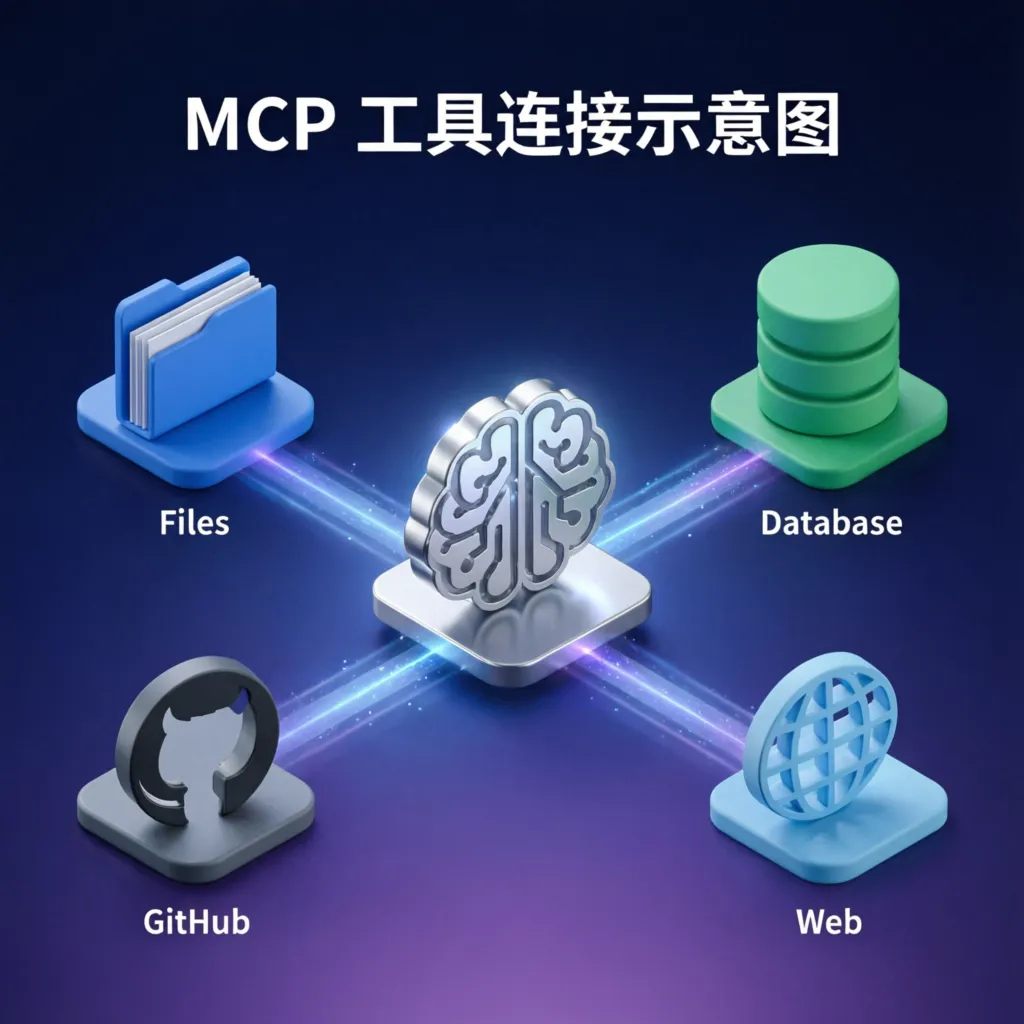
1. Why Do You Need MCP Tools?
Before MCP protocol appeared, making AI access external data was like groping in the dark:
- Each tool had its own API format
- Authentication methods varied wildly (OAuth, API Key, JWT…)
- Error handling had no unified standard
- Debugging? Basically guesswork
MCP changed all that. It defines a standard interface, allowing any AI model to interact with external tools in the same way. Just like USB-C unified charging interfaces, MCP is unifying how AI connects to the world.
2. 5 Must-Try MCP Open Source Tools
1️⃣ MCP FileSystem Server - Let AI Read and Write Your Files
GitHub: https://github.com/modelcontextprotocol/servers/tree/main/src/filesystem
This is one of the most basic yet most practical MCP tools. Once installed, AI can safely access files in specified directories.
Installation Steps:
# Install with npm
npm install -g @modelcontextprotocol/server-filesystem

# Create config file ~/.mcp-config.json
{
  "mcpServers": {
    "filesystem": {
      "command": "npx",
      "args": ["-y", "@modelcontextprotocol/server-filesystem", "/home/yourname/documents"],
      "env": {}
    }
  }
}
Feature List:
read_file- Read file contentswrite_file- Write to fileslist_directory- List directory contentssearch_files- Search filescreate_directory- Create directories
Usage Example:
# AI can call through MCP
result = mcp_client.call_tool("filesystem", "read_file", {
    "path": "/home/yourname/documents/notes.md"
})
print(result.content)
Security Tip: Only expose necessary directories, never mount the root directory /!
2️⃣ MCP PostgreSQL Server - Natural Language Database Queries
GitHub: https://github.com/modelcontextprotocol/servers/tree/main/src/postgres
Let AI query databases directly using natural language, no need to write SQL.
Installation and Configuration:
npm install -g @modelcontextprotocol/server-postgres

# Config file
{
  "mcpServers": {
    "postgres": {
      "command": "npx",
      "args": ["-y", "@modelcontextprotocol/server-postgres", "postgresql://user:pass@localhost:5432/mydb"],
      "env": {}
    }
  }
}
Real-World Scenario:
User: Find the top 10 products with highest sales from last month

AI (via MCP):
  → Call postgres.read_query
  → Auto-generate and execute SQL
  → Return structured results
Supported Operations:
- Execute read-only queries (safe mode)
- Get table structure information
- List all table names
- Parameterized queries to prevent SQL injection
3️⃣ MCP GitHub Server - Intelligent Repository Management
GitHub: https://github.com/modelcontextprotocol/servers/tree/main/src/github
Let AI help manage your GitHub repositories, from viewing Issues to creating PRs.
Installation Steps:
npm install -g @modelcontextprotocol/server-github

# Need GitHub Personal Access Token
# Visit https://github.com/settings/tokens to create one
# Permissions: repo, read:user, user:email

{
  "mcpServers": {
    "github": {
      "command": "npx",
      "args": ["-y", "@modelcontextprotocol/server-github"],
      "env": {
        "GITHUB_PERSONAL_ACCESS_TOKEN": "ghp_xxxxxxxxxxxx"
      }
    }
  }
}
Core Features:
search_repositories- Search repositoriesget_issue- Get issue detailscreate_issue- Create new issuelist_pull_requests- View PR listget_file_contents- Read file contentscreate_branch- Create new branch
Automation Example:
Scenario: Automatically organize Issues

AI Workflow:
1. Call github.list_issues(repo="myproject", state="open")
2. Analyze content and labels of each issue
3. Call github.update_issue() to add classification labels
4. Create summary document for high-priority issues
4️⃣ MCP Puppeteer Server - Web Scraping and Automation
GitHub: https://github.com/modelcontextprotocol/servers/tree/main/src/puppeteer
Enable AI to access real-time web content, perform data collection and automation.
Installation and Configuration:
npm install -g @modelcontextprotocol/server-puppeteer

{
  "mcpServers": {
    "puppeteer": {
      "command": "npx",
      "args": ["-y", "@modelcontextprotocol/server-puppeteer"],
      "env": {}
    }
  }
}
Key Features:
puppeteer_navigate- Open web pagepuppeteer_screenshot- Take page screenshotpuppeteer_click- Click elementpuppeteer_fill- Fill form fieldspuppeteer_evaluate- Execute JavaScript
Real-World Case: Competitor Price Monitoring
# AI executes automatically
pages = [
    "https://example.com/product/1",
    "https://example.com/product/2"
]

for url in pages:
    mcp.call("puppeteer", "navigate", {"url": url})
    content = mcp.call("puppeteer", "evaluate", {
        "script": "document.querySelector('.price').textContent"
    })
    # Record price data
5️⃣ MCP Git Server - Version Control Automation
GitHub: https://github.com/modelcontextprotocol/servers/tree/main/src/git
Let AI understand and operate Git repositories, enabling intelligent code management.
Installation:
npm install -g @modelcontextprotocol/server-git

{
  "mcpServers": {
    "git": {
      "command": "npx",
      "args": ["-y", "@modelcontextprotocol/server-git"],
      "env": {}
    }
  }
}
Supported Commands:
git_status- View repository statusgit_diff- View code changesgit_log- View commit historygit_commit- Create commitsgit_branch- Manage branches
Intelligent Commit Example:
Scenario: Auto-generate Commit Messages

AI Workflow:
1. Call git.diff() to get changes
2. Analyze change types (feature/fix/refactor)
3. Generate Conventional Commits-compliant message
4. Call git.commit() to execute commit
3. Quick Start: Set Up Your First MCP Agent in 10 Minutes
Step 1: Install MCP Host
Recommend using Claude Desktop or custom Host:
# Use official CLI
npm install -g @modelcontextprotocol/cli

# Or use Python
pip install mcp
Step 2: Configure MCP Servers
Create ~/.config/claude/mcp.json:
{
  "mcpServers": {
    "filesystem": {
      "command": "npx",
      "args": ["-y", "@modelcontextprotocol/server-filesystem", "/home/yourname/projects"]
    },
    "git": {
      "command": "npx",
      "args": ["-y", "@modelcontextprotocol/server-git"]
    }
  }
}
Step 3: Test Connection
# List available tools
mcp list-tools

# Test single tool
mcp call-tool filesystem read_file --path /home/yourname/projects/README.md
Step 4: Start Chatting
Now you can interact with AI using natural language:
"Show me all Python files in the projects directory and count the lines of code"
"Find the 5 most recently modified files and generate a change summary"
"Add an installation section to README.md"
4. Best Practices and Security Recommendations
✅ Recommended Practices
- Principle of Least Privilege: Only expose necessary directories and resources
- Environment Variable Management: Store sensitive information in
.envfiles - Audit Logging: Record all MCP tool calls
- Version Pinning: Use fixed version numbers instead of
latest
❌ Pitfalls to Avoid
- Don’t expose root directory:
/is off-limits - Don’t hardcode passwords: Use environment variables or secret management
- Don’t trust all input: Validate file paths and query parameters
- Don’t ignore error handling: MCP calls can fail
5. Advanced: Write Custom MCP Servers
If existing tools don’t meet your needs, write your own:
// Simplest MCP Server example
import { Server } from "@modelcontextprotocol/sdk/server";

const server = new Server({
  name: "my-custom-server",
  version: "1.0.0"
});

server.setRequestHandler("tools/call", async (request) => {
  if (request.params.name === "hello") {
    return {
      content: [{ type: "text", text: "Hello from MCP!" }]
    };
  }
});

server.listen();
Official SDKs:
- TypeScript: https://github.com/modelcontextprotocol/typescript-sdk
- Python: https://github.com/modelcontextprotocol/python-sdk
6. Summary and Future Outlook
The MCP ecosystem is evolving rapidly:
| Tool Type | Maturity | Recommendation |
|---|---|---|
| File System | ⭐⭐⭐⭐⭐ | Must-Have |
| Database | ⭐⭐⭐⭐ | Highly Recommended |
| GitHub | ⭐⭐⭐⭐ | Developer Essential |
| Web Scraping | ⭐⭐⭐ | Use as Needed |
| Git | ⭐⭐⭐⭐ | Developer Essential |
Future Trends:
- More official Servers launch (Docker, Kubernetes, AWS…)
- Enterprise-grade MCP gateways and permission management
- MCP protocol standardization organization established
- AI Agent marketplace emerges (composable MCP tool chains)
Resource Links
- MCP Official Documentation: https://modelcontextprotocol.io
- Servers Repository: https://github.com/modelcontextprotocol/servers
- TypeScript SDK: https://github.com/modelcontextprotocol/typescript-sdk
- Python SDK: https://github.com/modelcontextprotocol/python-sdk
- Community Discussions: https://github.com/modelcontextprotocol/modelcontextprotocol/discussions
Next Steps:
- Choose 1-2 tools and try them immediately
- Configure them to your AI assistant (Claude Desktop / Cursor / Windsurf)
- Share your use cases with the community
MCP is not the future, it’s now. Start building your intelligent agents!