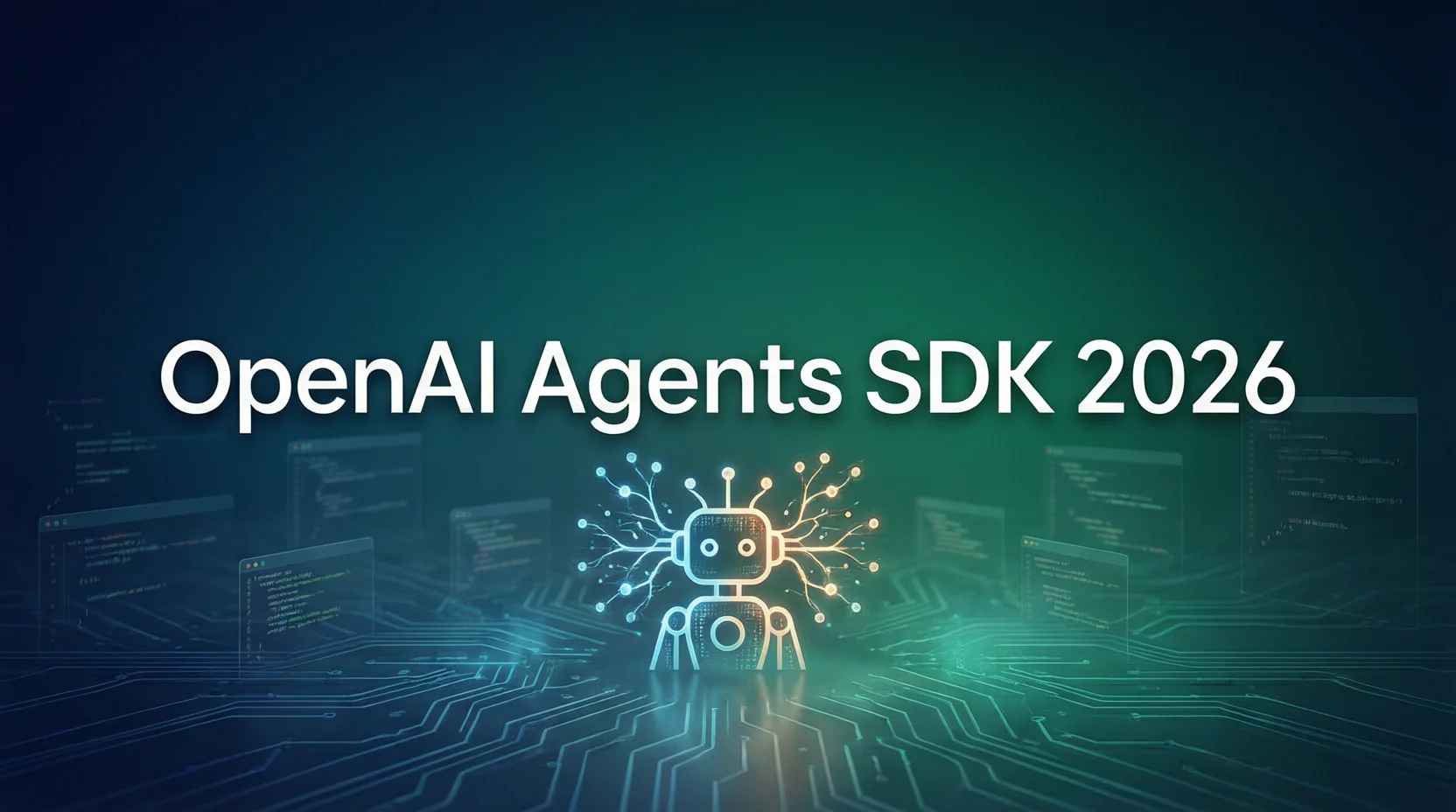
OpenAI가 2026년 4월에 Agents SDK의 대규모 업데이트를 발표했습니다. 이는 Swarm 실험 프로젝트 이후 가장 큰 업그레이드입니다. 새로운 기능에는 네이티브 샌드박스 실행, 모델 네이티브 실행 프레임워크, MCP 프로토콜 지원 등이 포함됩니다. 이 글에서는 OpenAI Agents SDK 2026의 핵심 기능과 실전 팁을 입문부터 프로덕션까지 다루겠습니다.
OpenAI Agents SDK란?
OpenAI Agents SDK는 OpenAI가 공식 출시한 Python 라이브러리로, 프로덕션 수준의 AI Agent 애플리케이션을 구축하는 데 사용됩니다. 간결하면서도 강력한 API를 제공하여 개발자가 도구 호출, 다중 턴 대화, 보안 보호 등의 기능을 갖춘 에이전트를 빠르게 만들 수 있습니다.
Swarm에서 Agents SDK로의 발전
2024년, OpenAI는 실험적인 다중 에이전트 프레임워크인 Swarm을 발표했습니다. Swarm은 다중 Agent 협업의 가능성을 보여주었지만, 프로덕션 환경에서는 필요한 보안 메커니즘과 지속성 지원이 부족했습니다.
2026년 4월, OpenAI는 완전히 새로운 Agents SDK를 출시했습니다. 아키텍처를 처음부터 재설계했습니다:
- 네이티브 샌드박스 실행: 코드가 격리된 환경에서 실행되어 악성 작동 방지
- 모델 네이티브 Harness: 설정 기반 메모리와 오케스트레이션 기능
- MCP 프로토콜 지원: 외부 도구 생태계와의 원활한 통합
- 엔터프라이즈급 보안: 내장 Guardrails와 입력 검증
핵심 설계 원칙
Agents SDK는 다음 원칙을 따릅니다:
- 간결성 우선: 최소한의 코드로 복잡한 기능 구현
- 보안 우선: 보안 메커니즘을 기본으로 활성화
- 확장 가능: 커스텀 도구와 미들웨어 지원
- 프로덕션 준비: 내장 추적, 모니터링 및 오류 처리
2026년 4월 주요 업데이트 상세 설명
샌드박스 실행 (Sandbox Execution)
샌드박스 실행은 Agents SDK 2026의 가장 중요한 기능입니다. 에이전트가 격리된 환경에서 코드를 안전하게 실행할 수 있게 합니다.
핵심 기능:
- 격리 환경: 각 에이전트가 독립된 컨테이너에서 실행
- 파일 시스템 접근: 임시 파일 읽기/쓰기, 의존성 설치 지원
- 네트워크 제어: 네트워크 접근 권한 설정 가능
- 리소스 제한: CPU, 메모리, 실행 시간 모두 제한 가능
Agents SDK는 현재 여러 샌드박스 제공업체를 지원합니다:
모델 네이티브 Harness 아키텍처
Harness는 Agents SDK의 핵심 오케스트레이션 계층으로, 에이전트의 실행 흐름을 관리합니다:
설정 기반 메모리 (Configurable Memory):
from agents import Agent, Runner, Memory

# 지속성 메모리 설정
memory = Memory(
    type="persistent",
    storage="redis",  # redis, postgres, sqlite 지원
    ttl=3600  # 메모리 만료 시간
)

agent = Agent(
    name="Assistant",
    instructions="You are a helpful assistant",
    memory=memory
)
샌드박스 인식 오케스트레이션:
Harness는 샌드박스 환경이 필요한 시점을 지능적으로 판단하고 리소스 라이프사이클을 자동 관리합니다.
MCP 프로토콜 네이티브 지원
MCP(Model Context Protocol)는 Anthropic이 출시한 개방형 프로토콜로, AI 모델과 외부 도구의 상호작용을 표준화합니다. OpenAI Agents SDK 2026은 MCP를 네이티브 지원합니다. 이를 통해:
- MCP 호환 도구 사용 가능
- Claude Code와 도구 생태계 공유
- 이식 가능한 에이전트 앱 구축
from agents import Agent, MCPTools

# MCP 서버에 연결
mcp_tools = MCPTools.from_server("http://localhost:3000/sse")

agent = Agent(
    name="MCP Agent",
    instructions="Use available tools to help the user",
    tools=mcp_tools.get_tools()
)
빠른 시작: 첫 번째 에이전트 만들기
환경 설치 및 설정
먼저 OpenAI API Key가 필요합니다. 그런 다음 Agents SDK를 설치하세요:
pip install openai-agents환경 변수 설정:
export OPENAI_API_KEY="your-api-key-here"Hello World 예제
가장 간단한 에이전트를 만듭니다:
from agents import Agent, Runner

# 에이전트 생성
agent = Agent(
    name="Assistant",
    instructions="You are a helpful assistant"
)

# 에이전트 실행
result = Runner.run_sync(agent, "Write a haiku about recursion.")
print(result.final_output)
출력 예시:
Code calls itself deep,
Infinite mirrors reflect—
Base case breaks the loop.
도구 호출 추가
에이전트에 실제 기능을 부여합니다:
from agents import Agent, Runner, function_tool
from pydantic import BaseModel

# 도구 매개변수 정의
class WeatherInput(BaseModel):
    city: str
    unit: str = "celsius"

@function_tool
async def get_weather(input: WeatherInput) -> str:
    """Get weather information for a city."""
    # 실제 날씨 API 호출 가능
    return f"The weather in {input.city} is 22°{input.unit[0].upper()}"

# 도구를 가진 에이전트 생성
agent = Agent(
    name="Weather Assistant",
    instructions="You help users with weather information.",
    tools=[get_weather]
)

# 실행
result = Runner.run_sync(agent, "What's the weather like in Tokyo?")
print(result.final_output)
실전: 샌드박스를 갖춘 코드 리뷰 에이전트 구축
시나리오 설명
Python 코드를 리뷰할 수 있는 에이전트를 구축합니다. 기능은:
- 샌드박스 환경에서 코드 실행
- 코드 스타일과 잠재적 문제 검사
- 상세한 리뷰 보고서 생성
완전한 코드 구현
import asyncio
from agents import Agent, Runner, SandboxAgent, function_tool
from pydantic import BaseModel
from typing import List

class CodeReviewInput(BaseModel):
    code: str
    filename: str = "script.py"

class CodeReviewResult(BaseModel):
    issues: List[str]
    suggestions: List[str]
    execution_output: str
    passed: bool

@function_tool
async def run_code_in_sandbox(input: CodeReviewInput) -> str:
    """Execute Python code in a secure sandbox environment."""
    # SandboxAgent로 코드 실행
    sandbox = SandboxAgent(
        provider="e2b",  # E2B 샌드박스 사용
        timeout=30,  # 30초 타임아웃
        memory_limit="512mb",
        cpu_limit=1.0
    )

    # 코드 파일 작성
    await sandbox.write_file(f"/home/user/{input.filename}", input.code)

    # 코드 실행
    result = await sandbox.execute(
        f"python /home/user/{input.filename}",
        env={"PYTHONUNBUFFERED": "1"}
    )

    return result.stdout + result.stderr

@function_tool
async def analyze_code_style(code: str) -> List[str]:
    """Analyze code style using pylint in sandbox."""
    sandbox = SandboxAgent(provider="e2b")

    # pylint 설치
    await sandbox.execute("pip install pylint -q")

    # 코드 작성
    await sandbox.write_file("/home/user/temp.py", code)

    # pylint 실행
    result = await sandbox.execute("pylint /home/user/temp.py --output-format=text")

    issues = []
    for line in result.stdout.split("\n"):
        if ":" in line and any(severity in line for severity in ["E", "W", "C", "R"]):
            issues.append(line.strip())

    return issues

# 코드 리뷰 에이전트 생성
code_reviewer = Agent(
    name="Code Reviewer",
    instructions="""You are an expert Python code reviewer. Your task is to:
1. Run the code in a sandbox to check for runtime errors
2. Analyze code style and best practices
3. Provide actionable suggestions for improvement
4. Generate a comprehensive review report

Be thorough but constructive in your feedback.""",
    tools=[run_code_in_sandbox, analyze_code_style],
    model="gpt-4o"  # 코드 분석을 위해 더 강력한 모델 사용
)

async def review_code(user_code: str, filename: str = "script.py"):
    """Review code using the Code Reviewer Agent."""
    prompt = f"""Please review the following Python code:

Filename: {filename}

```python
{user_code}
Please:
- Run the code and report any execution errors
- Check code style issues
- Provide specific suggestions for improvement
- Give an overall assessment (PASS or FAIL)
Format your response as a structured code review report."""
result = await Runner.run(code_reviewer, prompt)
return result.final_output
리뷰할 예제 코드
sample_code = ''' def calculate_sum(numbers): total = 0 for n in numbers: total = total + n return total
result = calculate_sum([1, 2, 3, 4, 5]) print(f”Sum: {result}”) '''
리뷰 실행
if name == “main”: review = asyncio.run(review_code(sample_code, “calculate_sum.py”)) print(review)
### 실행 및 테스트

위 코드를 실행하면 에이전트가:

1. E2B 샌드박스에서 코드 실행
2. pylint로 코드 스타일 검사
3. 실행 결과, 스타일 문제, 개선 제안을 포함한 완전한 보고서 생성

**출력 예시**:
Code Review Report for calculate_sum.py
Execution Results ✅
- Status: Success
- Output: Sum: 15
- Runtime: 0.23s
Style Analysis ⚠️
- Missing module docstring
- Function lacks type hints
- Variable ‘total’ could use augmented assignment (total += n)
Suggestions for Improvement
- Add type hints:
def calculate_sum(numbers: List[int]) -> int: - Use built-in
sum()function for simplicity - Add docstring explaining the function’s purpose
- Consider handling empty list edge case
Overall Assessment: PASS with recommendations
## 보안 보호 및 모범 사례

### Guardrails 설정

Agents SDK는 다층 보안 보호를 제공합니다:

```python
from agents import Agent, Guardrails, InputGuardrail, OutputGuardrail

# 입력 검증
def validate_input(context) -> bool:
    """Check if input is safe to process."""
    forbidden_patterns = ["rm -rf", "exec(", "eval("]
    return not any(pattern in context.user_input for pattern in forbidden_patterns)

# 출력 필터링
def filter_output(response) -> str:
    """Filter sensitive information from output."""
    # 가능한 API keys, 비밀번호 등 제거
    import re
    response = re.sub(r'sk-[a-zA-Z0-9]{48}', '[API_KEY_REDACTED]', response)
    return response

agent = Agent(
    name="Safe Agent",
    instructions="You are a helpful assistant",
    guardrails=Guardrails(
        input_guardrails=[InputGuardrail(check=validate_input)],
        output_guardrails=[OutputGuardrail(filter=filter_output)]
    )
)
입력 검증
Pydantic으로 엄격한 입력 검증:
from pydantic import BaseModel, Field, validator

class SafeCodeInput(BaseModel):
    code: str = Field(..., max_length=5000)
    language: str = Field(default="python", regex="^(python|javascript|bash)$")

    @validator('code')
    def check_forbidden_patterns(cls, v):
        forbidden = ['import os', 'import subprocess', '__import__']
        for pattern in forbidden:
            if pattern in v.lower():
                raise ValueError(f"Forbidden pattern detected: {pattern}")
        return v
오류 처리
프로덕션 환경에서는 반드시 오류 처리가 필요합니다:
from agents import Agent, Runner
from agents.exceptions import AgentError, ToolError, SandboxError

async def safe_run(agent: Agent, prompt: str):
    try:
        result = await Runner.run(agent, prompt)
        return result.final_output
    except SandboxError as e:
        # 샌드박스 실행 실패
        return f"Sandbox execution failed: {e.message}"
    except ToolError as e:
        # 도구 호출 실패
        return f"Tool execution error: {e.message}"
    except AgentError as e:
        # 에이전트 내부 오류
        return f"Agent error: {e.message}"
    except Exception as e:
        # 알 수 없는 오류
        return f"Unexpected error: {str(e)}"
Agents SDK vs 다른 프레임워크
vs LangGraph
| 기능 | Agents SDK | LangGraph |
|---|---|---|
| 학습 곡선 | 낮음 | 높음 |
| 다중 에이전트 오케스트레이션 | 내장 | 설정 필요 |
| 샌드박스 지원 | 네이티브 | 통합 필요 |
| MCP 지원 | 네이티브 | 어댑터 필요 |
| 시각화 | 내장 추적 | LangSmith |
| 적용 시나리오 | 빠른 개발 | 복잡한 워크플로우 |
선택 권장: 빠른 프로토타입 개발은 Agents SDK, 복잡한 엔터프라이즈 워크플로우는 LangGraph.
vs CrewAI
CrewAI는 다중 에이전트 협업 시나리오에 집중합니다:
- Agents SDK: 단일 에이전트 기능이 강력하고, 샌드박스 실행이 장점
- CrewAI: 다중 에이전트 역할극과 작업 위임이 더 성숙함
선택 권장: 역할극과 에이전트 협업이 필요하면 CrewAI, 안전한 코드 실행이 필요하면 Agents SDK.
vs Claude Code SDK
Anthropic의 Claude Code도 에이전트 기능을 제공합니다:
- Agents SDK: OpenAI 모델과 깊이 통합, 도구 생태계가 풍부
- Claude Code: Claude 3.5/3.7 Sonnet과 가장 잘 작동, 코드 이해 능력이 뛰어남
선택 권장: OpenAI 모델 사용 시 Agents SDK, Claude 모델 사용 시 Claude Code.
프로덕션 환경 배포 권장사항
지속성 및 상태 관리
프로덕션 환경에서는 에이전트 상태를 지속성 있게 관리해야 합니다:
from agents import Agent, Memory, RedisStorage

# Redis를 상태 저장소로 사용
storage = RedisStorage(
    host="localhost",
    port=6379,
    db=0,
    password="your-password"
)

memory = Memory(
    type="persistent",
    storage=storage,
    ttl=86400  # 24시간 만료
)

agent = Agent(
    name="Stateful Agent",
    instructions="You remember previous conversations",
    memory=memory
)
모니터링 및 추적
Agents SDK는 내장 추적 기능을 제공합니다:
from agents import Agent, Runner, Tracing

# 상세 추적 활성화
Tracing.configure(
    enabled=True,
    endpoint="https://api.openai.com/v1/traces",
    sample_rate=1.0  # 100% 샘플링
)

# 실행 시 자동으로 모든 단계 기록
result = Runner.run_sync(agent, "Hello")

# 추적 정보 보기
print(result.trace_id)  # OpenAI 플랫폼에서 상세 추적 보기에 사용
비용 제어
에이전트 애플리케이션은 높은 API 비용을 발생시킬 수 있습니다. 권장사항:
- 적절한 모델 사용: 간단한 작업은 GPT-4o-mini, 복잡한 작업은 GPT-4o
- 토큰 제한 설정:
agent = Agent(
    name="Cost-conscious Agent",
    instructions="Be concise in your responses",
    model_settings={
        "max_tokens": 500,
        "temperature": 0.3  # 무작위성 감소, 토큰 소비 절감
    }
)- 일반적인 응답 캐싱:
from functools import lru_cache

@lru_cache(maxsize=1000)
def cached_agent_run(prompt: str) -> str:
    result = Runner.run_sync(agent, prompt)
    return result.final_output
요약 및 전망
핵심 요점 복습
OpenAI Agents SDK 2026은 혁신적인 업데이트를 가져왔습니다:
- 샌드박스 실행: 코드를 안전하게 실행하고 보안 위험 제거
- MCP 지원: 외부 도구 생태계와 원활한 통합
- Harness 아키텍처: 설정 기반 메모리와 오케스트레이션 기능
- 프로덕션 준비: 내장 보안 보호 및 모니터링 추적
곧 출시될 기능
OpenAI 공식 발표에 따르면 다음 기능이 곧 출시됩니다:
- Subagents: 하위 에이전트 지원, 더 복잡한 에이전트 계층 구현
- Code Mode: 코드 생성 및 편집에 최적화된 모드
- TypeScript 지원: 현재는 Python만, TS 버전 곧 출시
학습 자료 권장
관련 글
OpenAI Agents SDK 2026은 프로덕션 수준의 AI Agent를 구축하는 최고의 선택 중 하나입니다. 빠른 프로토타입 개발이든 엔터프라이즈급 애플리케이션이든, 필요한 기능과 보안을 모두 제공합니다. 지금 바로 Agents SDK 여정을 시작하세요!