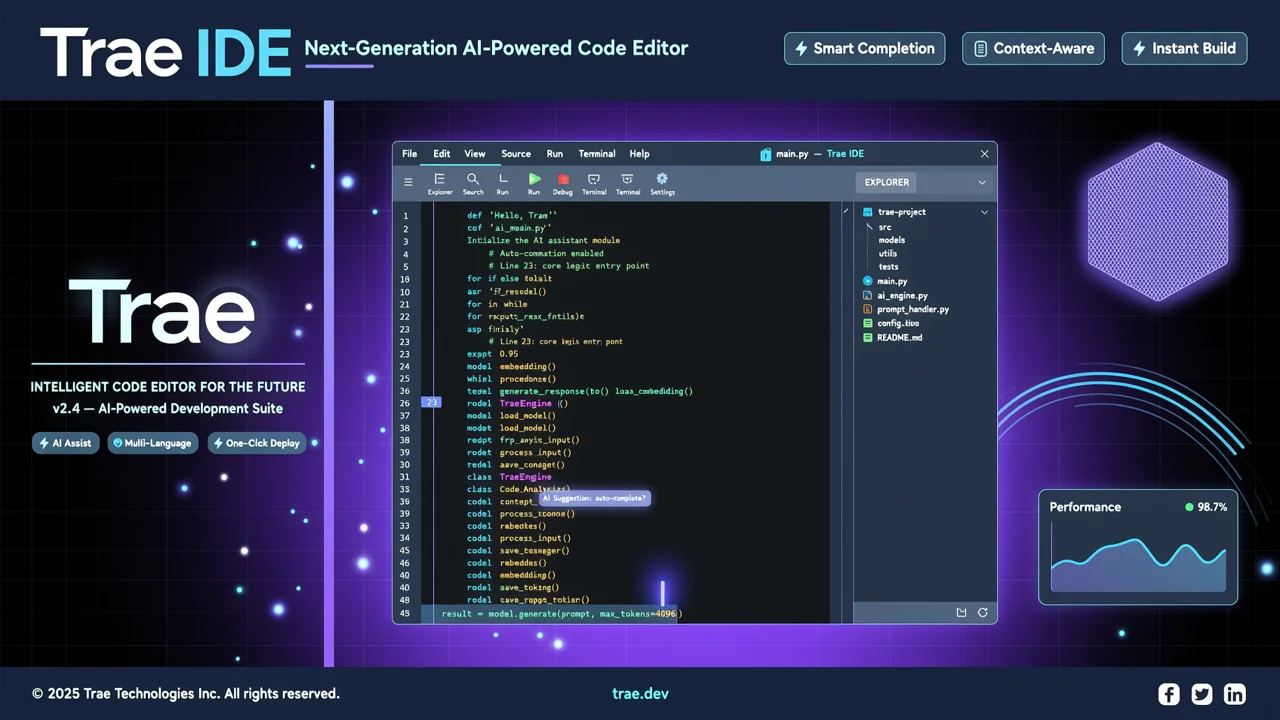
Timeliness Note: This article was updated on July 28, 2026. Trae has surpassed 6 million registered users with over 1.6 million monthly active users. The TRAE Work standalone client officially launched in Q2 2026.
In 2026, the AI coding tool market has entered a phase of fierce competition. Cursor, GitHub Copilot, and Windsurf are all iterating rapidly. But one product from ByteDance is rising fast—Trae AI IDE.
As of July 2026, Trae has accumulated over 6 million registered users and 1.6 million+ monthly active developers, covering 200+ countries and regions worldwide. Even more impressive, its code generation accuracy has reached 98% (per CSDN’s Q2 2026 evaluation), with particularly strong performance in understanding Chinese comments and converting requirements into code.
And the best part: the basic version is permanently free, while Pro costs just $10/month (half the price of Cursor).
This guide will walk you through Trae AI IDE’s core features, three working modes, pricing strategy, and how to get started from scratch. Whether you’re a frontend developer, backend engineer, student, or indie hacker, you’ll find a use case here that fits you.
1. What Is Trae AI IDE?
1.1 ByteDance’s AI-Native IDE
Trae is an AI-native integrated development environment (IDE) launched by ByteDance, built on a deeply modified VS Code kernel. Unlike traditional “AI-assisted plugins,” Trae is architecturally designed around AI capabilities from the ground up, integrating large language model power into every aspect of the editor.
Core Positioning:
- Not just VS Code + an AI plugin
- But an entirely new AI-first programming paradigm
1.2 How It Differs from Cursor and Copilot
| Dimension | Trae AI IDE | Cursor | GitHub Copilot |
|---|---|---|---|
| Kernel | Deeply modified VS Code | Modified VS Code | Multi-IDE plugin |
| AI Integration | Native | Native | Plugin-based |
| Chinese Optimization | Deep | Moderate | Moderate |
| Free Tier | Permanently free basic plan | Limited trial | GitHub Student Pack |
| Pro Price | $10/month | $20/month | $10/month |
| Standalone Workspace | TRAE Work (tri-platform) | None | None |
Key Differences:
- Deep Chinese optimization: Trae leads the industry in accuracy for Chinese comments and Chinese requirement descriptions
- Three working modes: IDE (editor), Work (standalone workspace), Builder (rapid prototyping)
- CUE smart prediction: Predicts not just code, but your next requirement
- Price advantage: Pro is only $10/month—half of Cursor’s price
2. Trae’s Three Core Modes
Trae’s biggest innovation is offering three distinct working modes tailored to different development scenarios.
2.1 IDE Mode: AI-Native Editor
Use Case: Daily coding, code review, refactoring and optimization
IDE mode is Trae’s base mode. The interface looks highly similar to VS Code, but comes with powerful built-in AI capabilities:
Core Features:
- Smart code completion: Auto-completes code based on context, supports multi-line continuation
- AI code review: One-click analysis of code quality, security vulnerabilities, and performance issues
- Smart refactoring: Automatically identifies optimizable code structures and suggests refactoring
- Chinese-to-code: Describe requirements in Chinese, get runnable code directly
Practical Example:
# In IDE mode, you can write comments directly in Chinese
# Requirement: Write a function that takes a user list, sorts by registration time, and returns the top 10 most active users

# Trae will automatically generate:
def get_top_active_users(user_list: list, limit: int = 10) -> list:
    """
    Get the most active users
    :param user_list: List of users, each containing register_time and activity_score
    :param limit: Number of users to return
    :return: Top N sorted users
    """
    sorted_users = sorted(
        user_list,
        key=lambda x: (x['register_time'], x['activity_score']),
        reverse=True
    )
    return sorted_users[:limit]
2.2 Work Mode: Smart Workspace (2026 New Feature)
Use Case: Document generation, API documentation, project analysis, cross-device collaboration
TRAE Work is a standalone smart workspace launched in Q2 2026, accessible via Web, Desktop, and Mobile. It doesn’t rely on a traditional code editor. Instead, it provides an independent AI-driven work environment.
Core Capabilities:
- Auto-generate documentation: Analyze codebases and automatically generate API docs, READMEs, and changelogs
- API documentation generation: Scan interface definitions in code and produce complete API documentation
- Project analysis: Analyze project structure, dependencies, and potential issues
- Cross-device collaboration: Seamlessly switch between phone, tablet, and desktop
Use Cases:
- Quickly understand code structure when taking over a new project
- Automate technical document generation with one click
- View project status and approve code changes from mobile
2.3 Builder Mode: Rapid Prototyping
Use Case: Rapid idea validation, design-to-code, MVP development
Builder mode focuses on going “from 0 to 1” for rapid prototype building. It’s especially great for:
- Design-to-code: Upload Figma/Sketch designs and automatically generate frontend code
- Quick requirement validation: Describe requirements in natural language, get a runnable prototype
- MVP development: Rapidly build minimum viable products to validate business ideas
Live Demo:
User input: Build me a to-do app with add, delete, and mark-complete features, using React + Tailwind CSS

Trae Builder will:
1. Analyze the requirement and break down functional modules
2. Generate the project structure
3. Write component code
4. Configure styles
5. Provide preview and download
3. CUE Smart Prediction System
Trae’s CUE (Context Understanding & Estimation) smart prediction system is one of its core competitive advantages.
3.1 What Is CUE?
CUE doesn’t just predict the next line of code. It predicts your next requirement. By analyzing your coding habits, project context, and historical actions, it prepares features you might need in advance.
Prediction Dimensions:
- Code-level prediction: Next line of code, function implementation, class structure
- Requirement-level prediction: Feature modules or API interfaces you might need
- Action-level prediction: Refactoring or test generation you’re likely to execute
3.2 Real-World Effectiveness
Say you’re building a user management system:
# You've already written the user model
class User:
    def __init__(self, id, name, email):
        self.id = id
        self.name = name
        self.email = email

# CUE predicts you might need:
# 1. Email validation method
def validate_email(self):
    import re
    pattern = r'^[\w\.-]+@[\w\.-]+\.\w+$'
    return bool(re.match(pattern, self.email))

# 2. Serialization method
def to_dict(self):
    return {
        'id': self.id,
        'name': self.name,
        'email': self.email
    }

# 3. Database repository class
class UserRepository:
    def __init__(self, db_connection):
        self.db = db_connection

    def save(self, user: User):
        # Save user to database
        pass
Key Advantages:
- Eliminates the “write code → look up docs → write code” loop
- Prepares features you’ll likely need ahead of time
- Learns your coding style—the more you use it, the better it gets
4. Pricing and Free Tier Breakdown
4.1 Three Plans Compared
| Plan | Price | Core Benefits | Target Audience |
|---|---|---|---|
| Free | $0 | Permanently free, base models, usage-limited | Students, individual developers |
| Pro | $10/month | Advanced models, unlimited usage, no queue wait | Professional developers, small teams |
| Enterprise | Contact sales | TRAE Enterprise, team management, security & compliance | Corporate teams |
4.2 Free vs Pro
Free Tier Limitations:
- Limited daily AI calls (exact quota may vary)
- Uses base models (GPT-3.5 tier)
- May experience queue waits during peak hours
- Advanced features unavailable (e.g., batch refactoring, large-scale code analysis)
Pro Advantages:
- Unlimited AI calls
- Latest advanced models (GPT-4 tier)
- No queue waits, faster response
- All advanced features unlocked
- Priority support
4.3 Cost Comparison
| Tool | Monthly Fee | Core Features | Value Rating |
|---|---|---|---|
| Trae Pro | $10 | Three modes + CUE + Chinese optimization | ⭐⭐⭐⭐⭐ |
| Cursor | $20 | AI editor | ⭐⭐⭐⭐ |
| GitHub Copilot | $10 | Code completion | ⭐⭐⭐ |
| Windsurf | $15 | AI editor | ⭐⭐⭐⭐ |
Bottom Line: Trae Pro offers the best value, especially for Chinese-speaking developers.
5. Getting Started From Scratch
5.1 Download and Install
Users in China (recommended):
# Visit the China version of the official site
https://www.trae.cn/ide/download

# Choose your OS:
# - macOS (Intel / Apple Silicon)
# - Windows (x64 / ARM)
# - Linux (deb / rpm / AppImage)
International Users:
# Visit the international site
https://www.trae.ai/download
China vs International Version:
- China version (trae.cn): Optimized for mainland China networks, faster access, data stored domestically
- International version (trae.ai): Global nodes, suitable for overseas users, data stored internationally
5.2 First-Time Setup
- Launch Trae after installation
- Sign in (supports GitHub, Google, and phone number login)
- Import VS Code settings (optional):
- Extensions
- Themes
- Keyboard shortcuts
- Preferences
- Choose a working mode:
- IDE mode (default)
- Work mode
- Builder mode
5.3 Your First AI Coding Project
Scenario: Create a simple Flask API with Trae
Step 1: Create the Project
# Open a terminal in Trae
mkdir my-flask-api
cd my-flask-api
Step 2: Describe Requirements in Chinese
# Write comments in main.py
# Requirement: Create a Flask API with the following features:
# 1. GET /users - Get user list
# 2. POST /users - Create a new user
# 3. GET /users/<id> - Get a single user
# 4. Use in-memory storage (no database)

# Trae will auto-generate the complete code:
from flask import Flask, jsonify, request

app = Flask(__name__)

# In-memory storage
users = []
next_id = 1

@app.route('/users', methods=['GET'])
def get_users():
    return jsonify({'users': users})

@app.route('/users', methods=['POST'])
def create_user():
    global next_id
    data = request.get_json()
    user = {
        'id': next_id,
        'name': data.get('name'),
        'email': data.get('email')
    }
    users.append(user)
    next_id += 1
    return jsonify(user), 201

@app.route('/users/<int:user_id>', methods=['GET'])
def get_user(user_id):
    user = next((u for u in users if u['id'] == user_id), None)
    if user:
        return jsonify(user)
    return jsonify({'error': 'User not found'}), 404

if __name__ == '__main__':
    app.run(debug=True)
Step 3: Run and Test
# Install dependencies
pip install flask

# Run the app
python main.py

# Test in another terminal
curl http://localhost:5000/users
curl -X POST http://localhost:5000/users \
  -H "Content-Type: application/json" \
  -d '{"name": "张三", "email": "zhangsan@example.com"}'
5.4 Common Commands and Tips
Keyboard Shortcuts:
Ctrl/Cmd + I: Open AI assistant panelCtrl/Cmd + Shift + P: Command paletteCtrl/Cmd + K: Quick actions (code generation, refactoring, etc.)Ctrl/Cmd + /: Toggle comments
Pro Tips:
- Write comments in Chinese: Trae has better Chinese comprehension—describe requirements in Chinese for best results
- Break things down: Split complex requirements into smaller steps and generate incrementally
- Leverage CUE predictions: After finishing a feature, pause and let CUE predict the next step
- Use Agent mode: For complex tasks, let the AI handle them autonomously in Agent mode
6. Trae vs Cursor vs Copilot—Which Should You Choose?
6.1 Comparison Table
| Dimension | Trae | Cursor | GitHub Copilot |
|---|---|---|---|
| Price | $10/month | $20/month | $10/month |
| Chinese Optimization | ⭐⭐⭐⭐⭐ | ⭐⭐⭐ | ⭐⭐⭐ |
| Code Generation Accuracy | 98% | 95% | 90% |
| Standalone Workspace | ✅ TRAE Work | ❌ | ❌ |
| Rapid Prototyping | ✅ Builder mode | ❌ | ❌ |
| Smart Prediction | ✅ CUE | ✅ | ✅ |
| Ecosystem Integration | Moderate | Good | Excellent (GitHub) |
| Learning Curve | Low | Medium | Low |
6.2 Recommendations by Use Case
Choose Trae if:
- ✅ You’re a Chinese-speaking developer who needs deep Chinese optimization
- ✅ You’re budget-conscious and want the best value
- ✅ You need rapid prototyping (Builder mode)
- ✅ You need to generate technical documentation (Work mode)
- ✅ You’re a student or individual developer (free tier is sufficient)
Choose Cursor if:
- ✅ You’re already used to the Cursor workflow
- ✅ You need a richer extension ecosystem
- ✅ Budget isn’t a concern and you want the premium experience
Choose GitHub Copilot if:
- ✅ You’re a heavy GitHub user
- ✅ You need deep GitHub ecosystem integration
- ✅ Your team is already using Copilot
7. Exclusive Tips for Chinese Developers
7.1 Accessing Trae from Mainland China
Recommended Approach:
- Use the China version (trae.cn): Optimized for mainland China networks, faster access
- Configure a proxy (if using the international version):
# In Trae settings
# Settings > Proxy > HTTP Proxy
http://127.0.0.1:7890
7.2 Chinese Prompt Best Practices
Good Prompt:
# Requirement: Write a function to calculate the day difference between two dates
# Input: start_date (str), end_date (str), formatted as "YYYY-MM-DD"
# Output: Day difference (int)
# Requirements: Handle leap years, validate date inputs
Bad Prompt:
# Write a function to calc days diffKey Principles:
- Specify inputs and outputs: Clearly define parameter types and return values
- Describe edge cases: Error handling, special conditions
- State technical requirements: Libraries to use, algorithm complexity
- Provide examples (optional): Give sample inputs and outputs
7.3 Common Issues and Solutions
Issue 1: Code generation isn’t accurate enough
- Fix: Provide more detailed Chinese comments with clear input/output formats
Issue 2: Slow response times
- Fix: Upgrade to Pro, or switch to the China version
Issue 3: Plugin incompatibility
- Fix: Check plugin versions, or use Trae’s officially recommended plugin list
8. Summary
8.1 Trae’s Core Advantages
- Deep Chinese optimization: 98% code generation accuracy, industry-leading Chinese comprehension
- Three working modes: IDE (editor), Work (documentation), Builder (prototyping)—covering the full development workflow
- CUE smart prediction: Predicts not just code, but requirements too
- Unbeatable value: Pro at just $10/month, free tier available permanently
- 6 million+ developer community: Active community, mature ecosystem
8.2 Who Is It For?
- ✅ Chinese-speaking developers: Deep Chinese optimization, more accurate understanding
- ✅ Students / individual developers: Free tier is sufficient, Pro is affordable
- ✅ Rapid prototypers: Builder mode to quickly validate ideas
- ✅ Technical writers: Work mode auto-generates documentation
- ✅ Budget-conscious teams: Half the price of Cursor
8.3 Next Steps
- Download and install: Visit trae.cn or trae.ai
- Try the free tier: Get familiar with the features first
- Upgrade to Pro: If you need unlimited usage and advanced features
- Join the community: Visit the official Chinese forum for help
Reference Resources
- Trae China Official Site
- Trae Official Documentation
- Trae Download Page
- Trae Official Chinese Community
- Cursor Official Site (competitor reference)
Further Reading:
- AI Coding Plans Masterclass: GitHub Copilot vs Cursor vs Trae
- Cursor Composer 2.5 Complete Guide
- Kimi K3 Complete Guide: From API Calls to Agent Building
Last updated: July 28, 2026
Author: Chen Lin | Word count: ~4,200 | Reading time: 12 minutes





