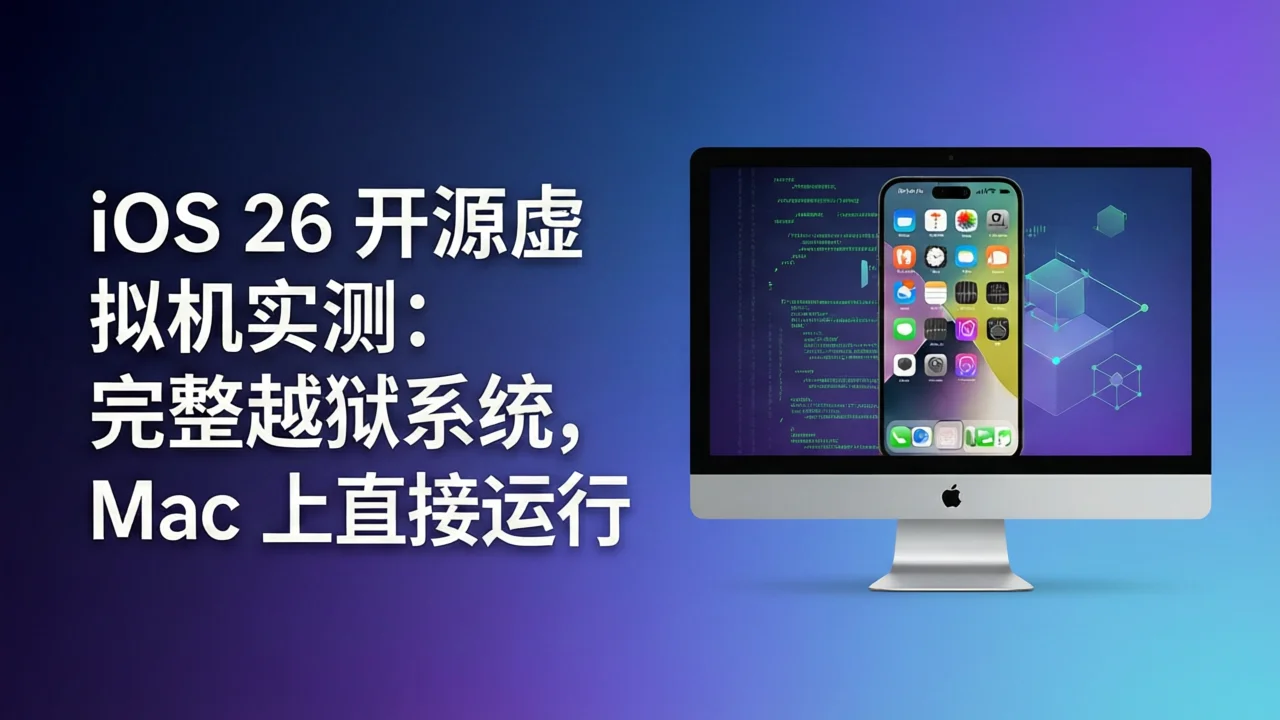
In early 2026, security researcher wh1te4ever (Hyungyu Seo) demonstrated on Twitter a virtual iPhone running on a Mac — not the Xcode Simulator, but a complete, jailbroken iOS 26 system. The project quickly went viral in the security community, with the GitHub repository vphone-aio gaining over 6,700 stars in just weeks, while the more mature CLI tool vphone-cli approached 10,000 stars.
How was this achieved? What does it mean for iOS developers and security researchers? This article takes you from technical principles to hands-on operation, providing a comprehensive review of the most talked-about open-source VM project of 2026.
What is vphone: The iOS VM Project Explained
vphone is not a traditional “iOS simulator.” It leverages virtual machine components discovered in Apple’s Private Cloud Compute (PCC) firmware to boot a genuine iOS virtual machine on Mac through Apple’s Virtualization.framework.
Two Key Projects
| Project | Author | Stars | Features |
|---|---|---|---|
| vphone-aio | 34306 | 6,700+ | Pre-built image, one-script launch, 12GB archive |
| vphone-cli | Lakr233 | 9,900+ | CLI tool, multi-iOS version support, 5 firmware variants, MIT license |
vphone-aio is ideal for users who want a quick look — download the 12GB split archive, run a script, connect via VNC, and see a complete iOS desktop.
vphone-cli is the proper tool for developers and researchers, offering full VM lifecycle management (create, clone, export, import), support for multiple versions from iOS 26.1 to iOS 27.0, and 5 different firmware variants with varying levels of modification.
💡 Recommendation: Unless you just want a quick peek, use vphone-cli directly. The vphone-aio maintainer also recommends switching to vphone-cli for better updates and support.
Why This Project Matters
1. It’s Not a Simulator — It’s Real iOS
Xcode Simulator only emulates iOS API behavior; it can’t run real App Store apps, test push notifications, or verify device-level security mechanisms. vphone runs a real iOS kernel with the full Darwin kernel, APFS file system, and Apple security subsystem.
2. Full Jailbreak, Ready Out of the Box
Choosing the jb variant automatically installs Sileo (package manager) and TrollStore with full root access. This means you can:
- Install any tweak not approved by Apple
- Modify system files and behavior
- Perform kernel-level debugging and analysis
- Study the internal implementation of iOS security mechanisms
3. Built on Apple’s Own Research Infrastructure
The core discovery behind this project is that Apple included virtual machine components codenamed vphone600ap in the PCC firmware — essentially an “iPhone Research Environment VM.” Whether Apple intentionally provided this tool for security researchers or it was an accidental firmware inclusion, this discovery gave the community the ability to run a complete iOS on consumer hardware for the first time.
Technical Principles: How iOS Runs on Mac
Core Architecture
The vphone tech stack can be broken down into four layers:
┌─────────────────────────────────────────┐
│  VNC/SSH Client (User Interaction)      │
├─────────────────────────────────────────┤
│  Virtualization.framework (Apple VZ)    │
├─────────────────────────────────────────┤
│  Modified iOS Firmware (boot + CFW)     │
├─────────────────────────────────────────┤
│  macOS Host (Apple Silicon)             │
└─────────────────────────────────────────┘
Key Technical Points
1. PV=3 Platform Version
Virtualization.framework supports a private platform version (Platform Version 3), originally used for Apple’s internal virtualization research. vphone simulates the vresearch101 hardware by setting ISA=2 and BoardID=0x90.
2. BootROM and SEP Coprocessor
Uses AVPBooter.vresearch1.bin from Virtualization.framework as the BootROM, paired with AVPSEPBooter.vresearch1.bin for the Secure Enclave coprocessor. The image4_validate_property_callback function must be patched to bypass signature verification.
3. Firmware Hybridization
vphone’s custom firmware mixes two sources:
- cloudOS 26.x: Provides vphone-specific kernel, AGX graphics drivers, ANE neural engine firmware
- iOS 26.x (iPhone 16): Provides system volume, trust cache, RestoreRamdisk
4. SSV Bypass
Signed System Volume (SSV) is iOS’s integrity protection mechanism. vphone bypasses SSV verification by patching kernel functions like _apfs_vfsop_mount and _authapfs_seal_is_broken, allowing custom root file systems to load.
5. TXM Patching
The TrustCache Extension Manager (TXM) controls which binaries can execute. By patching TXM, vphone allows execution of binaries not registered in the trust cache — the foundation that enables jailbreak tweaks to run.
System Requirements and Installation
Hardware and Software Requirements
| Item | Minimum Requirement |
|---|---|
| Chip | Apple Silicon (M1/M2/M3/M4) |
| OS | macOS 15+ (Sequoia recommended) |
| RAM | 16GB+ (32GB recommended) |
| Storage | 128GB+ free space |
| Software | Xcode + iOS SDK |
⚠️ Important: vphone currently only supports Apple Silicon Macs. It does not support Intel Macs, Windows, or Linux PCs. If you see headlines about “running iOS VM on PC,” note that “PC” here refers to Mac computers.
Installing vphone-cli (Recommended)
Step 1: Install dependencies
brew install python@3.13 aria2 wget gnu-tar openssl@3 \
  ldid-procursus sshpass keystone cmake libusb ipsw zstd
Step 2: Install vphone-cli
brew install zqxwce/tap/vphone-cliStep 3: Disable SIP and configure AMFI
Reboot into Recovery Mode (long-press power button), open Terminal:
csrutil disable
csrutil allow-research-guests enable
After rebooting back to macOS, set AMFI:
sudo nvram boot-args="amfi_get_out_of_my_way=1 -v"Reboot again.
Step 4: Create the VM
One command completes the entire pipeline (download → patch → DFU restore → CFW install → first boot):
vphone-cli vm create myphone -V jb-V jb selects the full jailbreak variant.
Step 5: Launch and connect
vphone-cli vm launch myphoneConnection methods:
- VNC:
vnc://127.0.0.1:5901(use RealVNC or macOS Screen Sharing) - SSH:
ssh -p 22222 mobile@<vm-ip>(password:alpine)
Installing vphone-aio (Quick Start)
# 1. Install dependencies
brew install git-lfs wget zstd libimobiledevice

# 2. Clone repository (~12GB, takes ~20 minutes)
git clone https://github.com/34306/vphone-aio.git

# 3. Run the script
cd vphone-aio
./vphone-aio.sh

# 4. Wait for merge and extraction (~15 minutes)
# 5. Connect VNC: vnc://127.0.0.1:5901
Real-World Usage Experience
Boot Speed and Performance
Benchmark results on M3 Max MacBook Pro (36GB RAM):
| Operation | Time |
|---|---|
| VM creation (first time, incl. download) | ~30-45 minutes |
| Cold boot to lock screen | ~25 seconds |
| Lock screen to home screen | ~3 seconds |
| App launch (system apps) | ~1-2 seconds |
| VNC connection latency | ~50-100ms |
Performance is impressive. Thanks to Apple Silicon’s native virtualization support and Metal graphics acceleration, UI fluidity approaches real device levels.
Jailbreak Ecosystem
With the jb variant, the following tools are pre-installed or available:
- Sileo: Modern package manager, replacing Cydia
- TrollStore: Install permanently signed IPAs without jailbreak
- SSH access: Root privileges, freely modify system files
- apt package management: Full Debian package ecosystem
Network and Peripheral Support
- Network: Shares host network connection, supports NAT mode
- Clipboard: Supports clipboard sharing between host and VM
- Keyboard: USB keyboard configuration supported
- Touch screen: Right-click in VNC simulates Home button, two-finger click simulates touch
Known Limitations
- App Store login not supported (device verification restrictions)
- During initial setup, don’t select Japan or EU regions (extra regulatory checks can’t be satisfied)
- Nested virtualization not supported (can’t run VM inside VM)
- Camera, GPS, and other hardware-dependent features unavailable
Five Firmware Variants Compared
vphone-cli offers 5 firmware variants for different use cases:
| Variant | Patches | CFW Phases | Use Case |
|---|---|---|---|
less | 4 | 2 | Keeps iOS security, minimal changes |
regular | 42 | 10 | AMFI/SSV/Img4/TXM bypass |
dev | 53 | 12 | + TXM entitlement/debug bypass |
jb | 113 | 14 | + Full jailbreak (Sileo + TrollStore) |
exp | 141 | 18 | JB superset + anti-VM-detection research |
Selection guide:
- Quick jailbreak experience →
jb - Security research needing maximum flexibility →
exp - Testing apps in a clean environment →
regular
Use Cases
1. iOS Developer Testing
- Test app robustness in jailbroken environments
- Verify app adaptation to non-standard environments
- Debug push notifications, background tasks, and features requiring real iOS
- Pair with vphone-mcp for AI-driven end-to-end testing
2. Security Research
- iOS kernel vulnerability analysis and reproduction
- Jailbreak development and new tweak writing
- Reverse engineering Apple security mechanisms (AMFI, SSV, TXM)
- GDB live kernel debugging support
3. App Compatibility Testing
- Test app behavior across different iOS versions
- Quickly clone VMs for parallel testing
- Export/import VM states for regression testing
4. Education and Learning
- Learn iOS internal architecture and boot process
- Understand Apple security subsystem implementation details
- Study mobile OS virtualization technology
Comparison with Xcode Simulator / Corellium
| Feature | vphone-cli | Xcode Simulator | Corellium |
|---|---|---|---|
| Real iOS kernel | ✅ | ❌ (simulated) | ✅ |
| Jailbreak support | ✅ | ❌ | ✅ |
| Price | Free open-source | Free | Commercial paid |
| Hardware | Apple Silicon | Any Mac | Cloud-based |
| App Store | ❌ | ❌ | ✅ |
| Multi-version | iOS 26-27 | Latest SDK | Multiple |
| Kernel debugging | ✅ (GDB) | ❌ | ✅ |
| Automated testing | ✅ (MCP) | ✅ (XCUITest) | ✅ |
| Legal risk | Gray area | None | Commercial license |
Key difference: vphone is the only free, open-source, locally-running solution with full jailbreak capabilities. Corellium is more capable but expensive (enterprise pricing), while Xcode Simulator isn’t real iOS at all.
Legal and Risk Disclaimer
Legality Analysis
- DMCA Exemption: US copyright law has exemptions for security research, but scope is limited
- Apple ToS: Running iOS in a VM may violate Apple’s software license agreement
- Firmware source: vphone uses firmware from Apple’s publicly released PCC research and iOS OTA updates
- Personal research: Using for personal learning and security research carries relatively low risk; commercial use requires caution
Security Recommendations
- Don’t log into your personal Apple ID in the jailbroken VM
- Don’t run in production networks — use an isolated network
- Check for project updates regularly — security patches and bug fixes
- Know your local laws — different jurisdictions have varying rules on reverse engineering and jailbreaking
Final Verdict
Pros
- ✅ Free and open-source, MIT license
- ✅ Real iOS kernel, not a simulator
- ✅ Full jailbreak, ready out of the box
- ✅ Excellent CLI tool design with full VM lifecycle management
- ✅ Active community and continuous version updates
- ✅ MCP protocol support for AI automation testing
Cons
- ❌ Only supports Apple Silicon Macs
- ❌ Requires disabling SIP (reduces host security)
- ❌ No App Store or some Apple services
- ❌ Legal gray area, commercial use requires caution
- ❌ High initial setup barrier (requires understanding SIP, AMFI, etc.)
Ratings
| Dimension | Score |
|---|---|
| Feature Completeness | ⭐⭐⭐⭐⭐ |
| Ease of Use | ⭐⭐⭐☆☆ |
| Documentation | ⭐⭐⭐⭐☆ |
| Community Activity | ⭐⭐⭐⭐⭐ |
| Security | ⭐⭐⭐☆☆ |
Overall: vphone-cli is one of the most important open-source projects for the iOS security community in 2026. It gives everyday developers the ability to run a complete, customizable iOS environment on consumer hardware for the first time. While the setup barrier is not low and legal gray areas exist, for iOS security researchers and advanced developers, this is an invaluable tool.
FAQ
Q1: Can vphone run on Windows PCs?
No. vphone depends on Apple Silicon chips and macOS’s Virtualization.framework, currently only supporting Apple Silicon Macs (M1/M2/M3/M4). Intel Macs, Windows, and Linux are not supported.
Q2: Does running vphone require disabling SIP? Is it safe?
Yes, you need to disable System Integrity Protection (SIP) or at least relax AMFI restrictions (set the amfi_get_out_of_my_way=1 boot argument). This reduces the host machine’s security protection level. It’s recommended to run on a dedicated development machine, not on your daily production machine.
Q3: What’s the fundamental difference between vphone and Xcode Simulator?
Xcode Simulator only emulates iOS API interfaces, running simulated processes on macOS. vphone runs a real iOS kernel and system frameworks, supporting jailbreak, kernel debugging, and real device behavior. If you need to test real iOS behavior (not just UI layouts), vphone is the better choice.
Q4: Can I install App Store apps in vphone?
You can’t directly log into the App Store. However, you can install IPA files via SSH, use TrollStore for permanently signed apps, or automate installation through vphone-cli’s control socket. The jailbreak variant also comes with Sileo package manager pre-installed.
Q5: Does vphone-cli support iOS 27?
Yes. vphone-cli already supports iOS 27 (as of August 2026). The test environment table shows verified iOS 27.0 beta versions. Use vphone-cli fw prepare --iphone-version 27.0 to prepare iOS 27 firmware.
If you found this article helpful and are interested in iOS security research or developer tools, check out our Grok iOS App Complete Guide and LynxCode AI Full-Stack Development Platform Review.





