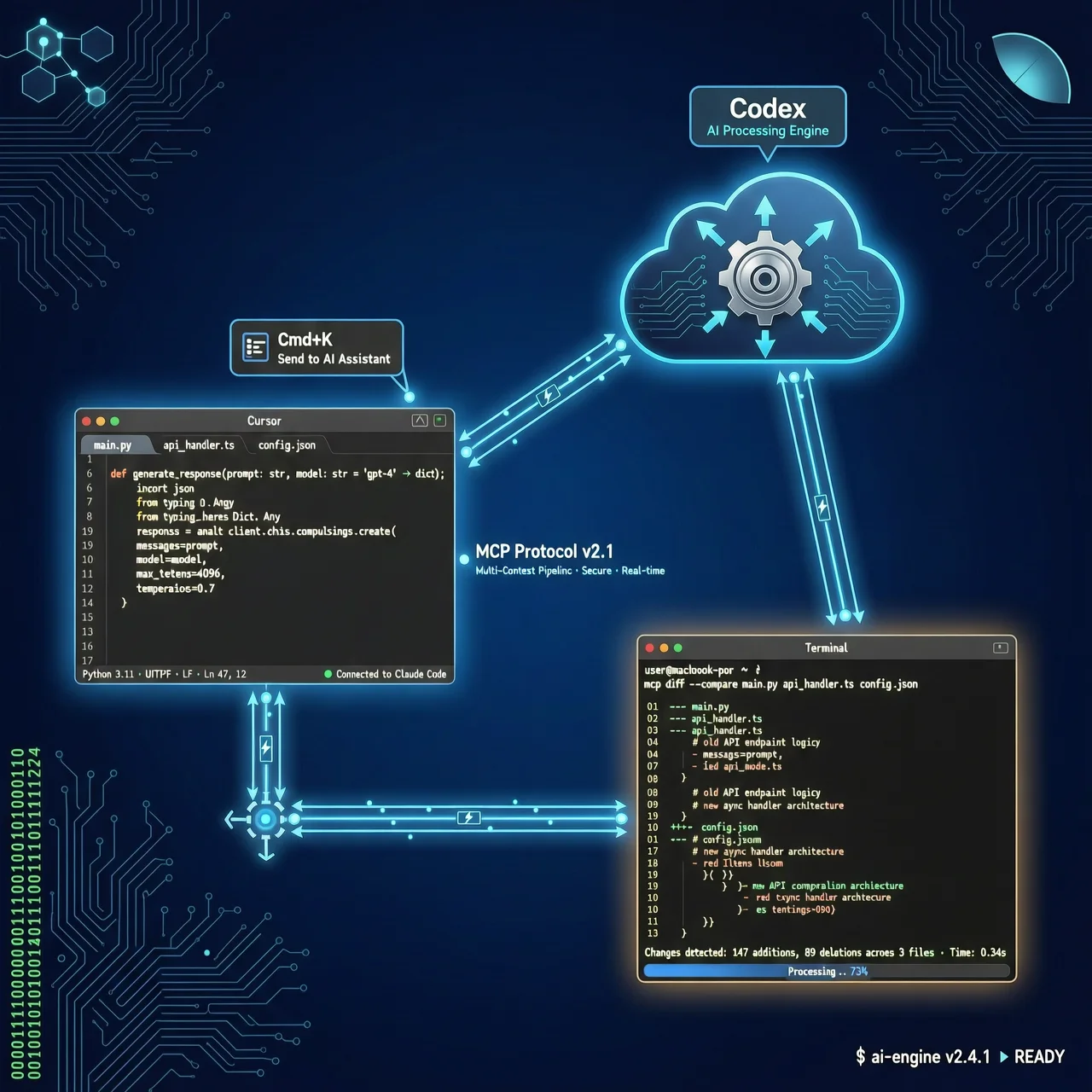
Latest Update (July 2026): The AI coding tools market has reached a watershed moment in 2026. Cursor has launched its Composer multi-file editor, Claude Code has officially introduced Agent Teams, and OpenAI Codex is now fully integrated with ChatGPT Pro. More importantly, the MCP (Model Context Protocol) has become an industry standard, making collaboration between different AI Agents possible. This article doesn’t discuss “which tool is better”—instead, it teaches you “how to string them together.” This is the first Chinese-language practical guide on “AI Coding Agent Workflow Combos.”
I. The Truth About AI Coding in 2026: It’s Not About Choosing One Tool, But Building a Workflow
If you’re still agonizing over whether to choose Cursor or Claude Code, congratulations—you’ve fallen into a carefully designed cognitive trap set by the vendors.
In 2026, AI coding tools are far beyond the era of “going it alone.” Just as a modern software development team wouldn’t rely on a single programmer to complete all work, an efficient AI coding workflow absolutely cannot depend on a single Agent.
- Cursor is your AI IDE, responsible for daily coding, rapid autocompletion, and visual editing;
- Claude Code is your terminal-based refactoring master, excelling at understanding large codebases and executing deep, multi-file refactoring;
- Codex is your background asynchronous worker, quietly handling batch tasks, automatically generating PRs, and creating test cases.
These three are not competitors; they are naturally complementary “development pipelines.” This article will guide you step-by-step in building this workflow and tell you exactly how to operate each step.
Content Cluster Note: This article is a continuation of the freeaitool.com AI coding tools content series. If you’re interested in underlying model capabilities, read our previous articles: ChatGPT Work vs Claude Cowork Comparison, GPT-5.6 vs Claude Fable 5 vs Gemini 3.5 Model Comparison, and MCP Workflow Practical Guide. Understanding models and protocols is the foundation for building an efficient workflow.
II. First, Understand: What Does Each of the Three Agents Excel At?
Before we begin combining them, we must clearly define the core positioning of each tool. An incorrect positioning will lead to low workflow efficiency or even collapse.
2.1 Cursor — Your AI IDE, The Daily Coding Powerhouse
Positioning: Interactive AI programming environment (IDE), with a core focus on “what you see is what you get” inline editing experience.
Best Scenarios:
- Rapid prototyping (creating new projects from scratch)
- Daily coding autocompletion (
Ctrl+Kfor line-level completion,Cmd+Lfor full-document rewriting) - Multi-file visual editing (Composer interface with drag-and-drop diff comparison)
- Real-time code review (right-click menu for one-click triggering)
New Features in 2026:
- The Composer multi-file editor is officially released, supporting visual diff and merging across files with cross-file references.
- Supports the MCP protocol, enabling direct connection to local Git repositories and CI/CD configurations.
Pricing (July 2026):
- Pro: $20/month (core features)
- Pro+: $60/month (includes Composer and advanced Git integration)
- Ultra: $200/month (includes enterprise-grade security auditing)
✅ Is it right for you? If you spend most of your day writing code in VS Code or JetBrains, Cursor is your most natural upgrade path. It doesn’t change your workflow habits—it just makes you write faster and more accurately.
2.2 Claude Code — The Refactoring Master in Your Terminal
Positioning: Native terminal AI Agent, with a core focus on “deep understanding” and “planning & execution.”
Best Scenarios:
- Large-scale codebase refactoring (e.g., migrating an entire service from Express to Fastify)
- Complex bug root-cause analysis (combining
git blameandlogfor deep analysis) - Multi-file coordinated modifications (automatically identifying dependencies and updating synchronously)
- Code review (in Plan Mode, it first outputs a detailed plan before executing)
New Features in 2026:
- Agent Teams are officially launched, allowing you to create multiple roles (e.g.,
Architect,Reviewer,Tester) and assign tasks. - Full MCP support, enabling direct reading of local database schemas and API documentation.
Pricing (July 2026):
- Pro: $20/month (basic terminal access)
- Max: $100/month (includes Agent Teams and advanced context management)
- API: Pay-per-token ($0.01/1k input tokens, $0.03/1k output tokens)
✅ Is it right for you? If you frequently face a legacy system with 500,000 lines of code, or need to complete a major architectural upgrade in a single day, Claude Code is your indispensable “Chief Architect.”
2.3 Codex — The Asynchronous Worker Working Quietly in the Background
Positioning: Cloud-based asynchronous AI Agent, with a core focus on “background parallelism” and “batch processing.”
Best Scenarios:
- Batch code modifications (e.g., uniformly replacing all
console.logwithlogger.info) - Automated PR creation (generating descriptions and test cases automatically based on Git commit messages)
- Test case generation (batch-generating Jest/Vitest tests based on function signatures and comments)
- Background task queues (submit and close your terminal; Codex runs continuously in the cloud)
New Features in 2026:
- Fully integrated with ChatGPT Pro, allowing all Codex tasks to call the GPT-5.6 Turbo model.
- Supports MCP Webhooks, enabling event-triggered execution from GitHub Actions or Jenkins.
Pricing (July 2026):
- ChatGPT Pro: $200/month (full Codex functionality)
- API: Pay-per-token ($0.02/1k input tokens, $0.05/1k output tokens)
✅ Is it right for you? If you’re tired of waiting for CI/CD tests to complete, or wish for AI to automatically fix all bugs from today’s commits while you sleep, Codex is your most loyal “night-shift engineer.”
2.4 Cline — The Open-Source, Flexible Option (Brief Mention)
Cline is an open-source MCP client that allows you to freely connect to any MCP-compatible model (including locally deployed Qwen2.5, DeepSeek-Coder, etc.). It’s not as “out-of-the-box” as commercial products, but offers maximum flexibility and cost control. For cost-sensitive teams, those pursuing technical autonomy, or those requiring private deployment, Cline is a worthy supplementary option.
III. The Core: How to String the Three Agents Together Into a Development Pipeline
Now, we arrive at the heart of this article—not theory, but concrete operational steps. The following four scenarios cover 90% of a developer’s daily work.
3.1 Scenario One: The Optimal Workflow for New Feature Development
Goal: Develop a “user email verification” feature from scratch within 2 hours, including frontend form, backend API, and unit tests.
Workflow Steps:
-
Cursor (15 minutes):
- Create a new
auth/folder in the project root directory. - Use the
Cmd+Lcommand: “Create an email verification form component based on Next.js App Router, including an email input field, a ‘send verification code’ button, and a countdown display.” - Cursor automatically generates
components/auth/EmailVerificationForm.tsx.
- Create a new
-
Claude Code (30 minutes):
- Run `claude-code —plan “Add a POST /api/auth/verify-email API for a Next.js application. It should accept an email and verification code, call SendGrid to send an email, and return a JWT token. Requirements: Use TypeScript and conform to RESTful standards.”
- Claude Code outputs a complete plan; after confirmation, it executes and automatically generates
app/api/auth/verify-email/route.tsandlib/sendgrid.ts.
-
Codex (Background, 1 hour):
- Submit a task in the Codex web console: “Generate Jest test cases for
app/api/auth/verify-email/route.ts, covering success, invalid email format, incorrect verification code, and SendGrid call failure.” - Codex runs in the background and, after one hour, generates
__tests__/auth/verify-email.test.tsand automatically creates a PR.
- Submit a task in the Codex web console: “Generate Jest test cases for
Result: With just three commands, you’ve completed the entire process—from frontend to backend to testing—without manually writing a single line of logic code.
3.2 Scenario Two: The Combination Punch for Bug Fixing
Goal: Fix an online bug where the user profile page occasionally displays undefined after login.
Workflow Steps:
-
Cursor (5 minutes):
- Open
pages/profile/[id].tsx, right-click on the error line, and select “Ask Cursor.” - Cursor quickly locates the
uservariable ingetServerSidePropsthat lacks null-checking.
- Open
-
Claude Code (20 minutes):
- Run
claude-code --deep-dive "Analyze pages/profile/[id].tsx and all its dependencies (including lib/user.ts, lib/api.ts) to identify all data flow paths that could produceundefined`, and provide a comprehensive fix.” - Claude Code performs a deep trace and discovers that the
fetchUserProfilefunction inlib/user.tsdoes not throw an error whenfetchfails, causing the entire upstream chain to fail.
- Run
-
Codex (Background, 30 minutes):
- Submit a Codex task: “Search the entire codebase for all
fetchcalls, check their error-handling logic, and for the 12 files missing error handling, batch-addtry/catchwrappers and generate corresponding test cases.” - After execution, Codex automatically submits a PR containing changes to 12 files.
- Submit a Codex task: “Search the entire codebase for all
Result: An intermittent bug is precisely located, its root cause analyzed, and globally prevented—not just treating the symptom, but curing the disease.
3.3 Scenario Three: Division of Labor for Large-Scale Refactoring
Goal: Upgrade the company’s main application from Vue 2 to Vue 3 Composition API.
Workflow Steps:
-
Claude Code (Leader):
- Use
Agent Teamsto create three roles:Architect(responsible for the overall plan),Migrator(responsible for specific file conversion), andReviewer(responsible for quality checks). - The
Architectoutputs a “Vue 2 to Vue 3 Migration Roadmap,” including compatibility layer strategy, Breaking Changes list, and test coverage plan.
- Use
-
Codex (Executor):
- Based on the
Architect’s roadmap, Codex launches background tasks to batch-convert all 247.vuefiles insrc/components/. - After converting each file, Codex automatically runs
npm run test:unitand feeds the results back to theReviewer.
- Based on the
-
Cursor (Wrap-up):
- Once Codex completes 80% of the files, Cursor’s
Composerinterface highlights all converted and pending files. - You can visually compare the Vue 2 and Vue 3 versions of
Button.vuein Composer and merge them with one click.
- Once Codex completes 80% of the files, Cursor’s
Result: A project that previously required three senior engineers two weeks to complete can now be done by an AI team running in the background for three days, achieving 80% completion. You only need to perform final quality assurance.
3.4 Scenario Four: The Code Review Pipeline
Goal: Establish an automated, multi-layered code review process to replace manual reviews.
Workflow Steps:
-
Codex (Entry Point):
- A GitHub Action triggers Codex when a new PR is submitted. Codex automatically analyzes the changed files and generates a structured PR description, including:
- Change summary (What changed)
- Potential risk points (What might break)
- Related documentation links (Where to read more)
- A GitHub Action triggers Codex when a new PR is submitted. Codex automatically analyzes the changed files and generates a structured PR description, including:
-
Claude Code (Deep Dive):
- Codex pushes the PR description and the list of changed files to Claude Code via the MCP protocol.
- Claude Code initiates
Review Mode, analyzing the code line-by-line, focusing on:- Security vulnerabilities (SQL injection, XSS)
- Performance bottlenecks (N+1 queries, memory leaks)
- Architectural consistency (adherence to DDD layers)
-
Cursor (Presentation):
- Claude Code’s review results are sent back to Cursor via MCP.
- In Cursor’s Composer interface, a green/yellow/red indicator appears next to every changed line in the PR, and clicking it reveals Claude Code’s detailed comments.
Result: Code review is no longer “people waiting for code,” but “code waiting for review.” Every submission instantly receives a professional-grade review report, collaboratively generated by three AI Agents.
IV. The MCP Protocol: The Secret to Sharing Context Across Different Agents
You might ask: How is all this achieved? Why can the code written by Cursor be immediately understood by Claude Code? Why do the tests generated by Codex perfectly match the components created by Cursor?
The answer is: MCP (Model Context Protocol).
4.1 What Is MCP? (A Brief Primer)
MCP is an open protocol proposed by Anthropic, with a very simple goal: to provide AI Agents with a standardized “USB-C port.""
- Before MCP, each AI tool had its own proprietary API and data format, like every phone manufacturer using a different charging port.
- After MCP, all tools supporting the protocol can access the same context resources through a unified interface:
- Your local file system (
/home/user/project/) - Your Git repository (
git status,git log) - Your database (
SELECT * FROM schema;) - Your CI/CD system (Jenkins/GitHub Actions status)
- Your local file system (
This means Cursor is no longer just an editor—it’s also Claude Code’s “eyes.” Claude Code is no longer just a terminal—it’s also Codex’s “brain.”
4.2 Practical Configuration Example
In your project root directory, create an mcp-server.json configuration file:
{
  "server": {
    "name": "freeaitool-dev-server",
    "description": "Local MCP server for freeaitool project"
  },
  "tools": [
    {
      "name": "file_system",
      "description": "Read and write files in the local workspace",
      "parameters": {"root_path": "/home/bbot/projects/freeaitool"}
    },
    {
      "name": "git",
      "description": "Execute git commands",
      "parameters": {"repo_path": "/home/bbot/projects/freeaitool"}
    }
  ]
}
Then, in the settings of Cursor, Claude Code, and Codex, point the MCP Server address to http://localhost:8080. The three tools are instantly connected, sharing the same “workspace.”
V. Cost Optimization: How to Combine Them Most Economically
AI tools aren’t about being the most expensive—they’re about being the most “precise.” Here are three typical budget plans:
5.1 Individual Developer Plan (Monthly Budget: $20–$60)
- Core: Cursor Pro ($20) as the primary tool, Claude Code Pro ($20) as auxiliary, and Codex using the free tier of ChatGPT Pro (monthly $20 credit).
- Advantage: Lowest cost, covering 80% of daily development needs.
- Target Audience: Independent developers, freelancers, students.
5.2 Small Team Plan (Monthly Budget: $100–$200)
- Core: Cursor Pro+ ($60) + Claude Code Max ($100) + Codex API ($40).
- Advantage: Access to all premium features (Composer, Agent Teams, batch tasks), with shared MCP Server capability for teams.
- Target Audience: Startup teams of up to 5 people, small studios.
5.3 Enterprise Plan
- Core: Cursor Ultra ($200/user) + Claude Code Max 5x ($500/user) + Codex Enterprise (custom pricing).
- Advantage: Enterprise-grade security audits, dedicated MCP Server, SLA guarantees.
- Target Audience: Mid-to-large tech companies, industries with strict regulations like finance or healthcare.
VI. Practical Recommendations: Start Building Your Multi-Agent Workflow Today
Don’t be intimidated by complex concepts. Building a workflow requires only three steps:
6.1 Step One: Master One Tool First
Don’t try to learn everything at once. Spend a week thoroughly mastering Cursor (or whichever tool you’re most familiar with). Make it an extension of your fingers. Only after you’ve formed a “muscle memory” for one tool can you truly understand how it complements others.
6.2 Step Two: Introduce a Second Tool to Address Your Weaknesses
Ask yourself: What is the most painful part of my current development process?
- Is writing tests too slow? → Introduce Codex.
- Is refactoring too painful? → Introduce Claude Code.
- Is multi-file editing too cumbersome? → Upgrade to Cursor Pro+.
Add only one at a time, ensuring you can clearly perceive the efficiency gain.
6.3 Step Three: Connect Them with MCP
The final step—and the most critical—is configuring MCP. It doesn’t require advanced technical knowledge, just a simple JSON configuration file and a few commands. Once successfully connected, you’ll have your own “AI development pipeline.”
VII. Conclusion: There Is No Best Tool, Only the Best Combination
In 2026, the competition among AI coding tools has evolved from “whose model is bigger” to “whose ecosystem is more open.” Cursor, Claude Code, and Codex are not endpoints—they are building blocks for constructing your personalized development pipeline.
Stop asking “Which tool is best?” and start asking:
- Which parts of my daily workflow can be delegated to Cursor?
- Which difficult problems must be tackled by Claude Code?
- Which repetitive tasks should Codex handle silently in the background?
When you can answer these three questions, you’ve already surpassed 90% of developers. Because the true productivity revolution has never been about the tools themselves—it’s about how you use them.
External Links:
- Cursor Official Website — Tool introduction and download
- Claude Code Documentation — Official documentation and API reference
- OpenAI Codex — Product introduction and pricing details
- MCP Protocol Official Website — Protocol specifications and technical white paper
- Easton Panorama Analysis — Industry panorama analysis from a competitor’s perspective
This article was created by the freeaitool.com AI Writing Assistant “Chen Lin” based on the 2026-07-20 research brief. All tool information, pricing, and features are based on the latest publicly available data as of July 2026.





