什麼是 Google ADK?
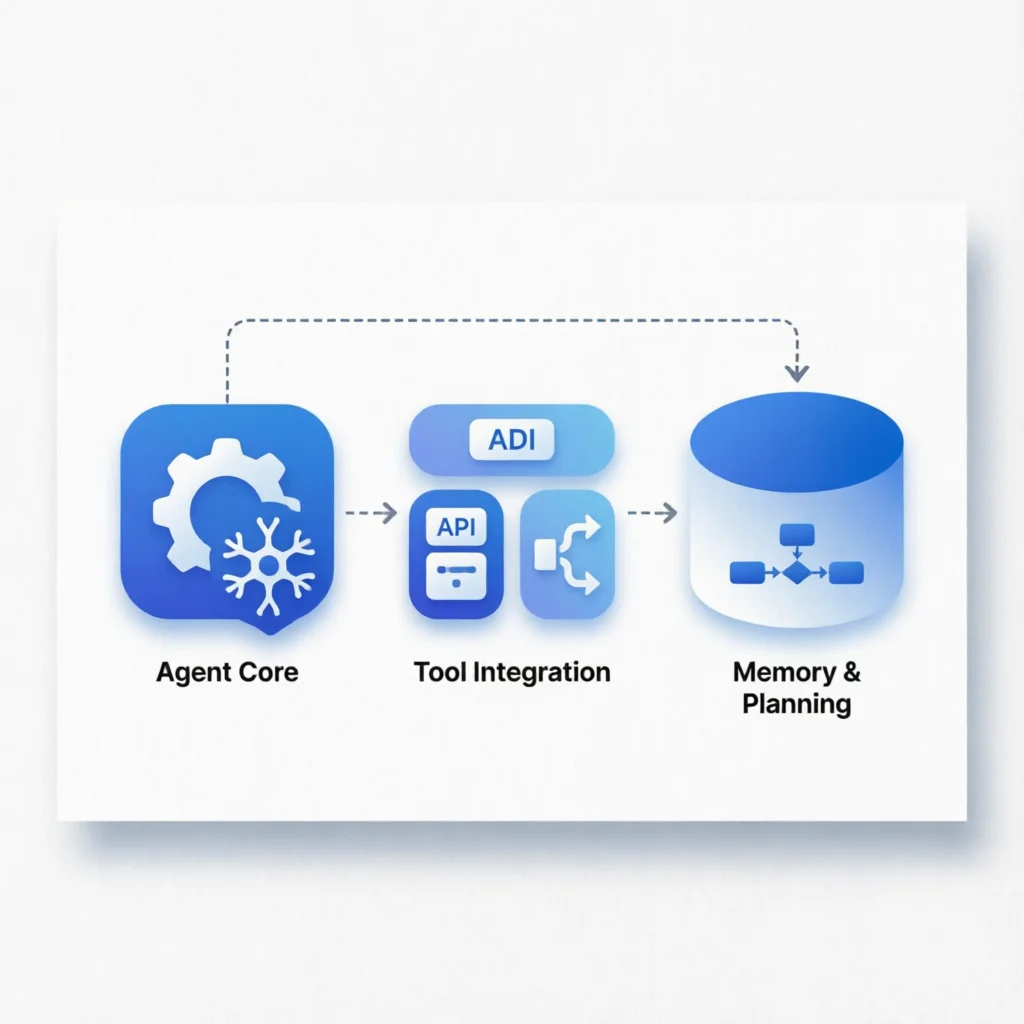
Google ADK (Agent Development Kit) 是 Google 推出的開源 AI Agent 開發框架,專為希望將 AI Agent 整合到實際應用程式中的開發者設計。與 LangChain、LlamaIndex 等框架不同,ADK 採用”程式碼優先”(code-first)的設計理念,讓 Agent 的行為更像傳統軟體一樣可預測、可測試。
核心特點
- 程式碼優先:使用純 Python 定義 Agent 行為,無需複雜的 YAML 配置
- 型別安全:充分利用 Python 型別提示,提供 IDE 自動補全和錯誤檢查
- 可測試性:Agent 邏輯可以像普通函數一樣進行單元測試
- 生產就緒:內建日誌、監控、錯誤處理等生產環境必需功能
- 多模型支援:支援 Gemini、GPT-4、Claude 等主流大語言模型
適用場景
- 客戶服務聊天機器人
- 自動化工作流程助手
- 資料分析與報告生成
- 程式碼審查與輔助程式設計
- 企業內部知識問答系統
安裝與配置
環境要求
- Python 3.10 或更高版本
- pip 套件管理器
- Google Cloud 帳號(使用 Gemini 模型時)
安裝步驟
# 建立虛擬環境(推薦)
python3 -m venv adk-env
source adk-env/bin/activate  # Linux/macOS
# adk-env\Scripts\activate  # Windows

# 安裝 Google ADK
pip install google-adk

# 安裝額外依賴(根據需要)
pip install google-adk[cli]  # 包含命令列工具
pip install google-adk[testing]  # 包含測試工具
API 金鑰配置
# 方式 1:使用環境變數(推薦用於開發)
export GEMINI_API_KEY="your-api-key-here"

# 方式 2:使用 Google Cloud 憑證檔案
export GOOGLE_APPLICATION_CREDENTIALS="/path/to/service-account.json"

# 方式 3:在程式碼中直接配置(不推薦用於生產)
核心概念
1. Agent(智慧體)
Agent 是 ADK 的核心元件,負責接收使用者輸入、呼叫工具、生成響應。
from google.adk import Agent
from google.adk.models import Gemini

# 建立基礎 Agent
agent = Agent(
    name="customer_support",
    model=Gemini(model="gemini-2.0-flash"),
    instruction="你是一個專業的客服助手,幫助使用者解決產品問題。",
)
2. Tools(工具)
工具是 Agent 可以呼叫的外部函數,用於執行具體任務。
from google.adk import Tool
from google.adk.tools import FunctionTool

# 定義工具函數
def search_knowledge_base(query: str) -> str:
    """搜尋知識庫獲取相關資訊"""
    # 實際實現可能呼叫資料庫或 API
    return f"搜尋'{query}'的結果..."

# 建立工具
search_tool = FunctionTool(
    func=search_knowledge_base,
    name="search_kb",
    description="搜尋產品知識庫",
)

# 將工具新增到 Agent
agent.tools = [search_tool]
3. Sessions(會話)
會話管理使用者與 Agent 的互動歷史,支援多輪對話。
from google.adk import Session

# 建立會話
session = Session(
    agent=agent,
    user_id="user_123",
)

# 傳送訊息
response = await session.send("我的產品無法啟動,怎麼辦?")
print(response.text)
4. Events(事件)
事件系統支援非同步訊息處理和串流響應。
from google.adk import Event

async def handle_event(event: Event):
    if event.type == "user_message":
        response = await session.send(event.content)
        await event.reply(response.text)
實戰範例
範例 1:簡單的問答機器人
from google.adk import Agent, Session, Runner
from google.adk.models import Gemini

# 建立 Agent
agent = Agent(
    name="faq_bot",
    model=Gemini(model="gemini-2.0-flash"),
    instruction="""你是一個 FAQ 機器人,回答關於產品的問題。
    - 保持回答簡潔明瞭
    - 如果不知道答案,誠實告知
    - 提供相關幫助建議""",
)

# 執行互動式會話
async def main():
    runner = Runner(agent=agent)
    await runner.run_interactive()

# python3 faq_bot.py
範例 2:帶工具的資料分析助手
from google.adk import Agent, Tool
from google.adk.tools import FunctionTool
from google.adk.models import Gemini
import pandas as pd

# 定義資料分析工具
def load_csv(file_path: str) -> dict:
    """載入 CSV 檔案並返回基本資訊"""
    df = pd.read_csv(file_path)
    return {
        "rows": len(df),
        "columns": list(df.columns),
        "dtypes": df.dtypes.astype(str).to_dict(),
    }

def calculate_stats(file_path: str, column: str) -> dict:
    """計算指定列的統計資訊"""
    df = pd.read_csv(file_path)
    numeric_col = pd.to_numeric(df[column], errors="coerce")
    return {
        "mean": float(numeric_col.mean()),
        "median": float(numeric_col.median()),
        "std": float(numeric_col.std()),
        "min": float(numeric_col.min()),
        "max": float(numeric_col.max()),
    }

# 建立工具
tools = [
    FunctionTool(func=load_csv, name="load_csv", description="載入 CSV 檔案"),
    FunctionTool(func=calculate_stats, name="calc_stats", description="計算統計資訊"),
]

# 建立 Agent
agent = Agent(
    name="data_analyst",
    model=Gemini(model="gemini-2.0-flash"),
    instruction="你是一個資料分析助手,幫助使用者分析 CSV 資料檔案。",
    tools=tools,
)
範例 3:多 Agent 協作系統
from google.adk import Agent, Runner
from google.adk.models import Gemini

# 建立多個專業 Agent
researcher = Agent(
    name="researcher",
    model=Gemini(model="gemini-2.0-flash"),
    instruction="你負責收集和研究生資訊,提供詳細的事實和資料。",
)

writer = Agent(
    name="writer",
    model=Gemini(model="gemini-2.0-flash"),
    instruction="你負責將研究結果整理成結構清晰、易讀的報告。",
)

reviewer = Agent(
    name="reviewer",
    model=Gemini(model="gemini-2.0-flash"),
    instruction="你負責審查報告的質量,確保準確性和完整性。",
)

# 使用工作流程編排多個 Agent
async def collaborative_workflow(user_query: str):
    # 研究階段
    research_result = await researcher.run(user_query)

    # 寫作階段
    draft = await writer.run(f"基於以下研究結果撰寫報告:{research_result}")

    # 審查階段
    final_report = await reviewer.run(f"審查並改進以下報告:{draft}")

    return final_report
高階功能
串流響應
from google.adk import Agent, Session
from google.adk.models import Gemini

agent = Agent(
    name="streaming_bot",
    model=Gemini(model="gemini-2.0-flash"),
)

session = Session(agent=agent)

# 串流處理響應
async for chunk in session.send_stream("講一個關於 AI 的故事"):
    print(chunk.text, end="", flush=True)
自訂中介軟體
from google.adk import Middleware

class LoggingMiddleware(Middleware):
    """日誌中介軟體,記錄所有請求和響應"""

    async def on_request(self, request):
        print(f"[REQUEST] {request.user_id}: {request.content}")
        return request

    async def on_response(self, response):
        print(f"[RESPONSE] {response.text[:100]}...")
        return response

# 新增中介軟體
agent.middleware = [LoggingMiddleware()]
錯誤處理與重試
from google.adk import Agent
from google.adk.models import Gemini
from google.adk.retry import RetryConfig

agent = Agent(
    name="robust_bot",
    model=Gemini(model="gemini-2.0-flash"),
    retry_config=RetryConfig(
        max_retries=3,
        retry_delay=1.0,
        retry_on=[TimeoutError, ConnectionError],
    ),
)
最佳實踐
1. 提示詞工程
# ✅ 好的做法:清晰、具體的指令
agent = Agent(
    instruction="""你是一個專業的技術支援助手。

    回答規則:
    1. 先確認理解使用者問題
    2. 提供分步驟解決方案
    3. 如果問題複雜,建議聯絡人工支援
    4. 保持友好、專業的語氣""",
)

# ❌ 避免:模糊、籠統的指令
agent = Agent(
    instruction="幫助使用者解決問題",  # 太模糊
)
2. 工具設計
# ✅ 好的做法:單一職責、清晰文件
def get_order_status(order_id: str) -> dict:
    """
    查詢訂單狀態

    Args:
        order_id: 訂單編號(格式:ORD-XXXXXX)

    Returns:
        包含 status、estimated_delivery 等資訊的字典
    """
    pass

# ❌ 避免:多功能、引數過多
def handle_order(action: str, order_id: str, user_id: str,
                 items: list, address: dict, payment: dict) -> dict:
    # 太複雜,難以維護
    pass
3. 測試策略
import pytest
from google.adk import Agent, Session

@pytest.fixture
def test_agent():
    return Agent(
        name="test_bot",
        model=Gemini(model="gemini-2.0-flash"),
        instruction="你是一個測試助手",
    )

@pytest.mark.asyncio
async def test_agent_response(test_agent):
    session = Session(agent=test_agent)
    response = await session.send("你好")
    assert response.text is not None
    assert len(response.text) > 0
4. 效能最佳化
# 使用連線池
from google.adk.models import Gemini

model = Gemini(
    model="gemini-2.0-flash",
    max_concurrent_requests=10,
    timeout=30.0,
)

# 快取常用響應
from functools import lru_cache

@lru_cache(maxsize=100)
def get_faq_answer(question_hash: str) -> str:
    # 快取邏輯
    pass
部署指南
本地開發伺服器
from google.adk import Agent, Runner
from google.adk.models import Gemini

agent = Agent(
    name="web_bot",
    model=Gemini(model="gemini-2.0-flash"),
)

# 啟動 Web 伺服器
runner = Runner(agent=agent)
runner.serve(host="0.0.0.0", port=8000)

# 存取 http://localhost:8000
Docker 部署
FROM python:3.11-slim

WORKDIR /app

COPY requirements.txt .
RUN pip install --no-cache-dir -r requirements.txt

COPY . .

EXPOSE 8000

CMD ["python", "main.py"]
Google Cloud Run
# cloud-run.yaml
apiVersion: serving.knative.dev/v1
kind: Service
metadata:
  name: adk-agent
spec:
  template:
    spec:
      containers:
      - image: gcr.io/your-project/adk-agent
        env:
        - name: GEMINI_API_KEY
          valueFrom:
            secretKeyRef:
              name: api-keys
              key: gemini
常見問題
Q1: ADK 與 LangChain 有什麼區別?
A: ADK 更注重程式碼優先和型別安全,適合有程式設計經驗的開發者;LangChain 提供更豐富的預構建元件和 YAML 配置,適合快速原型開發。
Q2: 支援哪些大語言模型?
A: 原生支援 Google Gemini 系列模型。透過自訂 Provider,也可以整合 OpenAI GPT、Anthropic Claude、本地模型等。
Q3: 如何除錯 Agent 行為?
A: 使用 ADK 內建的除錯模式:
from google.adk import Runner

runner = Runner(agent=agent, debug=True)
# 詳細日誌會輸出到主控台
Q4: 生產環境需要注意什麼?
A:
- 使用環境變數管理 API 金鑰
- 配置適當的速率限制
- 實現日誌記錄和監控
- 新增錯誤處理和重試機制
- 進行充分的負載測試