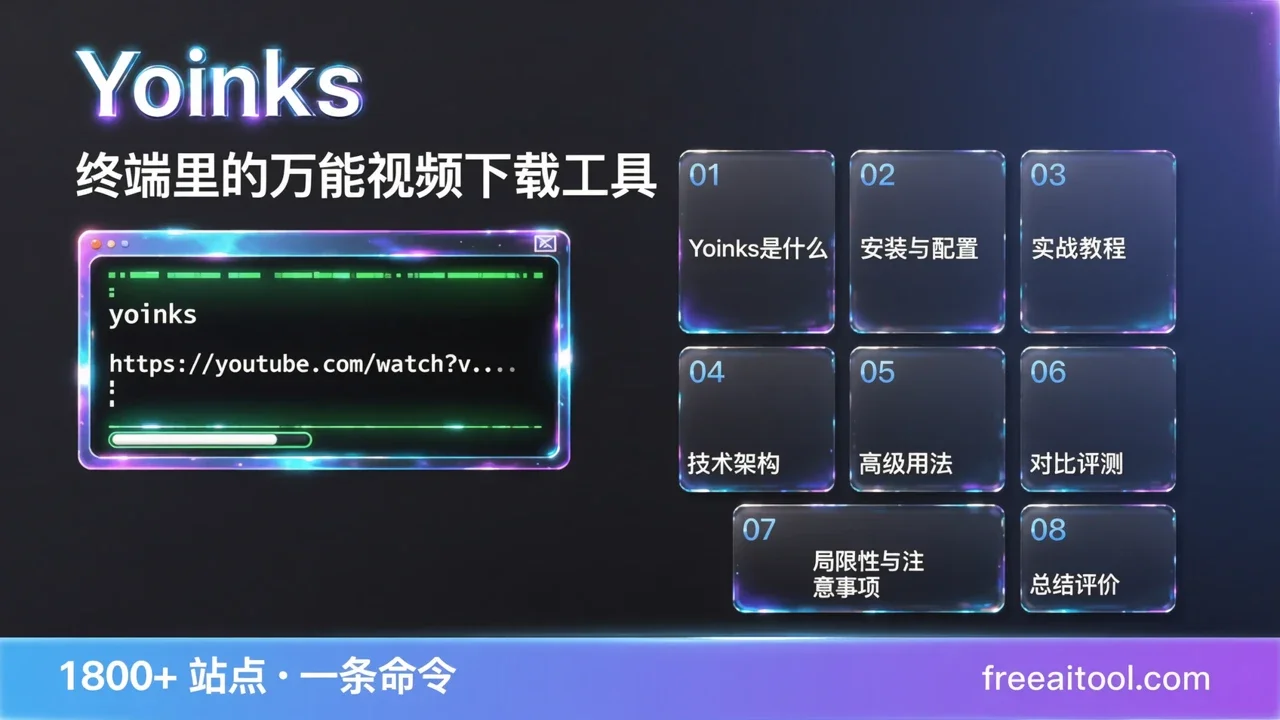
Yoinks 实测:终端里的万能视频下载工具,支持 1800+ 站点一条命令搞定
你有没有过这种经历:看到一个有用的视频教程,想保存下来离线看,结果打开某个「在线视频下载器」——满屏弹窗广告、假的下载按钮、点完三步跳转才给你一个带水印的 360p 文件。
或者更常见的场景:你需要批量保存一个创作者的全部内容,浏览器插件一次只能处理一个,点到手软。
Yoinks 就是来解决这个问题的。它是一个终端(Terminal)里的视频下载工具,粘贴 URL,选择画质,回车——搞定。没有弹窗,没有广告,没有假按钮。支持 YouTube、X/Twitter、Instagram、TikTok、Threads 以及 1800+ 其他站点。
Yoinks 是什么:为什么要在终端里下载视频
Yoinks 由开发者 Pablo Stanley 开源,用 TypeScript 编写,基于成熟的 yt-dlp 生态,但把命令行里那些复杂的参数包装成了一个极简的交互式界面。
核心卖点很简单:
- 粘贴 URL,选画质,下载——三步搞定,不需要记任何参数
- 1800+ 站点支持——YouTube、X/Twitter、Instagram、TikTok、Bilibili、Reddit、Vimeo……你能想到的主流平台全覆盖
- 零广告零弹窗——不像那些「在线下载器」网站,靠广告和跳转盈利
- 自动处理依赖——yt-dlp、ffmpeg 首次运行时自动下载,不需要你手动安装 Python 环境
- 开源免费——MIT 协议,代码完全透明
截至目前,Yoinks 在 GitHub 上已获得 1300+ Stars,对于一个 2026 年 7 月才发布的项目来说,增长相当快。
为什么是终端而不是浏览器插件?
这是一个值得讨论的设计选择。浏览器插件和在线下载器的优势是「不用学」,但劣势也很明显:
| 维度 | 浏览器插件/在线工具 | Yoinks(终端工具) |
|---|---|---|
| 广告 | 几乎都有,部分很激进 | 零广告 |
| 批量下载 | 不支持或需付费 | 天然支持(脚本化) |
| 画质选择 | 通常只有 720p/1080p | 列出所有可用格式+预估大小 |
| 音频提取 | 需要额外工具 | 内置 mp3 提取 |
| 自动化 | 不可能 | 可配合 cron/shell 脚本 |
| 隐私 | URL 经过第三方服务器 | 全部本地处理 |
| 速度 | 受限于服务器带宽 | 直连下载,跑满带宽 |
简单说:如果你是偶尔下载一个视频的用户,浏览器插件够用;如果你经常需要存素材、做内容整理、批量归档,终端工具的效率是降维打击。
安装与配置:3 分钟上手
前置要求
- Node.js 18+(检查版本:
node -v) - 操作系统:macOS / Linux / Windows 均可
安装方式
方式一:全局安装(推荐)
npm install -g yoinks安装后直接在终端输入 yoinks 即可使用。
方式二:免安装直接运行
npx yoinks不需要全局安装,每次运行时自动下载最新版本。适合偶尔用一次的场景。
首次运行会发生什么?
第一次启动 Yoinks 时,它会自动:
- 下载独立的 yt-dlp 二进制文件到
~/.yoinks/bin(不需要 Python) - 检查系统是否有 ffmpeg(没有的话使用内置的
ffmpeg-static作为后备)
这意味着你不需要手动安装 yt-dlp 或 ffmpeg——Yoinks 全包了。
实战教程:从入门到熟练
场景一:下载单个视频
yoinks https://youtu.be/dQw4w9WgXcQ执行后,Yoinks 会接管整个终端窗口(全屏居中),显示所有可用的格式选项:
  ↑/↓ 选择格式,回车确认,esc 返回

  ┌─────────────────────────────────────────┐
  │  1. mp4 1080p ( AVC + M4A )    ~45 MB  │
  │  2. mp4  720p ( AVC + M4A )    ~28 MB  │
  │  3. mp4  480p ( AVC + M4A )    ~15 MB  │
  │  4. webm 1080p ( VP9 + OPUS )  ~52 MB  │
  │  5. mp3  audio only            ~3.5 MB  │
  └─────────────────────────────────────────┘
用方向键(或 j/k、数字键)选择格式,回车确认。文件自动保存到 ~/Downloads,终端会打印文件路径。
交互细节:
↑/↓或j/k切换选项- 数字键直接跳到对应选项
esc返回上一步Ctrl+C退出- 支持鼠标点击(格式列表和底部提示都是可点击的)
场景二:不传 URL,手动粘贴
yoinks直接运行 yoinks(不带参数),会提示你输入 URL。适合你刚从浏览器复制了链接的场景。
场景三:提取音频为 MP3
在格式选择界面中选择 mp3 audio only 选项即可。Yoinks 会自动调用 ffmpeg 将音频提取为 MP3 格式。
这对于只想保存播客、音乐、有声书音频的用户非常实用——不需要下载整个视频文件再手动转换。
场景四:选择特定画质
Yoinks 的格式选择器会列出所有可用格式,并预估每个格式的文件大小。这比 yt-dlp 原始命令行友好得多——你不需要自己计算码率和文件大小的关系。
技术架构:Yoinks 是如何工作的
Yoinks 的技术栈值得了解,因为它解释了为什么这个工具既轻量又强大:
┌─────────────────────────────────────────┐
│            Yoinks (TypeScript)           │
│                                          │
│  ┌──────────┐  ┌──────────┐  ┌────────┐ │
│  │  Ink UI  │→ │ URL 解析 │→ │ yt-dlp │ │
│  │ (React)  │  │ (格式列表)│  │ (下载) │ │
│  └──────────┘  └──────────┘  └────────┘ │
│       ↑                        ↓         │
│  终端交互                   ffmpeg       │
│  (键盘/鼠标)             (合并/转码)     │
└─────────────────────────────────────────┘核心组件:
- Ink(React for Terminal)——Yoinks 的 UI 层。Ink 让开发者用 React 组件的方式构建终端界面,这就是为什么 Yoinks 的交互体验远超传统 CLI 工具。
- yt-dlp——下载引擎。Yoinks 不重新实现视频解析和下载逻辑,而是调用 yt-dlp 这个久经考验的开源项目。yt-dlp 本身支持 1800+ 站点,Yoinks 继承了全部能力。
- ffmpeg——音视频处理。用于合并高分辨率的音视频流(很多站点将两者分开传输)和 MP3 提取。
为什么这个架构好?
- Yoinks 不需要维护庞大的站点适配代码——yt-dlp 社区已经在做这件事
- 更新 yt-dlp 就能自动获得新站点支持
- 代码量小,维护成本低,MIT 开源
高级用法:让效率翻倍
配合 Shell 脚本批量下载
假设你有一个 URL 列表文件 urls.txt:
while IFS= read -r url; do
  yoinks "$url"
done < urls.txt
或者更简洁的单行版本:
cat urls.txt | xargs -I {} yoinks {}这对于需要批量归档某个创作者全部内容的场景非常有用。
配合 cron 定时下载
如果你需要定期抓取某个频道的新视频(比如每天凌晨 3 点),可以设置 cron 任务:
# 编辑 crontab
crontab -e

# 添加:每天凌晨 3 点执行
0 3 * * * /usr/local/bin/yoinks https://www.youtube.com/@SomeCreator/videos
注意:目前 Yoinks 的 Roadmap 中尚未实现 --best / --mp3 等跳过格式选择器的 flag,因此 cron 场景下可能需要交互式选择。这个功能在开发计划中,未来版本将支持完全脚本化的非交互模式。
主题切换
Yoinks 支持三种主题:
auto(默认)——跟随终端的前景色和背景色light——强制浅色主题dark——强制深色主题
yoinks --theme dark
yoinks --theme light
运行中按 Ctrl+T 也可以实时切换主题。
对比评测:Yoinks vs 同类工具
| 特性 | Yoinks | yt-dlp | 4K Video Downloader | 浏览器插件 |
|---|---|---|---|---|
| 价格 | 免费开源 | 免费开源 | 免费版有限制,Pro $15/年 | 大多免费(有广告) |
| 支持站点 | 1800+ | 1800+ | ~100 | 取决于插件 |
| 界面 | 终端交互 UI | 命令行 | 桌面 GUI | 浏览器按钮 |
| 上手难度 | 简单 | 中等(需记参数) | 简单 | 最简单 |
| 批量下载 | ✅ 脚本化 | ✅ 脚本化 | ✅ | ❌ |
| 音频提取 | ✅ 内置 | ✅ | ✅ | 部分支持 |
| 广告 | 无 | 无 | 无 | 通常有 |
| 隐私 | 本地处理 | 本地处理 | 本地处理 | 可能经过服务器 |
| 自动化 | ✅ cron/shell | ✅ cron/shell | ❌ | ❌ |
| 系统要求 | Node 18+ | Python 3.8+ | Windows/macOS/Linux | 浏览器 |
选择建议:
- 偶尔下载一个视频 → 浏览器插件够用
- 经常下载、需要批量处理 → Yoinks 或 yt-dlp
- 不想碰终端,但需要批量 → 4K Video Downloader
- 需要最大灵活性和脚本集成 → yt-dlp(Yoinks 底层就是它)
- 想要终端体验但不想记参数 → Yoinks(最佳选择)
局限性与注意事项
版权与法律风险
Yoinks 的 README 中明确声明:
yoinks is a personal-archiving tool. Downloading content may violate a platform’s terms of service — only download what you have the right to keep.
翻译过来:下载内容可能违反平台的服务条款,只下载你有权保存的内容。
具体来说:
- YouTube 的 ToS 禁止下载(除非有下载按钮)
- 下载受版权保护的内容并分发是违法的
- 个人学习、存档用途通常在灰色地带
建议:只下载你自己发布的内容、Creative Commons 授权的内容、或明确允许下载的内容。
平台限制
- 某些平台会对下载进行限速或封 IP
- 部分需要登录的内容(如 YouTube 会员视频)需要额外配置 cookies
- 直播流下载不在当前功能范围内
当前版本的不足
根据 Yoinks 的 Roadmap,以下功能尚未实现:
--best/--mp3快捷 flag(跳过格式选择器)-o <dir>自定义输出目录- 播放列表 / 多视频帖子支持
- 剪贴板自动检测
- yt-dlp 自动更新
这些都是合理的功能规划,预计后续版本会逐步加入。
总结评价
Yoinks 解决了一个真实存在的痛点:在终端里高效、干净地下载视频。它没有重新发明轮子,而是站在 yt-dlp 的肩膀上,把命令行体验做到了极致。
优点:
- 极简交互,粘贴 URL 就能用
- 零广告、零弹窗、零隐私顾虑
- 1800+ 站点支持(继承 yt-dlp)
- 自动处理依赖,不需要 Python 环境
- 开源免费,MIT 协议
不足:
- 需要 Node.js 18+(对于非开发者可能是门槛)
- 尚不支持播放列表批量下载
- 缺少非交互模式(
--bestflag),限制了自动化场景 - 项目较新(2026-07 发布),社区生态还在成长
适合谁:
- 经常需要存素材的内容创作者
- 习惯终端工作流的开发者
- 需要批量下载和自动化的用户
- 对在线下载器广告深恶痛绝的任何人
如果你属于以上任何一类,npm install -g yoinks 值得一试。
常见问题(FAQ)
Q1: Yoinks 安全吗?会不会泄露我的下载记录?
Yoinks 完全在本地运行,所有下载请求直接从你的电脑发往视频源服务器。URL 不会经过任何第三方服务器。代码开源在 GitHub 上,任何人都可以审计。
Q2: 需要安装 Python 或 ffmpeg 吗?
不需要。Yoinks 首次运行时会自动下载独立的 yt-dlp 二进制文件(不需要 Python),并使用内置的 ffmpeg-static 作为后备。如果你的系统已经安装了 ffmpeg,Yoinks 会优先使用系统版本。
Q3: 支持哪些操作系统?
macOS、Linux 和 Windows 都支持,只要有 Node.js 18+ 环境。
Q4: 和直接用 yt-dlp 有什么区别?
yt-dlp 是强大的命令行工具,但需要记住各种参数(如 -f bestvideo+bestaudio、--extract-audio 等)。Yoinks 在 yt-dlp 之上提供了一个交互式 UI,让你用方向键选择格式,不需要记任何参数。底层下载能力完全相同。
Q5: 可以下载需要登录才能看的内容吗?
理论上可以,但需要手动配置 yt-dlp 的 cookies。这超出了 Yoinks 当前的简化范围,属于高级用法。对于大多数公开内容,直接粘贴 URL 即可下载。


