AI 影片生成在 2026 年已經進入了”寫得好與寫得差,效果天差地別”的階段。同樣的模型,有人跑出電影級質感,有人得到一堆扭曲的畫素塊——差距就在 提示詞(Prompt)。
這篇文章不講廢話,直接上乾貨。讀完你就能寫出可複用的影片生成提示詞。
為什麼影片提示詞比圖片更難?
圖片生成只需要描述”一幀”畫面。影片生成需要同時控制 空間(畫面內容)+ 時間(運動變化)+ 音訊(對白/音效) 三個維度。
漏掉任何一個維度,模型就會自行腦補——而模型的腦補,往往是你不想要的。
提示詞的六要素結構
一個完整的影片提示詞應該覆蓋以下六個維度。這不是必須全部填滿,但你需要知道每個維度的存在。
1. 主體(Subject)
描述畫面中誰/什麼。越具體越好。
# ❌ 模糊
一個女孩走在街上

# ✅ 具體
一個 20 歲的亞洲女孩,穿著紅色風衣,黑色長直髮,走在東京澀谷的十字路口
2. 動作/運動(Motion)
描述主體在做什麼以及怎麼動。這是影片提示詞與圖片提示詞的核心區別。
# ❌ 沒有運動資訊
一個女孩走在街上

# ✅ 明確運動
她快步向前走,風衣下襬隨風飄動,步伐輕盈,鏡頭跟隨她前進
常用運動描述詞:
| 運動型別 | 英文關鍵詞 | 效果 |
|---|---|---|
| 平移運動 | walking, running, flying | 主體移動 |
| 緩慢運動 | slowly drifting, gently swaying | 輕柔氛圍 |
| 快速運動 | sprinting, rushing, zooming | 速度感 |
| 旋轉運動 | spinning, rotating, orbiting | 環繞鏡頭 |
| 變形/溶解 | morphing, dissolving, transforming | 創意轉場 |
3. 環境/場景(Environment)
描述在哪裡。包括地點、天氣、時間。
# ✅ 完整環境描寫
東京澀谷十字路口,夜晚,霓虹燈閃爍,細雨濛濛,地面反射出彩色光斑
4. 鏡頭語言(Camera Work)
這是大多數新手忽略的部分。用什麼鏡頭拍,直接決定了畫面的質感。
# ✅ 專業鏡頭描述
中景鏡頭,淺景深,背景虛化,緩慢推進(slow push-in),手持攝影機風格
常用鏡頭術語:
| 鏡頭型別 | 效果 |
|---|---|
close-up / 特寫 | 強調面部表情或細節 |
medium shot / 中景 | 人物半身,最常用 |
wide shot / 廣角 | 展示環境全景 |
bird's eye view / 鳥瞰 | 從正上方俯視 |
low angle / 低角度 | 仰拍,營造壓迫感或英雄感 |
dolly zoom / 推拉變焦 | 背景壓縮,經典驚悚效果 |
tracking shot / 跟拍 | 鏡頭跟隨主體移動 |
pan / 搖攝 | 鏡頭水平轉動 |
slow push-in / 緩慢推進 | 營造緊張感或專注感 |
5. 光影與色調(Lighting & Mood)
光影決定了畫面的情緒。
# ✅ 光影描寫
暖色調夕陽逆光,金色光暈灑在臉上,高對比度,電影級調色(cinematic color grading)
常用光影關鍵詞:
golden hour— 黃金時刻(日落/日出暖光)blue hour— 藍色時刻(黃昏藍調)dramatic lighting— 戲劇性光影soft diffused light— 柔和漫射光neon glow— 霓虹輝光backlit / silhouette— 逆光/剪影high key / low key— 高調/低調
6. 風格與畫質(Style & Quality)
告訴模型你要什麼風格的影片。
# ✅ 風格描述
電影質感,4K 解析度,膠片顆粒感,Deakins 攝影風格,寬高比 2.39:1
常用風格關鍵詞:
cinematic— 電影質感photorealistic— 寫實風格anime style— 動漫風格documentary style— 紀錄片風格3D animation— 3D 動畫watercolor / oil painting— 水彩/油畫風格
完整提示詞範本
把六要素串起來,就是一個完整的提示詞:
[主體] + [動作/運動] + [環境/場景] + [鏡頭語言] + [光影與色調] + [風格與畫質]實戰範例:
A 30-year-old man in a dark suit, standing on a rooftop at midnight, rain falling around him.
He slowly turns his head toward the camera, a faint smile on his face.
Medium shot, slow push-in, shallow depth of field with the city skyline softly blurred in the background.
Cold blue moonlight from above, warm orange neon signs reflecting on wet surfaces,
high contrast, cinematic color grading, 4K resolution, anamorphic lens flares,
aspect ratio 2.39:1.翻譯成中文提示詞也適用同樣的結構——不過需要注意,大多數 AI 影片模型對英文提示詞的理解遠好於中文。建議始終使用英文。
主流平臺的提示詞差異
不同模型對提示詞的敏感度不同,瞭解這些差異能幫你少走很多彎路。
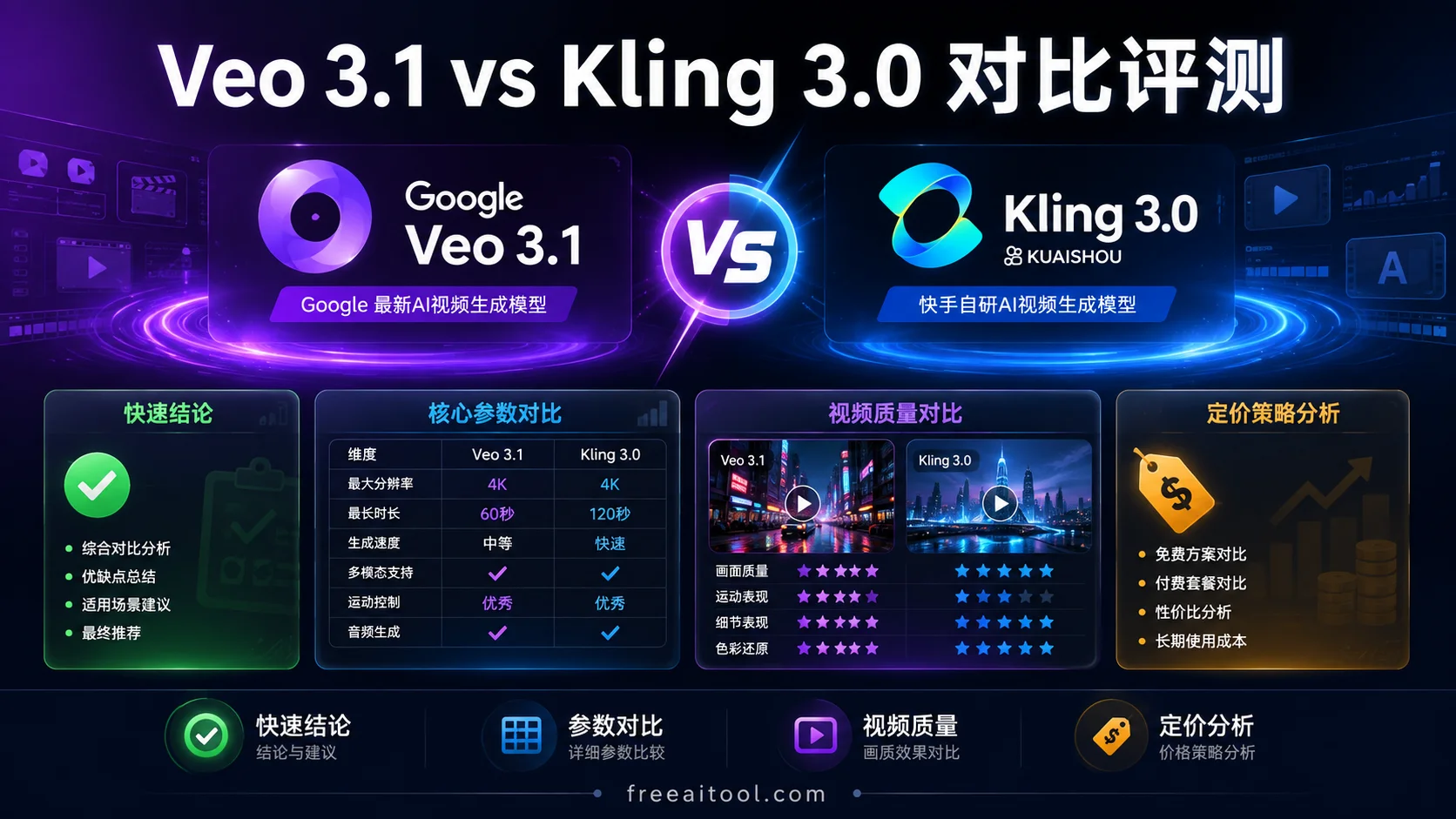
Kling 3.0(可靈)
- 對物理運動理解出色,運動描述要具體
- 支援中文提示詞,國內使用友好
- 擅長寫實場景,對材質和光影還原度高
- 提示詞建議:詳細描寫動作和物理互動
- 官網:klingai.com
# Kling 3.0 風格提示詞
A woman pouring coffee from a ceramic mug into a glass cup,
liquid streams visible with natural physics, steam rising,
close-up shot, warm kitchen lighting, photorealistic, 4K
Google Veo 3.1
- 支援原生音畫同步,可以在提示詞中描述聲音
- 支援最長 15 秒、1080p 輸出
- 電影級畫質,適合敘事性內容
- 提示詞建議:加入音訊描述,如對話、環境音
- 官網:deepmind.google/veo
# Veo 3.1 風格提示詞(含音訊)
A jazz pianist playing in a dimly lit club, fingers moving across the keys,
slow zoom into the piano. Smooth jazz music playing,
crowd murmuring softly in the background,
warm amber lighting, cinematic, 4K
Runway Gen-4.5
- 強大的影象到影片(I2V)功能
- 支援精細的運動控制(Motion Brush)
- 適合從靜態圖片出發製作影片
- 提示詞建議:配合參考圖使用,文字描述補充運動
- 官網:runwayml.com
# Runway Gen-4.5 風格提示詞(配合 I2V)
The camera slowly orbits around the subject,
wind blowing through her hair, subtle breathing motion,
gentle handheld camera movement, cinematic lighting
Wan 2.6(通義萬相)
- 阿里巴巴最新模型,支援多鏡頭敘事
- 原生音訊同步,口型精準
- 最長 15 秒,1080p
- 提示詞建議:描述多鏡頭切換,如 cut to、transition to
- 官網:wan.video
# Wan 2.6 風格提示詞(多鏡頭)
Opening shot: a rocket launching from a launchpad,
wide angle, smoke billowing. Cut to:
close-up of the astronaut inside the cockpit,
control panels glowing blue. Transition to:
view from the window as Earth shrinks below,
cinematic orchestral music swelling, 4K
提示詞進階技巧
技巧一:從短到長迭代
不要一上來就寫 200 字的長提示詞。先寫核心要素,再逐步新增。
# 第一輪:主體 + 運動
A cat jumping onto a table

# 第二輪:+ 環境 + 鏡頭
A ginger cat jumping onto a wooden dining table in a sunny kitchen,
medium shot, slow motion

# 第三輪:+ 光影 + 風格
A ginger cat jumping onto a wooden dining table in a sunny kitchen,
morning light streaming through windows, dust particles in the air,
medium shot, slow motion, photorealistic, 4K, warm tones
技巧二:用負面提示詞排除不想要的內容
部分平臺支援負面提示詞(Negative Prompt),用來告訴模型不要什麼。
Negative prompt: deformed, blurry, extra limbs, text, watermark,
cartoon, low resolution, unnatural movement, flickering
技巧三:參考圖比文字更有效
對於影象到影片(I2V)場景,一張好的參考圖 + 簡短的運動描述,往往比純文字提示詞效果好十倍。
# 配合參考圖使用的提示詞(Runway / Kling 等)
The camera slowly pushes in, wind blowing through the trees,
leaves gently falling, cinematic lighting
技巧四:利用分鏡控制節奏
對於 10 秒以上的影片,嘗試用分鏡式描述:
0-3s: Wide establishing shot of a cityscape at dawn,
      clouds moving slowly across the sky
3-6s: Cut to street level, people walking, camera tracking forward
6-10s: Close-up on a coffee cup being placed on a café table,
       steam rising, warm lighting
常見錯誤與避坑指南
| 錯誤 | 後果 | 修正 |
|---|---|---|
| 只寫主體不寫運動 | 畫面靜止或隨機運動 | 明確描述運動方向和速度 |
| 運動描述矛盾 | 畫面撕裂或不自然 | 避免”靜止+奔跑”類矛盾 |
| 忽略鏡頭語言 | 畫面平淡如水 | 新增至少一個鏡頭術語 |
| 提示詞過長 | 模型丟失重點 | 控制在 50-150 詞 |
| 中文提示詞 | 理解偏差大 | 儘量使用英文 |
| 沒有迭代 | 一次出片不理想就放棄 | 多輪調整,保留最好的版本 |
寫在最後
提示詞工程不是玄學,是可以透過系統學習掌握的技能。關鍵在於:
- 結構清晰:六要素框架
- 平臺適配:瞭解不同模型的脾氣
- 迭代思維:寫→生成→調整→再寫
- 英文優先:絕大多數模型對英文理解更好
當你掌握了這些技巧,你會發現同樣的模型,你能跑出比別人都好得多的效果。這不是天賦,是方法論。
更多參考: