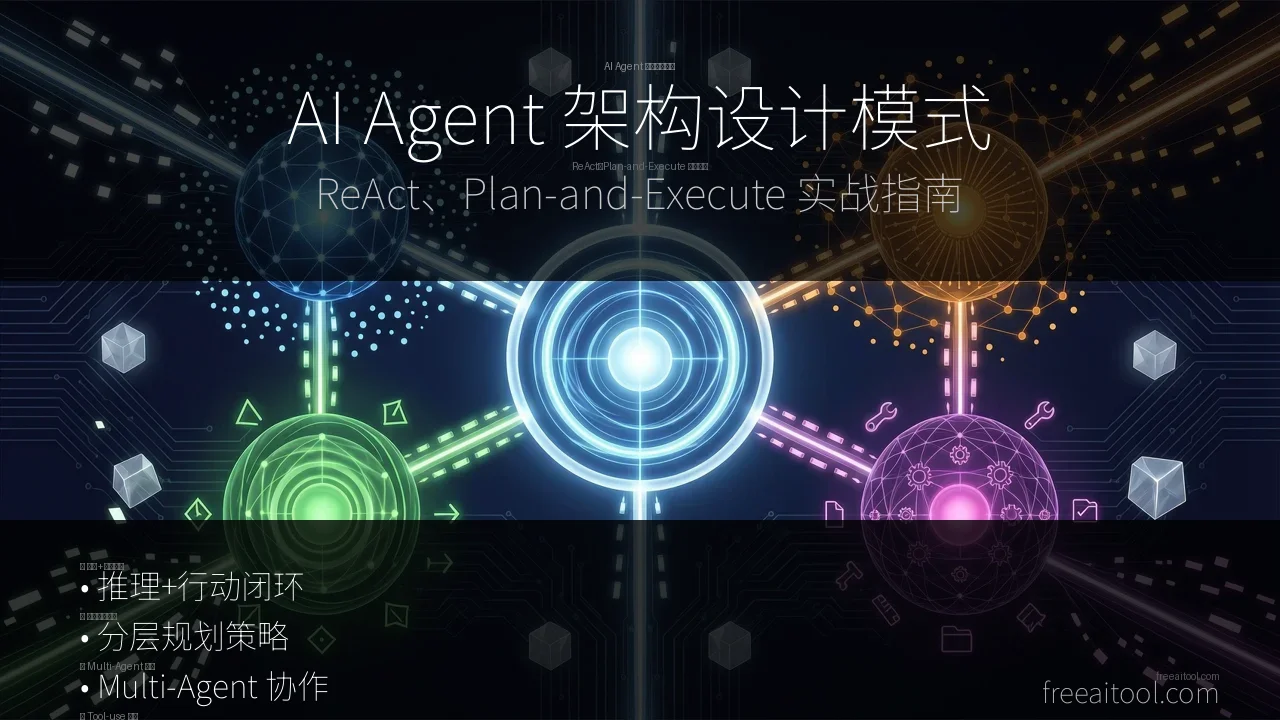
AI Agent Architecture Design Patterns: ReAct & Plan-and-Execute Practical Guide
In 2026, AI Agents have moved from concept to production. But have you ever wondered: why do some Agents reliably complete complex tasks while others frequently get stuck in loops?
The answer lies in architecture design patterns.
Just like software architecture has MVC, microservices, and event-driven patterns, AI Agents have their own design patterns. Choose the right pattern, and your Agent will run like a Swiss watch; choose wrong, and even the strongest LLM becomes a headless chicken.
This article provides an in-depth analysis of 4 mainstream AI Agent architecture patterns, each with runnable Python code and real-world application scenario comparisons. After reading this, you’ll be able to:
- Understand the core philosophy of the ReAct pattern (reasoning + action loop)
- Master the layered planning strategy of Plan-and-Execute
- Design Multi-Agent collaboration architectures
- Select the most suitable architecture pattern for different scenarios
TL;DR: Use ReAct for simple tasks, Plan-and-Execute for complex multi-step tasks, and Multi-Agent for scenarios requiring specialized division of labor. There’s no silver bullet, only trade-offs.
1. Why Are Architecture Patterns So Important?
1.1 A Real Failure Case
Suppose you want to build an “automatic research and report generation” Agent. Task description:
Research the 2026 AI Agent tools market, analyze the Top 5 products, and generate a report including market share, technical features, and user reviews.Wrong design: Let the LLM generate the complete report in one shot
# ❌ Wrong example: single-step generation
response = llm.generate("Generate AI Agent tools market report")Problems:
- LLM lacks real-time data and can only fabricate information
- Cannot access the internet for the latest market share
- Cannot verify data accuracy
- Output quality is uncontrollable
Correct design: Choose the appropriate architecture pattern to let the Agent complete the task step by step
# ✅ Correct example: using ReAct pattern
agent = ReActAgent(llm=llm, tools=[search, analyze, write])
result = agent.run("Research AI Agent tools market and generate report")
1.2 Core Value of Architecture Patterns
Architecture patterns solve how to organize LLM reasoning and actions:
| Dimension | No Architecture | With Architecture |
|---|---|---|
| Task Decomposition | ❌ Generate all at once | ✅ Execute in steps |
| Tool Usage | ❌ Cannot use external tools | ✅ Dynamically call APIs |
| Error Handling | ❌ Terminate on failure | ✅ Auto retry and correction |
| Explainability | ❌ Black box output | ✅ Traceable reasoning chain |
| Controllability | ❌ Unpredictable results | ✅ Can intervene in intermediate steps |
2. ReAct Pattern: Reasoning and Action Loop
2.1 Core Philosophy
ReAct = Reasoning + Acting
This is a classic paradigm proposed by Google in 2022. The core idea is: let the LLM think (Thought) first, then act (Action), then observe the result (Observation), and loop until the task is completed.
┌─────────────────────────────────────────┐
│  Thought: I need to search for AI Agent │
│  tool market data                        │
│  Action: search("AI Agent tools market 2026") │
│  Observation: Found 5 related reports... │
│                                         │
│  Thought: Data insufficient, need to    │
│  supplement with user reviews           │
│  Action: search("AI Agent tools user reviews") │
│  Observation: Found Reddit discussions... │
│                                         │
│  Thought: Data sufficient, start analysis │
│  Action: analyze(data)                  │
│  Observation: Generated analysis results... │
│                                         │
│  Thought: Analysis complete, generate final report │
│  Action: write_report(analysis)         │
│  Final Answer: [Complete report]        │
└─────────────────────────────────────────┘
2.2 Python Code Implementation
Here’s a simplified ReAct Agent implementation (LangChain style):
from langchain.llms import OpenAI
from langchain.agents import initialize_agent, Tool
from langchain.tools import BaseTool
import requests

# 1. Define tools
class SearchTool(BaseTool):
    name = "search"
    description = "Search the internet for information, input keywords, return relevant results"

    def _run(self, query: str):
        # Call search API (example uses SerpAPI)
        api_key = "your_api_key"
        url = f"https://serpapi.com/search?q={query}&api_key={api_key}"
        response = requests.get(url).json()
        return [result["title"] + ": " + result["snippet"]
                for result in response.get("organic_results", [])[:5]]

class WriteTool(BaseTool):
    name = "write"
    description = "Write content to a file"

    def _run(self, content: str):
        with open("report.md", "w", encoding="utf-8") as f:
            f.write(content)
        return "Report saved to report.md"

# 2. Initialize Agent
llm = OpenAI(model="gpt-4", temperature=0)
tools = [SearchTool(), WriteTool()]

agent = initialize_agent(
    tools,
    llm,
    agent="zero-shot-react-description",
    verbose=True  # Print reasoning process
)

# 3. Execute task
result = agent.run("Research 2026 AI Agent tools market, analyze Top 5 products, generate report")
print(result)
Runtime Output (when verbose=True):
> Entering new AgentExecutor chain...
Thought: I need to first search for AI Agent tools market information
Action: search
Action Input: "AI Agent tools market 2026"
Observation: [Found 5 reports: Cursor market share 35%, Claude Code 28%...]
Thought: Data not detailed enough, need to supplement with user reviews
Action: search
Action Input: "AI Agent tools user reviews 2026"
Observation: [Reddit discussion: Cursor best for programming, n8n strongest for automation...]
Thought: Data sufficient, start analyzing and generating report
Action: write
Action Input: "# 2026 AI Agent Tools Market Report\n\n## Market Share\n1. Cursor: 35%\n..."
Observation: Report saved to report.md
Thought: Task complete
Final Answer: Report generated, including market share analysis and user review summary.
2.3 Applicable Scenarios
✅ Scenarios suitable for ReAct:
- Task steps are uncertain and require dynamic exploration
- Need to call tools multiple times to collect information
- Medium task complexity (3-10 steps)
- Need explainable reasoning process
❌ Scenarios not suitable for ReAct:
- Ultra-complex tasks (>20 steps), easy to fall into loops
- Pipeline tasks requiring strict sequential execution
- Latency-sensitive scenarios (each step requires LLM reasoning)
2.4 Practical Case: Intelligent Customer Service Agent
# Scenario: E-commerce customer service Agent, needs to query orders, logistics, return policies

tools = [
    QueryOrderTool(),      # Query order status
    CheckLogisticsTool(),  # Query logistics information
    ReturnPolicyTool(),    # Query return policy
    CreateTicketTool(),    # Create ticket
]

agent = ReActAgent(llm=gpt4, tools=tools)

# User input
user_query = "When will my order #12345 arrive? Can I get a refund if it's delayed?"

# Agent reasoning process
# Thought: User is asking about logistics status for order #12345
# Action: query_order("12345")
# Observation: Order status: shipped, estimated arrival in 3 days
# Thought: User also cares about delayed refund policy
# Action: return_policy("delayed refund")
# Observation: Full refund available if delayed over 7 days
# Thought: Information sufficient, reply to user
# Final Answer: Your order is estimated to arrive in 3 days. If delayed over 7 days, you can apply for a full refund.
3. Plan-and-Execute Pattern: Layered Planning and Execution
3.1 Core Philosophy
Plan-and-Execute = Planner + Executor
When tasks are too complex and ReAct容易 loses direction, we need layered design:
- Planner: Decompose complex tasks into a list of subtasks
- Executor: Execute each subtask step by step
- Replanner: Dynamically adjust the plan based on execution results
┌─────────────────────────────────────────────┐
│  Planner: Decompose task                    │
│  Plan:                                       │
│    1. Search AI Agent tools market data     │
│    2. Analyze Top 5 products' technical features │
│    3. Collect user reviews                  │
│    4. Generate market share chart           │
│    5. Write complete report                 │
└─────────────────────────────────────────────┘
          ↓
┌─────────────────────────────────────────────┐
│  Executor: Execute step 1                   │
│  Action: search("AI Agent tools market")    │
│  Result: [Data...]                          │
└─────────────────────────────────────────────┘
          ↓
┌─────────────────────────────────────────────┐
│  Replanner: Check progress, adjust plan     │
│  New Plan:                                   │
│    1. ✅ Completed                          │
│    2. Analyze Top 5 products (add: need to compare prices) │
│    3. Collect user reviews                  │
│    4. Generate market share chart           │
│    5. Write complete report                 │
└─────────────────────────────────────────────┘
3.2 Python Code Implementation
from langchain.chat_models import ChatOpenAI
from langchain.experimental.plan_and_execute import PlanAndExecute, Plan
from langchain.experimental.plan_and_execute.agent_executor import LoadStepExecutor

# 1. Define execution tools
tools = [
    SearchTool(),
    AnalyzeTool(),
    ChartTool(),
    WriteTool(),
]

# 2. Initialize Planner and Executor
planner_llm = ChatOpenAI(model="gpt-4", temperature=0)
executor_llm = ChatOpenAI(model="gpt-3.5-turbo", temperature=0)

# Planner: generate task plan
planner = Plan(llm=planner_llm)

# Executor: execute each subtask
executor = LoadStepExecutor(llm=executor_llm, tools=tools)

# 3. Combine into Plan-and-Execute Agent
agent = PlanAndExecute(planner=planner, executor=executor)

# 4. Execute complex task
task = """
Research 2026 AI Agent tools market, requirements:
1. Analyze Top 5 products' market share and technical features
2. Compare prices and features
3. Collect at least 100 user reviews
4. Generate market share pie chart
5. Write 3000-word in-depth report
"""

result = agent.run(task)
Planner Output Example:
plan:
  - step: 1
    description: "Search AI Agent tools market reports and data"
    tools: ["search"]
  - step: 2
    description: "Analyze Top 5 products' technical features"
    tools: ["analyze"]
  - step: 3
    description: "Compare prices and subscription models"
    tools: ["search", "analyze"]
  - step: 4
    description: "Collect user reviews (Reddit, Twitter, product websites)"
    tools: ["search"]
  - step: 5
    description: "Generate market share pie chart"
    tools: ["chart"]
  - step: 6
    description: "Write complete report"
    tools: ["write"]
3.3 Applicable Scenarios
✅ Scenarios suitable for Plan-and-Execute:
- Complex multi-step tasks (>10 steps)
- Need clear task decomposition
- Tasks have clear phased goals
- Need dynamic plan adjustment
❌ Not suitable for:
- Simple tasks (overkill)
- Highly interactive tasks (need real-time feedback)
3.4 Practical Case: Automated Research Assistant
# Scenario: Automated academic research assistant

task = """
Research topic: Transformer architecture applications in computer vision
Requirements:
1. Search top conference papers from 2024-2026 (CVPR, ICCV, ECCV)
2. Analyze technical evolution of ViT, DeiT, Swin Transformer
3. Compare CNN vs Transformer performance on ImageNet
4. Compile open source code repositories and Star counts
5. Generate technology evolution timeline diagram
6. Write 5000-word review report
"""

agent = PlanAndExecute(planner=gpt4_planner, executor=gpt4_executor)
result = agent.run(task)

# Output:
# 1. Found 47 related papers
# 2. Technical evolution analysis: ViT → DeiT → Swin → ConvNeXt
# 3. Performance comparison table: Transformer surpasses CNN by 2.3% in Accuracy
# 4. Compiled 12 open source repositories, total Star count 150K+
# 5. Generated timeline diagram (2020 ViT → 2021 DeiT → 2022 Swin V2)
# 6. Report saved to research_report.pdf
4. Multi-Agent Collaboration Architecture: Specialized Division and Coordination
4.1 Core Philosophy
Multi-Agent = Multiple Specialized Agents + Coordinator
When tasks involve multiple specialized domains, a single Agent cannot handle them. We need different Agents responsible for different specialized domains, coordinated by a central coordinator.
┌─────────────────────────────────────────────┐
│           Coordinator Agent                 │
│  (Coordinator: assign tasks, aggregate results) │
└─────────────────────────────────────────────┘
          ↓           ↓           ↓
┌─────────────┐ ┌─────────────┐ ┌─────────────┐
│ Researcher  │ │  Analyst    │ │   Writer    │
│   Agent     │ │   Agent     │ │   Agent     │
│ (Researcher)│ │  (Analyst)  │ │  (Writer)   │
└─────────────┘ └─────────────┘ └─────────────┘
     ↓               ↓               ↓
  Search papers   Data analysis   Write report
4.2 Python Code Implementation (LangGraph)
from langgraph.graph import StateGraph, END
from typing import TypedDict, Annotated
import operator

# 1. Define state
class AgentState(TypedDict):
    task: str
    research_data: str
    analysis_result: str
    final_report: str

# 2. Define specialized Agents
def researcher_agent(state: AgentState):
    """Researcher: responsible for searching and collecting information"""
    tools = [SearchTool(), ArxivTool()]
    agent = ReActAgent(llm=gpt4, tools=tools)
    result = agent.run(f"Research: {state['task']}")
    return {"research_data": result}

def analyst_agent(state: AgentState):
    """Analyst: responsible for data analysis"""
    tools = [AnalyzeTool(), ChartTool()]
    agent = ReActAgent(llm=gpt4, tools=tools)
    result = agent.run(f"Analyze data: {state['research_data']}")
    return {"analysis_result": result}

def writer_agent(state: AgentState):
    """Writer: responsible for writing reports"""
    tools = [WriteTool()]
    agent = ReActAgent(llm=gpt4, tools=tools)
    result = agent.run(f"Write report: {state['analysis_result']}")
    return {"final_report": result}

# 3. Build workflow graph
workflow = StateGraph(AgentState)

# Add nodes
workflow.add_node("researcher", researcher_agent)
workflow.add_node("analyst", analyst_agent)
workflow.add_node("writer", writer_agent)

# Define edges (execution order)
workflow.set_entry_point("researcher")
workflow.add_edge("researcher", "analyst")
workflow.add_edge("analyst", "writer")
workflow.add_edge("writer", END)

# 4. Compile and run
app = workflow.compile()

result = app.invoke({
    "task": "Research Transformer applications in CV",
    "research_data": "",
    "analysis_result": "",
    "final_report": ""
})

print(result["final_report"])
4.3 Applicable Scenarios
✅ Scenarios suitable for Multi-Agent:
- Tasks involve multiple specialized domains
- Need to process multiple subtasks in parallel
- Need different LLM models (e.g., GPT-4 for research, GPT-3.5 for writing)
- Need pluggable Agent architecture
❌ Not suitable for:
- Single specialized domain tasks
- Highly coupled task steps
4.4 Practical Case: Automated Content Creation Team
# Scenario: Automated blog creation team

# 1. Researcher Agent: responsible for research
researcher = Agent(
    name="Researcher",
    role="Research topics, collect materials",
    tools=[SearchTool(), ArxivTool(), WebScraperTool()],
    llm=gpt4
)

# 2. Outliner Agent: responsible for generating article structure
outliner = Agent(
    name="Outliner",
    role="Generate article outline based on research results",
    tools=[OutlineTool()],
    llm=gpt4
)

# 3. Writer Agent: responsible for writing body text
writer = Agent(
    name="Writer",
    role="Write article based on outline",
    tools=[WriteTool()],
    llm=gpt4
)

# 4. Editor Agent: responsible for proofreading and optimization
editor = Agent(
    name="Editor",
    role="Proofread grammar, optimize expression, fact-check",
    tools=[GrammarTool(), FactCheckTool()],
    llm=gpt4
)

# 5. SEO Agent: responsible for SEO optimization
seo_specialist = Agent(
    name="SEO",
    role="Optimize title, description, keywords",
    tools=[SEOTool()],
    llm=gpt35  # SEO tasks don't need the strongest model
)

# Build workflow
workflow = StateGraph(ContentState)
workflow.add_node("researcher", researcher.run)
workflow.add_node("outliner", outliner.run)
workflow.add_node("writer", writer.run)
workflow.add_node("editor", editor.run)
workflow.add_node("seo", seo_specialist.run)

workflow.set_entry_point("researcher")
workflow.add_edge("researcher", "outliner")
workflow.add_edge("outliner", "writer")
workflow.add_edge("writer", "editor")
workflow.add_edge("editor", "seo")
workflow.add_edge("seo", END)

app = workflow.compile()

# Execute
result = app.invoke({
    "topic": "2026 AI Agent Architecture Design Patterns",
    "research_data": "",
    "outline": "",
    "draft": "",
    "edited_draft": "",
    "final_article": ""
})

# Output: An SEO-optimized, factually accurate, fluently written article
5. Architecture Pattern Comparison and Selection Guide
5.1 Four Patterns Comparison
| Dimension | ReAct | Plan-and-Execute | Multi-Agent | Tool-use Agent |
|---|---|---|---|---|
| Complexity | Low | Medium | High | Low |
| Task Steps | 3-10 steps | 10-50 steps | Unlimited | 1-5 steps |
| Explainability | ✅ High | ✅ High | ⚠️ Medium | ⚠️ Low |
| Flexibility | ✅ High | ⚠️ Medium | ✅ High | ❌ Low |
| Latency | Medium | High | High | Low |
| Cost | Medium | High | High | Low |
| Suitable Scenarios | Exploratory tasks | Complex multi-step tasks | Multi-specialty collaboration | Simple tool calls |
5.2 Selection Decision Tree
Does the task involve multiple specialized domains?
├─ Yes → Multi-Agent
└─ No → Does the task have more than 10 steps?
         ├─ Yes → Plan-and-Execute
         └─ No → Does it require dynamic exploration?
                  ├─ Yes → ReAct
                  └─ No → Tool-use Agent
5.3 Real Case Comparison
Task: Generate an AI Agent tools market report
| Pattern | Execution Method | Time | Quality | Recommendation |
|---|---|---|---|---|
| ReAct | Search, analyze, write simultaneously | 3 min | ⭐⭐⭐ | ⭐⭐⭐ |
| Plan-and-Execute | Plan first, then execute | 5 min | ⭐⭐⭐⭐ | ⭐⭐⭐⭐ |
| Multi-Agent | Researcher + Analyst + Writer collaboration | 8 min | ⭐⭐⭐⭐⭐ | ⭐⭐⭐⭐⭐ |
| Tool-use Agent | Single call generation | 30 sec | ⭐⭐ | ⭐⭐ |
6. Frequently Asked Questions (FAQ)
Q1: Can ReAct and Plan-and-Execute be combined?
A: Yes, and it’s recommended. In Multi-Agent architecture, each specialized Agent can use the ReAct pattern internally, while the overall workflow uses the Plan-and-Execute pattern.
# Example: Planner decomposes tasks, each subtask executed by ReAct Agent
planner = PlanAndExecute(planner=gpt4_planner)

# Executor internally is a ReAct Agent
executor = ReActAgent(llm=gpt4, tools=tools)

# Combine
agent = PlanAndExecute(planner=planner, executor=executor)
Q2: In Multi-Agent architecture, how to avoid information loss between Agents?
A: Use a Shared State mechanism. In LangGraph, all Agents share the same AgentState, each Agent’s output updates the state, and the next Agent can access the complete context.
class AgentState(TypedDict):
    task: str
    research_data: str      # Written by Researcher
    analysis_result: str    # Written by Analyst
    final_report: str       # Written by Writer
Q3: How to choose the appropriate LLM model?
A: Choose based on task complexity:
- Simple tool calls: GPT-3.5-turbo / Claude Haiku (low cost)
- Reasoning-intensive tasks: GPT-4 / Claude Sonnet (balance performance and cost)
- Complex planning tasks: GPT-4 / Claude Opus (strongest reasoning capability)
In Multi-Agent, you can assign different models to different Agents:
researcher = Agent(llm=gpt4)      # Research needs strong reasoning
writer = Agent(llm=gpt35)         # Writing doesn't need the strongest model
seo = Agent(llm=gpt35)            # SEO optimization is simple
Q4: How to handle Agents getting stuck in infinite loops?
A: Three strategies:
- Set maximum steps: Limit the Agent’s maximum execution steps
- Timeout mechanism: Set task timeout
- Human intervention: Add human review at critical steps
agent = ReActAgent(
    llm=gpt4,
    tools=tools,
    max_iterations=20,      # Maximum 20 steps
    timeout=300,            # Timeout 5 minutes
    human_in_the_loop=True  # Key steps require human confirmation
)
Q5: Can these architecture patterns be used in production environments?
A: Yes, but note:
- Error handling: Add retry mechanisms and degradation strategies
- Cost control: Monitor Token consumption, set budget limits
- Observability: Log each Agent’s reasoning process for debugging
- Security: Limit Agent tool permissions to prevent misuse
7. Summary and Next Steps
There’s no silver bullet for AI Agent architecture patterns, only trade-offs:
- ReAct: Suitable for exploratory tasks, flexible but easy to lose direction
- Plan-and-Execute: Suitable for complex multi-step tasks, clear structure but high latency
- Multi-Agent: Suitable for multi-specialty collaboration, powerful but complex
- Tool-use Agent: Suitable for simple tasks, fast but limited capability
Next Reading:
- 2026 AI Agent Tools Ultimate Review
- LangGraph Complete Guide: Building Production-Grade AI Agents
- AutoGPT Deep Dive: Potential and Limitations of Autonomous AI
Author: Kevin Peng, Editor-in-Chief of freeaitool.com. Focused on AI tool reviews and practical tutorials.