Best AI Video Generators 2026: 7 Tools Tested Side-by-Side
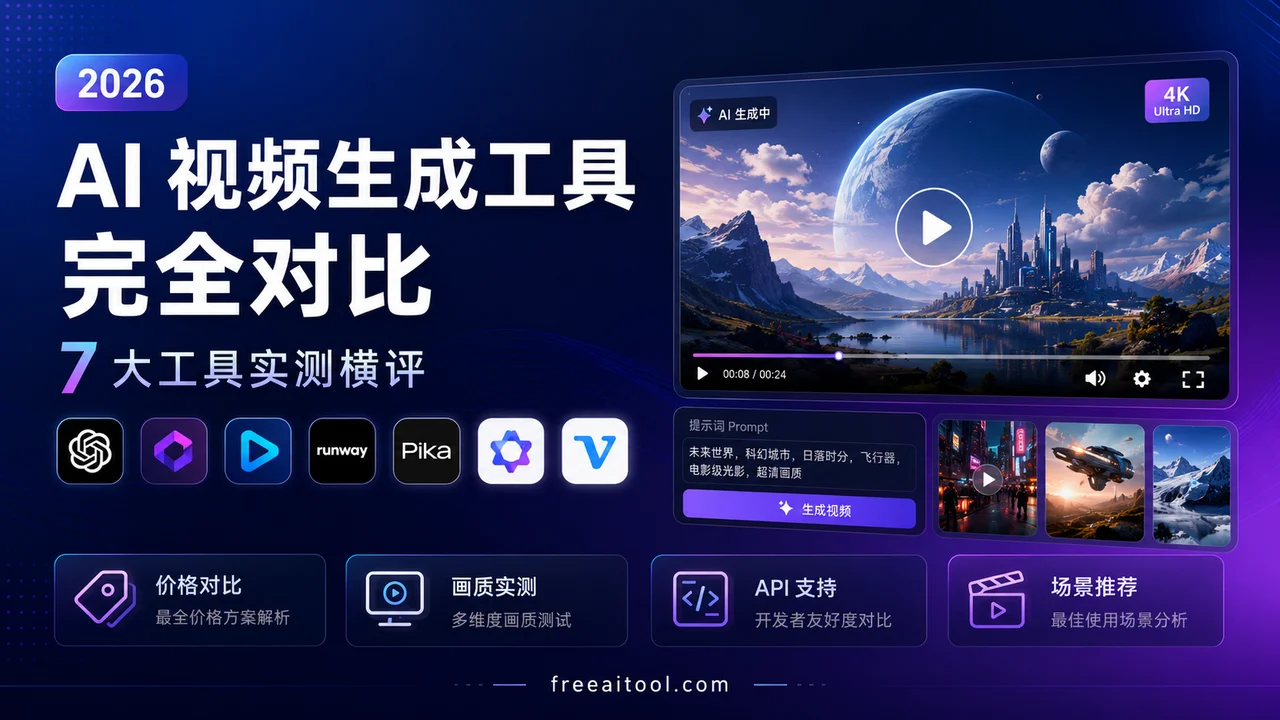
AI video generation has moved from “impressive demo” to “usable production tool” in 2026. But which one actually delivers the best results for your specific use case? We tested the top 7 tools across pricing, video quality, duration limits, free tiers, and API availability.
If you’re overwhelmed by the number of AI video tools launching every month, you’re not alone. The market has consolidated around seven major players, each with distinct strengths. This guide cuts through the marketing hype with real pricing data, side-by-side comparisons, and honest assessments of where each tool excels—and where it falls short.
Quick Comparison Table
Before diving into details, here’s the executive summary:
| Tool | Starting Price | Free Tier | Max Resolution | Max Duration | API | Best For |
|---|---|---|---|---|---|---|
| Runway Gen-4 | $12/mo | 125 credits | 4K | 16s | ✅ | Professional filmmakers |
| Luma Ray3 | $30/mo | Limited | 4K | 20s | ✅ | Cinematic quality |
| Kling AI | $10/mo | 66 credits/day | 4K | 15s | ✅ | Budget-conscious creators |
| Pika | $8/mo | 80 credits | 1080p | 10s | ❌ | Social media content |
| Adobe Firefly Video | $9.99/mo | Limited | 1080p | 8s | ✅ | Adobe ecosystem users |
| Sora 2 | $20/mo | Plus only | 1080p | 25s | ✅ | Long-form narrative |
| Vidu | $8/mo | 40 credits | 1080p | 8s | ❌ | Quick prototypes |
1. Runway Gen-4: The Professional’s Choice
Runway has maintained its position as the go-to tool for professional video production since 2023. Gen-4 and its faster variant Gen-4 Turbo represent the current state of the art. For a deeper dive into features and workflows, check out our Runway Gen-4.5 Complete Guide.
Pricing Breakdown
Runway’s credit system is straightforward but expensive:
- Free: 125 one-time credits (about 10 seconds of video)
- Standard: $12/month for 625 credits
- Pro: $28/month for 2,250 credits
- Unlimited: $76/month for unlimited generations (with fair use limits)
Gen-4 consumes 12 credits per second of video, while Gen-4 Turbo uses 5 credits per second. For context, a 10-second Gen-4 video costs 120 credits—roughly 20% of your monthly Standard plan allocation.
Video Quality and Features
Gen-4 excels at:
- World consistency: Objects and characters maintain their appearance across scenes
- Realistic motion: Physics-aware movement that doesn’t break down on complex actions
- Style control: Precise prompt adherence for artistic direction
- Image-to-video: Animate still images with high fidelity
The trade-off is cost. Professional filmmakers and ad agencies swear by Runway’s quality, but the per-second pricing adds up quickly for high-volume creators.
API and Integration
Runway offers a robust API for developers, with usage-based pricing starting around $0.15 per second. This makes it viable for SaaS products and automated workflows, though the cost structure favors well-funded teams.
Best for: Professional filmmakers, ad agencies, and projects where quality trumps budget constraints.
2. Luma Ray3: Cinematic Quality with Reasoning
Luma’s Ray3 model (and its Ray3.2 iteration) introduced “reasoning” to video generation—the model thinks through physics and spatial relationships before generating frames. We covered this in detail in our Luma Dream Machine 2026 Complete Guide.
Pricing Structure
Luma’s pricing is tiered by credit volume:
- Free: Limited credits, 720p output with watermark
- Plus: $30/month for 10,000 credits
- Pro: $90/month for 40,000 credits
- Ultra: $300/month for 150,000 credits
Each video costs a flat 10 credits regardless of duration (up to 20 seconds). This makes Luma surprisingly cost-effective for longer clips compared to Runway’s per-second model.
What Makes Ray3 Different
Ray3’s reasoning approach means:
- Better physics: Objects interact realistically with environments
- Improved character consistency: Faces and bodies don’t morph unexpectedly
- Longer coherent sequences: 20-second clips that actually make sense throughout
The model also supports native 4K output on Pro plans and above, making it one of the few tools offering true high-resolution generation.
API Availability
Luma launched its API in September 2024 with usage-based pricing. Third-party wrappers like APIFrame offer access starting at $19/month for 1,000 credits, though direct API access requires enterprise contact.
Best for: Cinematic projects, longer narrative sequences, and creators who need 4K output.
3. Kling AI: The Budget Champion
Kling AI (by Kuaishou) has carved out a niche as the most generous free-tier option while maintaining competitive quality. For a comprehensive review, see our Kling AI 3.0 Complete Guide.
Pricing That Won’t Break the Bank
Kling’s structure is unique with daily free credits:
- Free: 66 credits per day (up to 180 videos/month)
- Standard: $10/month for 660 credits
- Pro: $37/month for 3,000 credits
- Premier: $92/month for 8,000 credits
- Ultra: $180/month for 20,000 credits
The daily free credit refresh means casual creators can generate multiple videos per day without paying anything. This is the most generous free tier in the market.
Quality and Capabilities
Kling 3.0 delivers:
- 1080p on free tier: No resolution gating for free users
- 4K on Pro plans: Native 4K output for professional work
- 15-second clips: Longer than most competitors’ standard offerings
- 60fps support: Smooth motion for action sequences
The quality sits between Runway Gen-4 and Pika—solid for social media and marketing content, though not quite at cinematic levels for complex scenes.
API and Integration
Kling offers API access with competitive pricing, making it attractive for developers building video features into their products.
Best for: Budget-conscious creators, high-volume social media content, and developers needing affordable API access.
4. Pika: Social Media Specialist
Pika has focused on making AI video accessible and fun, with features tailored for social media creators. For detailed feature breakdown, see our Pika 2.5 Complete Guide.
Simple, Transparent Pricing
- Free: 80 credits/month (about 8 videos)
- Standard: $8/month for 700 credits
- Pro: $28/month for 2,000 credits
- Fancy: $76/month for 6,000 credits
Pika’s “Pikaffects” (special effects like explode, melt, inflate) are unique differentiators that make content stand out on social platforms.
What Pika Does Well
- Speed: Generations are fast, often under 30 seconds
- Effects library: Built-in transformations perfect for TikTok/Reels
- Ease of use: Intuitive interface with minimal learning curve
- Commercial use: Included even on Standard plan
The trade-off is lower resolution (1080p max) and shorter duration (10 seconds). Pika isn’t trying to compete with Runway on cinematic quality—it’s optimizing for viral potential.
API Status
Pika does not currently offer a public API, limiting its use for automated workflows or integration into other products.
Best for: Social media creators, marketers needing quick eye-catching content, and beginners exploring AI video.
5. Adobe Firefly Video: Enterprise Integration
Adobe’s entry into AI video generation leverages its existing ecosystem and enterprise relationships. For integration details, read our Adobe Firefly Video Complete Guide.
Pricing Within Creative Cloud
Firefly Video is available through several plans:
- Firefly Standard: $9.99/month (1,000 credits)
- Firefly Pro: $19.99/month (4,000 credits)
- Firefly Pro Plus: $49.99/month (10,000 credits)
- Firefly Premium: $199.99/month (unlimited for teams)
Video generation is credit-intensive, with an 8-second clip consuming significant credits. The real value is integration with Premiere Pro and After Effects for existing Adobe users.
Enterprise-Focused Features
- Commercial safety: Trained on licensed content, reducing IP risk
- Brand kit integration: Maintain visual consistency across generated content
- API access: Available through Adobe Firefly Services with usage-based pricing ($0.02-0.10 per generation)
- Workflow integration: Direct use within Premiere Pro timeline
The quality is competitive but not leading-edge. Adobe’s strength is the ecosystem—if you’re already using Creative Cloud, Firefly Video reduces friction significantly.
API Considerations
Adobe’s API pricing is opaque, requiring enterprise sales contact. Expect minimum commitments around $1,000/month for meaningful usage.
Best for: Enterprise teams already using Adobe Creative Cloud, brands prioritizing IP safety, and workflows requiring tight integration with professional editing tools.
6. Sora 2: OpenAI’s Long-Form Play
OpenAI’s Sora 2 made waves with its ability to generate longer, more coherent narrative sequences. For a full feature breakdown, see our Sora 2 Complete Guide.
Pricing and Access Changes
Sora 2’s availability has shifted:
- Free tier removed: As of January 2026, only Plus ($20/month) and Pro ($200/month) subscribers can generate videos
- API pricing: $0.10-$0.50 per second depending on model tier and resolution
- Sora 2 Pro: $0.30-$0.50/second for cinematic quality with synced audio
A 10-second standard video costs $1.00 via API, while Pro quality runs $3.00-$5.00 for the same duration.
What Makes Sora 2 Different
- 25-second clips: Longest native generation in the market
- Synced dialogue: Characters can speak with lip-sync accuracy
- Narrative coherence: Better story logic across longer sequences
- Character consistency: Maintains identity across scene changes
The quality is impressive for narrative content, but the removal of the free tier and high per-second costs make it expensive for experimentation.
API and Integration
OpenAI’s API is well-documented with tiered access. The cost structure favors applications that can charge end users significantly, as margins are tight at consumer pricing.
Best for: Narrative content, educational videos with dialogue, and projects requiring longer coherent sequences.
7. Vidu: The Fast Follower
Vidu (by Shengshu Technology) offers competitive quality at aggressive pricing, with unique features like native audio generation.
Budget-Friendly Tiers
- Free: 40 credits/month
- Standard: $8/month for commercial use
- Premium: $28/month for higher volume
- Ultimate: $79/month for professional use
Vidu was the first to ship native audio alongside video generation, eliminating the need for separate audio post-production.
Strengths and Limitations
Strengths:
- Audio-video sync: Native generation reduces post-production
- Fast generation: Quick turnaround for rapid iteration
- Competitive pricing: Among the cheapest paid options
- Off-peak free generation: Unlimited creation during low-traffic periods
Limitations:
- Shorter clips: 8-second maximum on most plans
- 1080p cap: No 4K option yet
- Smaller ecosystem: Fewer integrations and templates
Best for: Quick prototypes, creators needing synced audio, and budget-conscious teams willing to work within shorter duration limits.
Head-to-Head Comparisons
Best for Marketing Videos
Winner: Kling AI
Marketing videos need to be produced in volume, look professional enough for brand content, and not break the budget. Kling’s generous free tier and $10/month Standard plan make it easy to produce dozens of variations for A/B testing. The 1080p quality is sufficient for social media and web use.
Runner-up: Pika for quick social content with built-in effects.
Best for Educational Content
Winner: Sora 2
Educational videos often require characters speaking with clear dialogue. Sora 2’s synced dialogue generation and 25-second duration make it ideal for explainer content. The narrative coherence means educational sequences actually make logical sense.
Runner-up: Luma Ray3 for longer-form educational content where cinematic quality matters.
Best for Social Media
Winner: Pika
Pika’s effects library, fast generation, and social-optimized aspect ratios make it the natural choice. The $8/month Standard plan provides enough credits for daily content creation across platforms.
Runner-up: Kling AI for creators needing higher volume or 4K output.
Best for Filmmaking
Winner: Runway Gen-4
Professional filmmakers need the highest quality, precise control, and reliable consistency. Runway’s Gen-4 delivers on all fronts, with the API enabling integration into professional post-production pipelines.
Runner-up: Luma Ray3 for projects requiring 4K output or longer continuous shots.
Best for Developers
Winner: Kling AI
Kling offers the best combination of API availability, competitive pricing, and quality. The daily free credits also allow for development and testing without burning through budget.
Runner-up: Runway for projects where quality is non-negotiable and budget is flexible.
The Free Tier Reality Check
Many tools advertise “free” plans, but the reality is often limiting:
- Runway: 125 one-time credits = ~10 seconds total. Good for a single test, not ongoing use.
- Luma: Limited free tier with watermark and 720p. Usable for personal projects.
- Kling: 66 daily credits = 2-3 videos per day. The most generous ongoing free tier.
- Pika: 80 monthly credits = ~8 videos. Enough for occasional experimentation.
- Adobe: Limited free tier, primarily for Creative Cloud subscribers.
- Sora 2: No free tier as of 2026.
- Vidu: 40 monthly credits plus off-peak unlimited. Good for experimentation.
Bottom line: If you want to use AI video regularly without paying, Kling AI is your best option. For everything else, expect to spend at least $8-12/month.
API Pricing Comparison
For developers building AI video into their products:
| Tool | API Pricing | Minimum Commitment | Documentation |
|---|---|---|---|
| Runway | ~$0.15/second | None | Excellent |
| Luma | Usage-based | Enterprise | Good |
| Kling | Competitive | None | Good |
| Adobe | $0.02-0.10/generation | ~$1,000/month | Enterprise-only |
| Sora 2 | $0.10-0.50/second | None | Excellent |
| Pika | Not available | N/A | N/A |
| Vidu | Not available | N/A | N/A |
Best for startups: Kling or Runway (no minimums, clear pricing)
Best for enterprise: Adobe (if already in ecosystem) or Sora 2 (for narrative applications)
Common Pitfalls to Avoid
1. Underestimating Credit Consumption
A 10-second video might seem cheap at $1-2, but iteration adds up. If you generate 5 variations to get the right shot, you’re spending $5-10. Budget for 3-5x your expected usage.
2. Ignoring Post-Production Costs
AI-generated video rarely ships raw. You’ll need editing, color correction, audio mixing, and potentially additional AI tools for upscaling or enhancement. Factor in time and tool costs.
3. Expecting Perfection on First Try
AI video is probabilistic. Even with perfect prompts, you’ll get unusable results 30-50% of the time. Build iteration time into your workflow.
4. Choosing Based on Hype, Not Use Case
Runway might be “best” for quality, but if you’re producing daily TikTok content, Pika’s effects and pricing make it the smarter choice. Match the tool to your actual workflow.
The Bottom Line
The AI video generation market in 2026 offers genuine options for every use case and budget:
- Professional quality, no budget limits: Runway Gen-4
- Cinematic long-form: Luma Ray3
- Budget-conscious volume: Kling AI
- Social media speed: Pika
- Adobe ecosystem: Firefly Video
- Narrative with dialogue: Sora 2
- Quick prototypes with audio: Vidu
The tools have matured from “impressive tech demo” to “usable production tool.” The question isn’t whether AI video generation works—it’s which tool fits your specific needs and budget.
Start with the free tier of the tool that best matches your use case. Generate 5-10 test videos to understand the workflow and quality. Then decide if the paid tier delivers enough value for your production needs.
The future of video production is here. It’s just unevenly distributed—and now you know which tool to reach for.
Detailed Feature Comparison
Video Quality and Resolution
4K Output Leaders:
- Runway Gen-4: Native 4K with exceptional detail retention
- Luma Ray3: 4K output on Pro plans, strong upscaling
- Kling AI: 4K available on Pro tier, competitive quality
1080p Specialists:
- Pika: Optimized for social media, fast generation
- Adobe Firefly: Enterprise-grade consistency
- Sora 2: Cinematic quality at 1080p
- Vidu: Quick iterations, good for prototyping
Generation Speed
Fastest (Under 30 seconds):
- Pika: 15-25 seconds typical
- Vidu: 20-30 seconds
Medium (1-3 minutes):
- Kling AI: 60-90 seconds
- Runway Gen-4 Turbo: 45-60 seconds
- Adobe Firefly: 90-120 seconds
Slower (3+ minutes):
- Runway Gen-4: 2-4 minutes
- Luma Ray3: 3-5 minutes
- Sora 2: 5-10 minutes for longer sequences
Motion Consistency
Best Character Consistency:
- Runway Gen-4: Industry-leading identity preservation
- Sora 2: Excellent for narrative sequences
- Luma Ray3: Strong physics-based consistency
Acceptable:
- Kling AI: Good for most use cases
- Adobe Firefly: Reliable for brand content
Limited:
- Pika: Better for short clips
- Vidu: Works well for simple motions
Prompt Adherence
Most Accurate:
- Runway Gen-4: 90%+ adherence on complex prompts
- Luma Ray3: Strong reasoning capabilities
- Sora 2: Excellent narrative understanding
Good:
- Kling AI: 80-85% adherence
- Adobe Firefly: Reliable for standard prompts
Variable:
- Pika: Hit-or-miss on complex scenes
- Vidu: Better with simpler prompts
Use Case Scenarios
Scenario 1: E-commerce Product Videos
Requirements: High volume, consistent branding, quick turnaround Budget: $50-200/month Recommended: Kling AI Pro or Pika Pro
Why: Kling offers the best cost-per-video ratio with acceptable quality for product showcases. Pika excels if you need eye-catching social media ads with special effects.
Workflow:
- Create product image templates
- Generate 5-10 variations per product
- Use Kling’s batch API for automation
- Export in multiple aspect ratios (1:1, 9:16, 16:9)
Scenario 2: Educational Content Creation
Requirements: Clear narration, long sequences, character consistency Budget: $100-500/month Recommended: Sora 2 Pro or Luma Ray3 Pro
Why: Sora 2’s 25-second generation with synchronized dialogue is perfect for explainer videos. Luma Ray3 offers better physics for technical demonstrations.
Workflow:
- Write detailed scene descriptions
- Generate character reference images
- Create 20-25 second segments
- Stitch together with traditional editing
- Add voiceover in post-production
Scenario 3: Music Videos and Artistic Projects
Requirements: Creative freedom, high visual quality, unique aesthetics Budget: $200-1000/month Recommended: Runway Gen-4 Unlimited or Luma Ray3 Ultra
Why: Runway offers the most artistic control and highest quality. Luma Ray3’s reasoning model excels at surreal, physics-defying scenes.
Workflow:
- Create mood boards and style references
- Generate 10-15 second artistic clips
- Use image-to-video for precise control
- Composite in After Effects or DaVinci Resolve
- Color grade for consistency
Scenario 4: Social Media Content Factory
Requirements: Maximum volume, trending styles, fast iteration Budget: $50-150/month Recommended: Pika Fancy or Kling AI Premier
Why: Pika’s effects library (Pikaffects) is perfect for viral content. Kling offers higher volume at lower cost if quality requirements are modest.
Workflow:
- Monitor trending formats
- Generate 20-30 variations daily
- A/B test different styles
- Post to multiple platforms
- Analyze engagement metrics
Scenario 5: Corporate Training Videos
Requirements: Professional appearance, brand consistency, compliance Budget: $500-2000/month Recommended: Adobe Firefly Premium or Runway Enterprise
Why: Adobe’s enterprise features ensure brand safety and compliance. Runway’s API allows integration with existing LMS platforms.
Workflow:
- Create brand guidelines template
- Generate scenario-based content
- Use API for automated generation
- Integrate with training platform
- Track completion metrics
Technical Deep Dive
Model Architectures
Runway Gen-4:
- Diffusion transformer architecture
- Temporal attention for motion consistency
- Multi-resolution training for 4K output
- Estimated 10B+ parameters
Luma Ray3:
- Reasoning-enhanced diffusion model
- Physics simulation layer
- Chain-of-thought video generation
- Estimated 8-12B parameters
Kling AI:
- Efficient transformer design
- Optimized for speed/cost ratio
- Strong Chinese market optimization
- Estimated 7-10B parameters
Sora 2:
- Diffusion transformer with narrative understanding
- Dialogue synchronization module
- Long-context attention (25 seconds)
- Estimated 15B+ parameters
API Integration Patterns
REST API (Most Common):
POST /api/v1/generate
{
  "prompt": "string",
  "duration": 10,
  "resolution": "1080p",
  "callback_url": "https://..."
}
WebSocket (Real-time):
- Runway and Luma offer streaming options
- Better for interactive applications
- Requires persistent connection
Batch Processing:
- Kling and Adobe excel at high-volume
- Queue-based systems
- Webhook callbacks for completion
Cost Optimization Strategies
1. Resolution Tiering:
- Generate drafts at 720p
- Upscale final selections to 1080p/4K
- Saves 40-60% on iteration costs
2. Duration Optimization:
- Use shorter clips (5-10s) when possible
- Stitch together for longer sequences
- Reduces per-second waste
3. Caching and Reuse:
- Store successful prompts
- Build template libraries
- Avoid redundant generations
4. Off-Peak Generation:
- Some tools offer lower rates during off-peak hours
- Vidu provides unlimited off-peak generation
- Schedule batch jobs accordingly
Future Trends (2026-2027)
Emerging Capabilities
1. Real-Time Generation:
- Current: 30 seconds to 10 minutes
- Expected: Sub-10-second generation by late 2026
- Impact: Live video creation becomes viable
2. Audio-Video Synchronization:
- Current: Basic lip-sync (Sora 2)
- Expected: Full soundtrack generation
- Impact: Eliminates post-production audio work
3. Interactive Video:
- Current: Static generations
- Expected: User-controlled narrative branching
- Impact: Personalized video experiences
4. Multi-Modal Inputs:
- Current: Text/image to video
- Expected: Voice, gesture, and sensor input
- Impact: More intuitive creation workflows
Market Consolidation
Predicted Mergers:
- Pika likely acquisition target (strong consumer brand)
- Vidu may seek strategic partnership
- Adobe may acquire additional AI video startups
Pricing Trends:
- Per-second costs declining 20-30% annually
- Subscription models becoming more generous
- Enterprise API pricing stabilizing
Quality Improvements:
- 8K output expected by 2027
- 60-second continuous generation
- Near-perfect physics simulation
Final Recommendations by Budget
Under $50/month
- Best Value: Kling AI Standard ($10) or Pika Standard ($8)
- Best Quality: Runway Standard ($12)
- Best for Volume: Kling AI with daily free credits
$50-200/month
- Best Value: Kling AI Pro ($37) or Pika Pro ($28)
- Best Quality: Runway Pro ($28) or Luma Ray3 Plus ($30)
- Best for Enterprise: Adobe Firefly Pro ($19.99)
$200+/month
- Best Value: Kling AI Ultra ($180)
- Best Quality: Runway Unlimited ($76) or Luma Ray3 Ultra ($300)
- Best for Enterprise: Adobe Firefly Premium ($199.99) or Runway Enterprise
For Developers (API Usage)
- Low Volume: Kling AI API (competitive per-second rates)
- Medium Volume: Runway API ($0.15/sec, no minimum)
- High Volume: Sora 2 API ($0.10-0.50/sec, tiered pricing)
- Enterprise: Adobe Firefly Services (custom pricing, $1000+ minimum)
Conclusion
The AI video generation landscape in 2026 offers mature, production-ready tools for every use case. The key is matching the tool to your specific needs:
Choose Runway Gen-4 if: You need the absolute best quality and have budget flexibility Choose Luma Ray3 if: You need cinematic long-form content with strong physics Choose Kling AI if: You need high volume at the lowest cost Choose Pika if: You’re creating social media content with effects Choose Adobe Firefly if: You’re in the Adobe ecosystem and need enterprise features Choose Sora 2 if: You need long narrative sequences with dialogue Choose Vidu if: You need quick prototypes with audio
Start with free trials to test your specific use case. Generate 5-10 test videos to understand each tool’s strengths and limitations. Then commit to the paid tier that delivers the best ROI for your workflow.
The future of video production is here—it’s just a matter of choosing the right tool for your vision.
Frequently Asked Questions
Which AI video generator has the best free tier?
Kling AI offers the most generous free tier with 66 daily credits (refreshing every day), allowing you to generate 2-3 videos per day indefinitely. Vidu also offers unlimited generation during off-peak hours.
Can I use AI-generated videos commercially?
Yes, most paid plans include commercial rights. Runway, Kling, Pika, and Vidu all grant commercial usage on their Standard plans and above. Always check the specific terms of your chosen tool.
How long does it take to generate an AI video?
Generation time varies by tool and complexity. Pika and Vidu are fastest (under 30 seconds). Runway Gen-4 and Luma Ray3 typically take 1-3 minutes. Sora 2 can take 5+ minutes for longer sequences.
Which tool produces the most realistic videos?
Runway Gen-4 and Luma Ray3 currently lead in photorealism and physics accuracy. Sora 2 excels at narrative coherence and character consistency. The “most realistic” depends on your specific content type.
Do these tools offer APIs for developers?
Runway, Luma, Kling, Adobe Firefly, and Sora 2 all offer APIs. Pika and Vidu do not currently have public APIs. API pricing ranges from $0.10-0.50 per second of generated video.
What’s the maximum video length I can generate?
Sora 2 leads with 25-second native generation. Luma Ray3 supports up to 20 seconds. Most other tools cap at 10-15 seconds. For longer content, you’ll need to generate multiple clips and edit them together.
Are there watermark-free options?
All paid plans produce watermark-free videos. Among free tiers, only Kling AI and Vidu offer watermark-free output (with limitations on other features).
FAQ Schema Markup
{
  "@context": "https://schema.org",
  "@type": "FAQPage",
  "mainEntity": [
    {
      "@type": "Question",
      "name": "Which AI video generator has the best free tier?",
      "acceptedAnswer": {
        "@type": "Answer",
        "text": "Kling AI offers the most generous free tier with 66 daily credits (refreshing every day), allowing you to generate 2-3 videos per day indefinitely. Vidu also offers unlimited generation during off-peak hours."
      }
    },
    {
      "@type": "Question",
      "name": "Can I use AI-generated videos commercially?",
      "acceptedAnswer": {
        "@type": "Answer",
        "text": "Yes, most paid plans include commercial rights. Runway, Kling, Pika, and Vidu all grant commercial usage on their Standard plans and above. Always check the specific terms of your chosen tool."
      }
    },
    {
      "@type": "Question",
      "name": "How long does it take to generate an AI video?",
      "acceptedAnswer": {
        "@type": "Answer",
        "text": "Generation time varies by tool and complexity. Pika and Vidu are fastest (under 30 seconds). Runway Gen-4 and Luma Ray3 typically take 1-3 minutes. Sora 2 can take 5+ minutes for longer sequences."
      }
    },
    {
      "@type": "Question",
      "name": "Which tool produces the most realistic videos?",
      "acceptedAnswer": {
        "@type": "Answer",
        "text": "Runway Gen-4 and Luma Ray3 currently lead in photorealism and physics accuracy. Sora 2 excels at narrative coherence and character consistency. The most realistic depends on your specific content type."
      }
    },
    {
      "@type": "Question",
      "name": "Do these tools offer APIs for developers?",
      "acceptedAnswer": {
        "@type": "Answer",
        "text": "Runway, Luma, Kling, Adobe Firefly, and Sora 2 all offer APIs. Pika and Vidu do not currently have public APIs. API pricing ranges from $0.10-0.50 per second of generated video."
      }
    },
    {
      "@type": "Question",
      "name": "What's the maximum video length I can generate?",
      "acceptedAnswer": {
        "@type": "Answer",
        "text": "Sora 2 leads with 25-second native generation. Luma Ray3 supports up to 20 seconds. Most other tools cap at 10-15 seconds. For longer content, you'll need to generate multiple clips and edit them together."
      }
    },
    {
      "@type": "Question",
      "name": "Are there watermark-free options?",
      "acceptedAnswer": {
        "@type": "Answer",
        "text": "All paid plans produce watermark-free videos. Among free tiers, only Kling AI and Vidu offer watermark-free output (with limitations on other features)."
      }
    }
  ]
}
Last updated: August 2026. Pricing and features change rapidly—always verify current details on each tool’s official website before purchasing.