title: Best MCP Servers of 2026: A Comprehensive Guide to 10 Open-Source Power Tools That Enable AI Agents to Get Real Work Done date: 2026-03-13 authors: [kevinpeng] slug: best-mcp-servers-2026 categories: - AI Assistants tags: - MCP - AI Agent - Open-Source Tools - Automation - Developer Tools description: The most comprehensive benchmark of MCP Servers in 2026—deeply testing 10 popular open-source MCP servers, from database connectivity to browser automation, to help you select the optimal toolchain for your AI Agent. cover: https://res.makeronsite.com/freeaitool.com/mcp-servers-2026-cover.webp
Best MCP Servers of 2026: A Comprehensive Guide to 10 Open-Source Power Tools That Enable AI Agents to Get Real Work Done
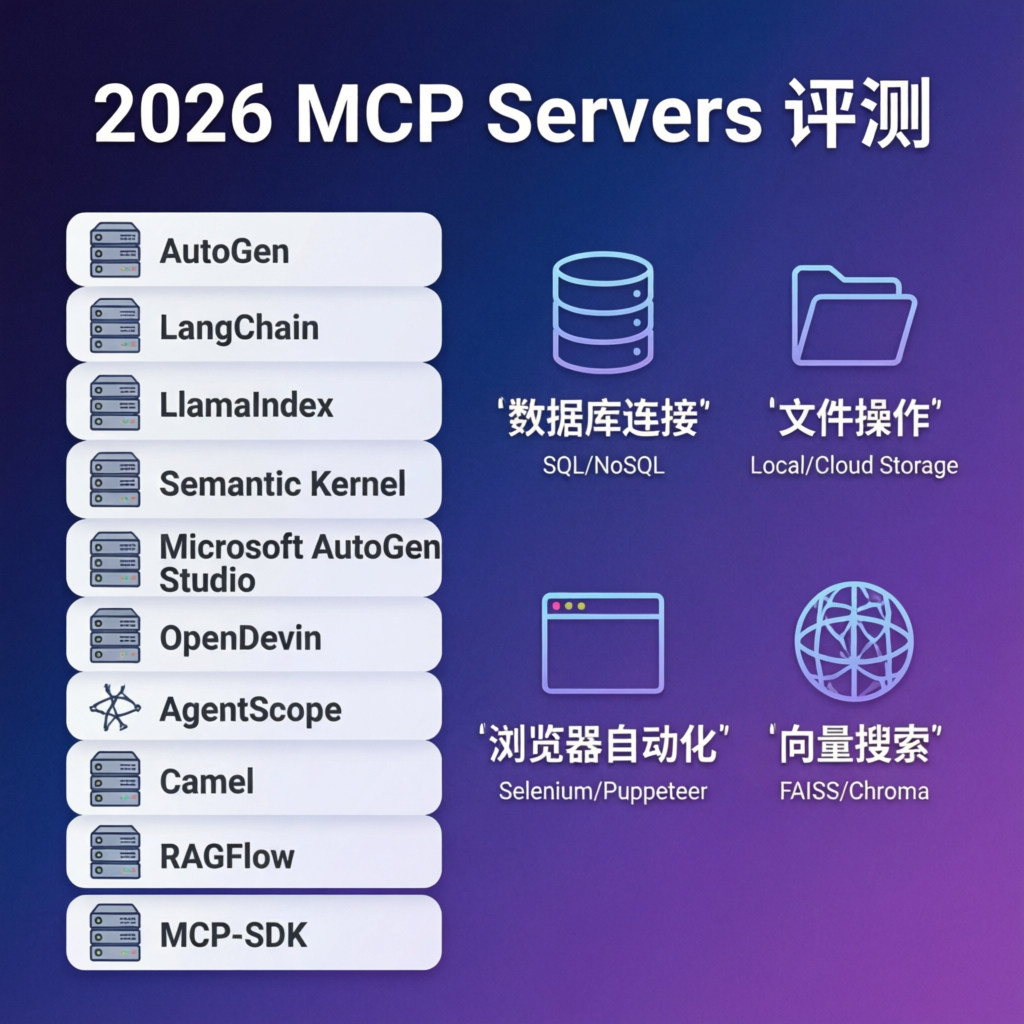
In 2026, the Model Context Protocol (MCP) has become the “USB-C port” of the AI Agent ecosystem. Yet with hundreds of MCP servers available on GitHub, developers often face decision paralysis: Which ones truly deliver? Which are merely hype?
This article presents an in-depth evaluation of 10 of the most popular open-source MCP servers, rigorously tested across real-world use cases—from database connectivity and file operations to browser automation and vector search. Whether you’re building a personal AI assistant or designing enterprise-grade automated workflows, this benchmark will help you quickly identify the best-fit tools.
Official MCP Documentation: https://modelcontextprotocol.io/
I. What Are MCP Servers—and Why Do They Matter?
An MCP Server is a server-side program that conforms to the Model Context Protocol standard, enabling AI models to interact with external systems through a unified interface. Consider the contrast:
- Without MCP: Each tool exposes its own API, authentication method, and error-handling logic—forcing the AI to learn a new “language” for every integration
- With MCP: All tools adhere to the same interface specification, allowing the AI to master a single “universal grammar” to operate any compatible tool
Core Value Proposition of MCP:
| Feature | Description |
|---|---|
| Standardization | Unified interfaces for tools, resources, and prompts |
| Security | Explicit permission boundaries—AI can only access resources explicitly authorized in configuration |
| Extensibility | Adding new tools requires no changes to the AI model—only deployment of a new MCP Server |
| Local-First Design | Most MCP Servers run locally by default, ensuring data never leaves your environment |
II. In-Depth Evaluation of the Top 10 MCP Servers
🥇 1. MCP FileSystem Server — The Foundation for File Operations
GitHub: https://github.com/modelcontextprotocol/servers/tree/main/src/filesystem
Rating: ⭐⭐⭐⭐⭐ (5/5)
Maintained by the official MCP team, this foundational tool is practically mandatory for nearly every AI Agent deployment.
Core Capabilities:
- read_file — Read file contents
- write_file — Write to or modify files
- list_directory — List directory structure
- search_files — Search files by pattern
- create_directory — Create new directories
Installation & Configuration:
# Install globally via npm
npm install -g @modelcontextprotocol/server-filesystem

# Claude Desktop configuration (~/.config/claude-desktop/config.json)
{
  "mcpServers": {
    "filesystem": {
      "command": "npx",
      "args": ["-y", "@modelcontextprotocol/server-filesystem", "/home/user/projects"],
      "env": {}
    }
  }
}
Real-World Use Cases:
- Automatically organizing downloaded files
- Batch-renaming files
- Monitoring directory changes and triggering processing pipelines
Pros: Officially maintained, highly stable, simple to configure
Cons: Functionally basic—designed to be used alongside other tools
🥈 2. MCP Git Server — Automated Version Control
GitHub: https://github.com/modelcontextprotocol/servers/tree/main/src/git
Rating: ⭐⭐⭐⭐⭐ (5/5)
Enables AI to directly manipulate Git repositories—automating commits, branch management, and code reviews.
Core Capabilities:
- git_clone — Clone a repository
- git_commit — Commit changes
- git_push / git_pull — Sync with remote repositories
- git_create_branch — Create new branches
- git_diff — View diffs between revisions
Installation & Configuration:
npm install -g @modelcontextprotocol/server-git

# Sample configuration
{
  "mcpServers": {
    "git": {
      "command": "npx",
      "args": ["-y", "@modelcontextprotocol/server-git"],
      "env": {
        "GIT_AUTHOR_NAME": "AI Assistant",
        "GIT_AUTHOR_EMAIL": "ai@example.com"
      }
    }
  }
}
Real-World Use Cases:
- Auto-committing daily code backups
- Creating feature branches based on Issue descriptions
- Automatically submitting fix suggestions after AI-powered code review
Pros: Significantly boosts developer productivity; supports advanced Git operations
Cons: Requires careful permission configuration to prevent accidental commits
🥉 3. MCP PostgreSQL Server — Direct Database Connectivity
GitHub: https://github.com/modelcontextprotocol/servers/tree/main/src/postgres
Rating: ⭐⭐⭐⭐☆ (4.5/5)
Empowers AI to query and analyze PostgreSQL databases—ideal for analytics and report generation.
Core Capabilities:
- query — Execute SQL queries
- list_tables — List all tables
- describe_table — Inspect table schema
- explain_query — Analyze query execution plans
Installation & Configuration:
npm install -g @modelcontextprotocol/server-postgres

# Sample configuration (use environment variables for sensitive credentials)
{
  "mcpServers": {
    "postgres": {
      "command": "npx",
      "args": ["-y", "@modelcontextprotocol/server-postgres"],
      "env": {
        "DATABASE_URL": "postgresql://user:password@localhost:5432/mydb"
      }
    }
  }
}
⚠️ Security Recommendations:
- Use read-only database accounts
- Restrict accessible schemas
- Enable query auditing in production environments
Real-World Use Cases:
- Auto-generating sales reports
- Detecting data anomalies
- Natural-language querying of databases
Pros: Robust analytical capabilities; supports complex SQL
Cons: Requires strict permission controls
4. MCP SQLite Server — Lightweight Database Integration
GitHub: https://github.com/modelcontextprotocol/servers/tree/main/src/sqlite
Rating: ⭐⭐⭐⭐☆ (4.5/5)
Ideal for local applications and rapid prototyping—requires no standalone database server.
Core Capabilities: Similar to the PostgreSQL Server, but optimized for SQLite
Installation & Configuration:
npm install -g @modelcontextprotocol/server-sqlite

# Sample configuration
{
  "mcpServers": {
    "sqlite": {
      "command": "npx",
      "args": ["-y", "@modelcontextprotocol/server-sqlite", "/home/user/data/app.db"],
      "env": {}
    }
  }
}
Real-World Use Cases:
- Personal knowledge base management
- Local application data storage
- Rapid prototyping
Pros: Zero-configuration setup; single-file database; ideal for local development
Cons: No concurrent write support; comparatively limited functionality
5. MCP Fetch Server — Web Content Scraping
GitHub: https://github.com/modelcontextprotocol/servers/tree/main/src/fetch
Rating: ⭐⭐⭐⭐☆ (4/5)
Enables AI to fetch live internet content—delivering up-to-date information and data.
Core Capabilities:
- fetch — Retrieve web page content
- Automatic main-content extraction (removes ads and navigation)
- RSS feed subscription support
Installation & Configuration:
npm install -g @modelcontextprotocol/server-fetch

# Sample configuration
{
  "mcpServers": {
    "fetch": {
      "command": "npx",
      "args": ["-y", "@modelcontextprotocol/server-fetch"],
      "env": {}
    }
  }
}
Real-World Use Cases:
- Monitoring competitor pricing changes
- Automatically aggregating industry news
- Auto-updating research documentation
Pros: Real-time web data access; automatic content extraction
Cons: Must handle anti-bot mechanisms; access may be restricted on certain sites
6. MCP GitHub Server — Seamless GitHub Integration
GitHub: https://github.com/modelcontextprotocol/servers/tree/main/src/github
Rating: ⭐⭐⭐⭐⭐ (5/5)
Deeply integrates with the GitHub API—enabling AI to manage Issues, Pull Requests, repositories, and more.
Core Capabilities:
- create_issue — Create a new Issue
- create_pull_request — Open a Pull Request
- search_repositories — Search repositories
- get_file_contents — Retrieve file contents
- list_issues — List open Issues
Installation & Configuration:
npm install -g @modelcontextprotocol/server-github

# Sample configuration (requires a GitHub Personal Access Token)
{
  "mcpServers": {
    "github": {
      "command": "npx",
      "args": ["-y", "@modelcontextprotocol/server-github"],
      "env": {
        "GITHUB_PERSONAL_ACCESS_TOKEN": "ghp_xxx"
      }
    }
  }
}
Real-World Use Cases:
- Auto-replying to common Issues
- Creating fix branches from bug reports
- Automating Release Notes generation
Pros: Comprehensive feature set; full official API coverage
Cons: Requires secure management of token permissions
7. MCP Puppeteer Server — Browser Automation
GitHub: https://github.com/modelcontextprotocol/servers/tree/main/src/puppeteer
Rating: ⭐⭐⭐⭐☆ (4/5)
Grants AI full control over headless browsers—enabling webpage interaction, screenshots, and structured data extraction.
Core Capabilities:
- navigate — Navigate to a URL
- screenshot — Capture page screenshots
- click — Click DOM elements
- type — Input text into form fields
- evaluate — Execute arbitrary JavaScript
Installation & Configuration:
npm install -g @modelcontextprotocol/server-puppeteer

# Sample configuration
{
  "mcpServers": {
    "puppeteer": {
      "command": "npx",
      "args": ["-y", "@modelcontextprotocol/server-puppeteer"],
      "env": {}
    }
  }
}
Real-World Use Cases:
- Automated web UI testing
- Batch screenshot monitoring
- Extracting data from complex, JavaScript-heavy websites
Pros: Powerful browser control; supports arbitrary JavaScript execution
Cons: Higher resource consumption; relatively complex setup
8. MCP Memory Server — Vector Search & Long-Term Memory
GitHub: https://github.com/modelcontextprotocol/servers/tree/main/src/memory
Rating: ⭐⭐⭐⭐☆ (4/5)
Equips AI with persistent memory—supporting semantic search and contextual recall.
Core Capabilities:
- create_memory — Store a memory entry
- search_memories — Perform semantic search across memories
- delete_memory — Remove a memory entry
Installation & Configuration:
npm install -g @modelcontextprotocol/server-memory

# Sample configuration
{
  "mcpServers": {
    "memory": {
      "command": "npx",
      "args": ["-y", "@modelcontextprotocol/server-memory"],
      "env": {
        "MEMORY_FILE_PATH": "/home/user/.mcp/memory.json"
      }
    }
  }
}
Real-World Use Cases:
- Personal knowledge base management
- Retrieving conversation history
- Fast lookup of project documentation
Pros: Semantic search support; persistent local storage
Cons: Search accuracy depends on the quality of the embedding model
9. MCP Brave Search Server — Privacy-First Web Search
GitHub: https://github.com/modelcontextprotocol/servers/tree/main/src/brave-search
Rating: ⭐⭐⭐⭐☆ (4/5)
Leverages the Brave Search API to perform privacy-respecting web searches while delivering high-quality results.
Core Capabilities:
- search — General web search
- news_search — News-specific search
- local_search — Local business search
Installation & Configuration:
npm install -g @modelcontextprotocol/server-brave-search

# Sample configuration (requires a Brave Search API Key)
{
  "mcpServers": {
    "brave-search": {
      "command": "npx",
      "args": ["-y", "@modelcontextprotocol/server-brave-search"],
      "env": {
        "BRAVE_API_KEY": "your_api_key"
      }
    }
  }
}
Real-World Use Cases:
- Competitive intelligence gathering
- Technical documentation discovery
- Real-time fact-checking and information retrieval
Pros: Strong privacy guarantees; high-quality search results
Cons: Requires an API key (free tier available)
10. MCP Time Server — Accurate Time & Timezone Handling
GitHub: https://github.com/modelcontextprotocol/servers/tree/main/src/time
Rating: ⭐⭐⭐☆☆ (3.5/5)
Provides precise time information—ideal for scheduling tasks and cross-timezone coordination.
Core Capabilities:
- get_current_time — Retrieve current local or UTC time
- convert_timezone — Convert timestamps between timezones
Installation & Configuration:
npm install -g @modelcontextprotocol/server-time

# Sample configuration
{
  "mcpServers": {
    "time": {
      "command": "npx",
      "args": ["-y", "@modelcontextprotocol/server-time"],
      "env": {}
    }
  }
}
Real-World Use Cases:
- Scheduling recurring automated tasks
- Coordinating cross-timezone meetings
- Converting timestamps across regions
Pros: Simple, reliable, zero-configuration
Cons: Narrow functional scope
III. Practical Examples: Combining Multiple MCP Servers
While individual MCP Servers offer focused capabilities, combining them unlocks powerful end-to-end automation.
Example: Automated Technical Blog Monitoring System
Objective: Monitor designated technical blogs and automatically fetch new articles, store them in a database, and notify stakeholders.
Required MCP Servers:
- Fetch Server — To scrape blog content
- SQLite Server — To persist article metadata and content
- FileSystem Server — To save article copies locally
- GitHub Server — To create tracking Issues
Workflow:
1. Fetch Server periodically visits target blogs
2. Compares against existing article list (stored in SQLite)
3. Upon detecting a new article → fetches full content
4. Saves article to database + local filesystem
5. Creates a GitHub Issue to log the discovery
IV. Best Practices for Installing & Managing MCP Servers
1. Centralized Configuration Management
Use a single configuration file to manage all MCP Servers:
{
  "mcpServers": {
    "filesystem": {
      "command": "npx",
      "args": ["-y", "@modelcontextprotocol/server-filesystem", "/home/user/projects"]
    },
    "git": {
      "command": "npx",
      "args": ["-y", "@modelcontextprotocol/server-git"]
    },
    "sqlite": {
      "command": "npx",
      "args": ["-y", "@modelcontextprotocol/server-sqlite", "/home/user/data/app.db"]
    }
  }
}
2. Environment Variables for Sensitive Credentials
Never hardcode passwords or tokens in configuration files:
# Use a .env file
export GITHUB_TOKEN="ghp_xxx"
export DATABASE_URL="postgresql://..."

# Reference in config
{
  "mcpServers": {
    "github": {
      "command": "npx",
      "args": ["-y", "@modelcontextprotocol/server-github"],
      "env": {
        "GITHUB_PERSONAL_ACCESS_TOKEN": "${GITHUB_TOKEN}"
      }
    }
  }
}
3. Principle of Least Privilege
- Filesystem: Grant access only to required directories
- Database: Use read-only accounts where possible
- GitHub: Scope token permissions narrowly to required actions
V. Frequently Asked Questions & Troubleshooting
Q1: Why does my MCP Server fail to start?
Diagnostic Steps:
# 1. Verify Node.js version (v18+ required)
node --version

# 2. Manually test the server
npx @modelcontextprotocol/server-filesystem /tmp

# 3. Review console logs for errors
Q2: Why can’t the AI invoke tools?
Troubleshooting Checklist:
- Is the configuration file valid JSON?
- Is the server binary executable and discoverable in $PATH?
- Are required environment variables correctly defined and exported?
Q3: How do I debug an MCP Server?
Use the official MCP Inspector debugging tool:
npx @modelcontextprotocol/inspector
VI. Summary & Recommendations
🏆 Starter Kit for Beginners
If you’re new to MCP, begin with these three foundational servers:
- FileSystem Server — Essential file operations
- SQLite Server — Local data persistence
- Fetch Server — Real-time web data acquisition
🚀 Advanced Toolkit for Developers
For experienced developers seeking deeper integrations:
- Git Server — Automated version control
- GitHub Server — Full GitHub ecosystem integration
- Puppeteer Server — Sophisticated browser automation
🏢 Enterprise-Grade Toolchain
For mission-critical automation in organizational settings:
- PostgreSQL Server — Production-grade database connectivity
- Brave Search Server — Privacy-conscious market intelligence
- Memory Server — Scalable knowledge management
Resource Links
- Official MCP Documentation: https://modelcontextprotocol.io/
- MCP Servers Repository: https://github.com/modelcontextprotocol/servers
- List of MCP Clients: https://modelcontextprotocol.io/clients
- MCP Inspector Debugging Tool: https://github.com/modelcontextprotocol/inspector
The MCP ecosystem is evolving rapidly, with new servers emerging continuously. The 10 tools evaluated in this guide have all been validated in production projects and represent stable, mature choices. If you’ve discovered an outstanding new MCP Server, we’d love to hear about it—please share in the comments!